
Canva AI Upgrades in 2026
Published:
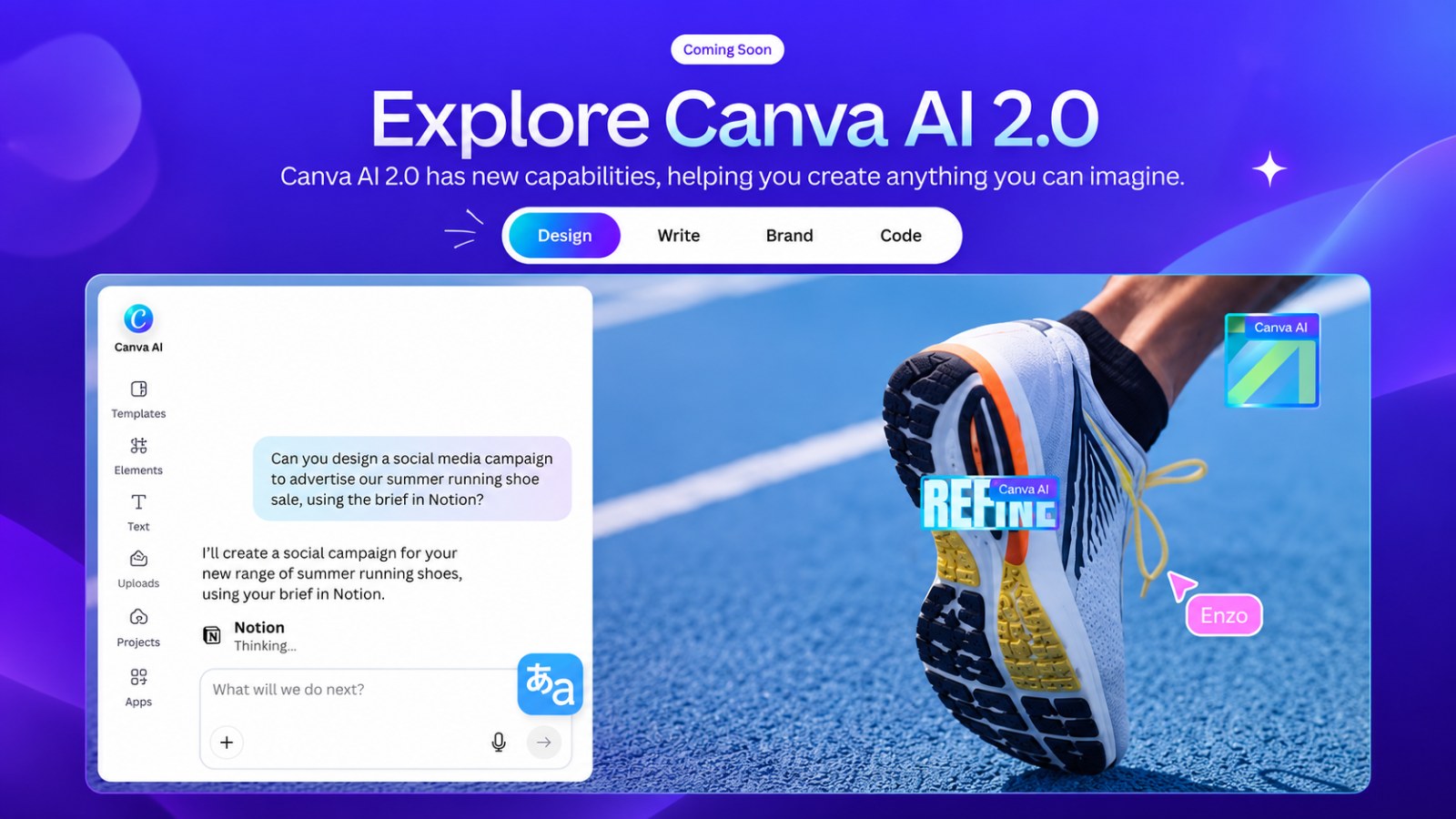
Canva AI 2026 brings many changes, including Canva AI 2.0, prompt-based design, image and video creation, website creation, and smart editing tools. Explore the standout features with ShareTaiKhoan.
Canva AI 2026: Smart design tools worth trying
Updated 29/10/2026 | Category: Technology News
Canva AI 2026 is marking a notable shift for the online design platform Canva. No longer just a tool for creating posters, banners, or slides from pre-made templates, Canva is developing into an integrated creative ecosystem powered by artificial intelligence, supporting users from the initial idea through to the finished product.
In 2026, Canva announced several updates, such as Canva AI 2.0, Canva Code 2.0, Visual Suite improvements, and AI tools for creating images, videos, content, and interactive designs.
So, what's new in Canva AI 2026? Which features are useful for students, teachers, marketing employees, and business owners? Do you have to upgrade to Canva Pro to use AI?
Let's ShareTaiKhoan discover the standout changes and how to make effective use of Canva AI in the article below.
What Is Canva AI 2026? Why Is It Getting So Much Attention?
Canva AI is a system of artificial intelligence tools integrated into the Canva design platform, helping users create and edit various types of visual content.
Instead of carrying out every task manually, users can use AI to suggest layouts, generate images, write content, edit photos, create presentations, and help design websites.
One notable development in 2026 is Canva’s continued expansion of its ability to create content from natural-language prompts.
This means users do not necessarily need to be proficient with professional design software to start creating something.
For example, a store owner who wants to create an advertising post could describe:
"Design a Facebook post promoting a summer fashion sale, with a minimalist style, blue and white colors, and a prominent space for the 30% discount."
Canva AI can help generate initial design options for users to refine.
How is Canva AI different from traditional design?
With conventional design methods, users have to choose a template, edit each element, arrange images, and write content.
Meanwhile, AI can help shorten the ideation and draft creation stages.
However, Canva AI does not completely replace human design skills. Users still need to check the layout, spelling, colors, images, and brand fit before publishing.
Canva AI 2.0 – A New Step Forward in AI-Powered Design
One of Canva's major updates in 2026 is Canva AI 2.0, introduced by Canva as a step toward conversational design and smarter creative workflows.
According to Canva, Canva AI 2.0 is built on the Canva Design Model and is designed to understand the structure, hierarchy, and elements of a design.
2.1. Design with Natural-Language Prompts
Users can describe their ideas in text instead of starting entirely from a blank page.
For example:
"Create an 8-slide presentation introducing a marketing plan for a cosmetics store, with a professional style and pastel pink and white colors."
AI can help create content structures and initial design elements.
Users can then change the headline, images, colors, and layout to suit their actual goals.
2.2. Designs with Multiple Editable Layers
A notable aspect of Canva AI 2.0's development is its ability to create structured content and editable components, rather than just a flat image.
For example, users may need to adjust a headline or replace an image without wanting to recreate the entire design.
The ability to edit individual elements makes the workflow more flexible.
2.3. Edit Through Conversation
Rather than making every change manually, users can continue describing what they want to change.
For example:
Change the color tone to blue.
Make the headline stand out more.
Replace the illustrations with ones in a modern style.
Simplify the layout.
Adapt the design for a different customer group.
Canva AI 2.0 is designed for a continuous workflow, allowing users to interact with AI as they refine their creations.
Note: Canva AI 2.0 was introduced as a research preview. Access to individual features depends on the account plan and rollout schedule.
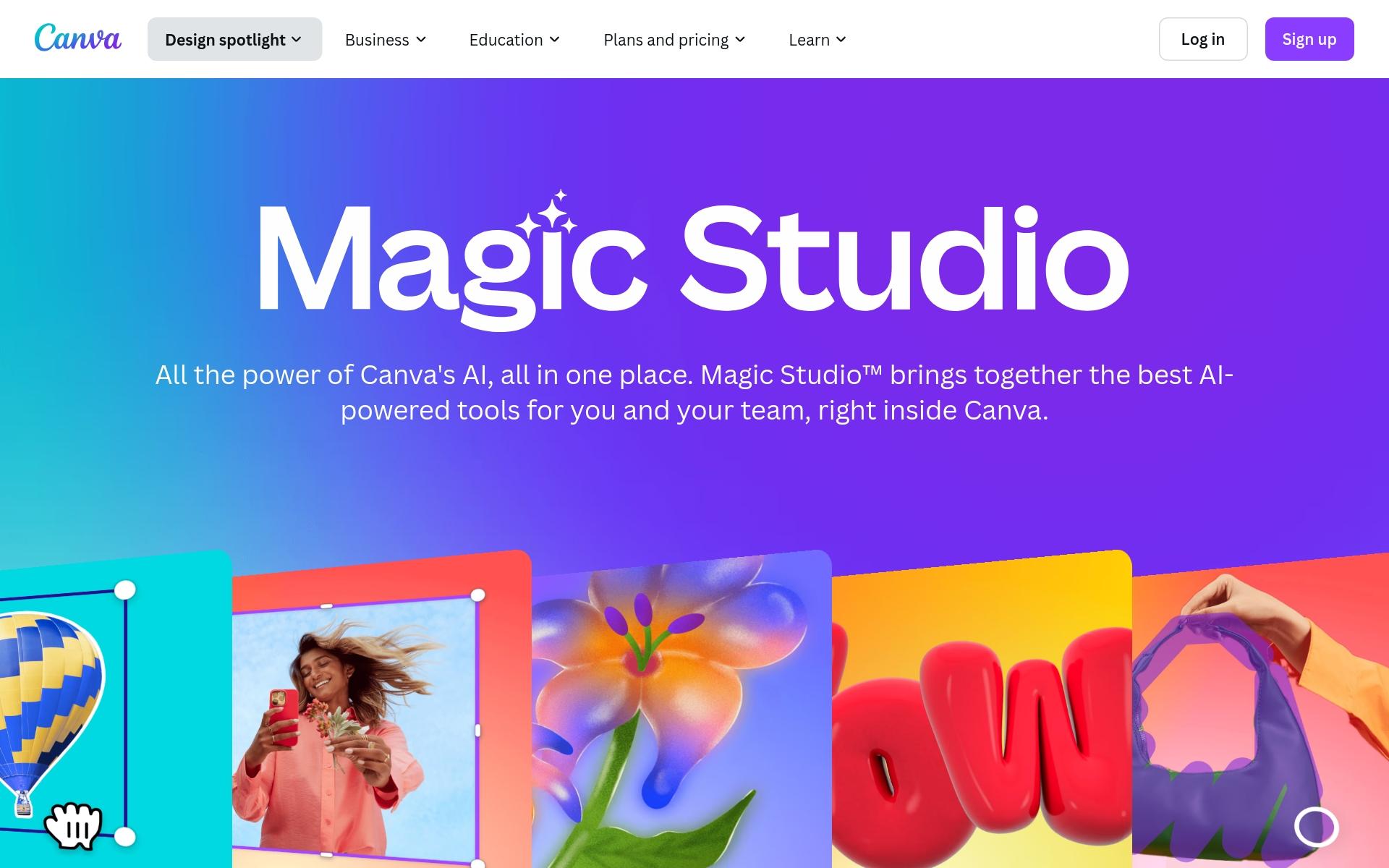
Magic Studio – AI Tools for Faster Design
Magic Studio is one of Canva's best-known suites of AI tools.
Although not all Magic Studio features first appeared in 2026, this suite of tools remains important when evaluating how AI can be used in Canva.
3.1. Magic Write – Help with Writing Content
Magic Write helps users create and edit text with AI.
This feature can be used to:
Suggestions for social media post headlines.
Write a product description.
Develop presentation content.
Create a document outline.
Rewrite the sentence in a suitable style.
For example, a marketing employee could request:
"Write 5 short headlines for a Facebook post introducing a skincare product, with a youthful tone and a focus on the product’s benefits."
AI can generate options for users to choose from and edit.
For advertising content, carefully verify claims about a product’s effectiveness before using them.
3.2. Magic Design – Help with Creating Designs
Magic Design helps users start with an idea or input content to generate design options.
Instead of searching through dozens of templates and trying them one by one, users can use AI suggestions as a starting point.
Common applications include:
Design a Facebook post.
Create presentation slides.
Design an event poster.
Create an advertising banner.
Create visual content for learning.
Magic Design is especially useful for creating quick drafts, but the final result should still be edited to suit your needs.
3.3. Magic Edit – AI-Powered Image Editing
Magic Edit lets users edit an area of an image by describing the requested changes.
For example, if there is a product photo on a table, users can try asking to change a detail in the setting or adjust an object.
This application is suitable for testing design ideas, creating illustrations, and preparing marketing content.
However, AI results may distort product details. Therefore, images used for sales need to be carefully checked before publication.
3.4. Background Remover – Remove Image Backgrounds
The background remover helps separate the subject from the background.
This is a useful tool for people who regularly create:
E-commerce product photo.
Advertising poster.
Thumbnail video.
Profile photo.
Design a banner.
For example, a shop owner can separate an image of a shirt from its original background, then place the product in a new advertising layout.
For simple cases, automated tools can save considerable editing effort.
3.5. Magic Resize – Resize Designs
A piece of marketing content often needs to be used across multiple platforms.
For example:
Facebook post: 1080 × 1350 px.
Square Instagram post: 1080 × 1080 px.
Vertical TikTok video: 1080 × 1920 px.
Presentation slide: 16:9 aspect ratio.
Magic Resize helps resize designs so users don't have to rebuild them from scratch.
However, after changing the aspect ratio, check elements near the edges, text, and layout to prevent cropping or content becoming too small.
Canva Code 2.0 – Create Websites and Interactive Content Without Advanced Coding Skills
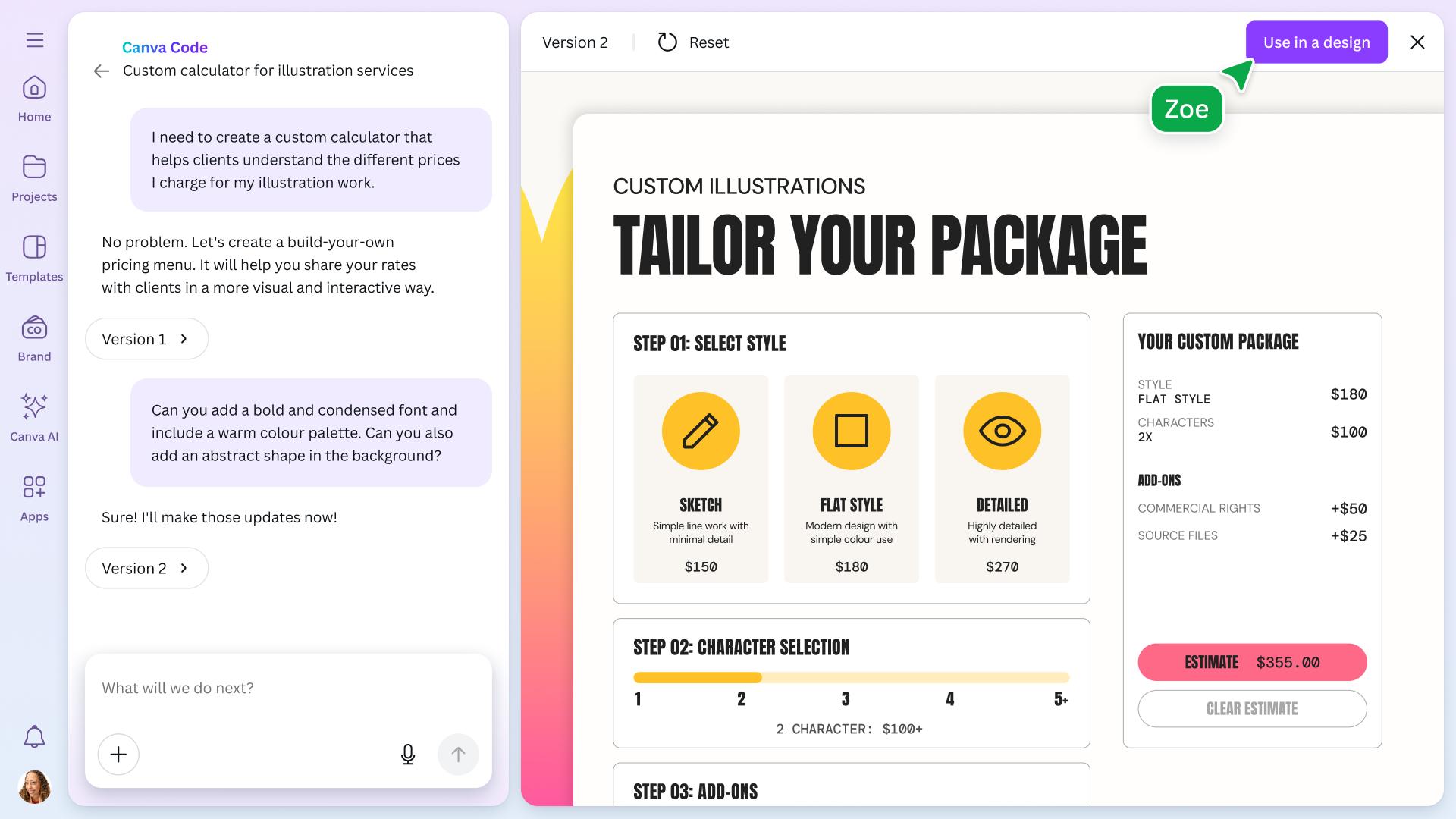
On July 14, 2026, Canva announced Canva Code 2.0, expanding the ability to create websites, small apps, and interactive experiences using prompts.
This is a notable new development because Canva is no longer limited to supporting static design content.
4.1. Create a Website from a Description
Users can describe their ideas in natural language.
For example:
"Create a landing page introducing an online English course, including an introduction, benefits, curriculum, and sign-up button."
Canva Code can help create an initial interactive product.
Users can then continue editing the content, images, and design elements.
4.2. Create Interactive Tools
Canva Code is also intended for products such as:
Knowledge quiz.
Event landing page.
Simple calculation tool.
Course information page.
Interactive experiences for marketing.
For example, a teacher can create a quiz game to help students review what they have learned.
For business owners, this tool can help create product introduction pages or simple interactive experiences.
4.3. Make Visual Edits After Creation
A notable feature of Canva Code 2.0 is its combination of AI-generated content with editing capabilities within the Canva environment.
Users can adjust colors, images, text, and interface elements instead of editing only through code.
However, websites with complex features, online payments, or customer data processing still need to be thoroughly checked for security, performance, and functionality.
Canva AI Helps Create Images and Videos
Alongside graphic design, Canva continues to develop AI tools that support the creation of image and video content.
5.1. Generate Images from Text
Users can describe the image they want, and AI will generate an illustration.
For example:
"A modern workspace with a light-colored wooden desk, a silver laptop, natural lighting, a minimalist style, and a 16:9 aspect ratio."
This feature is useful when you need illustrations for:
Blog post.
Advertising content.
Presentation.
Design background.
Social media content.
The quality of the results depends on the AI model, the prompt, and the account's usage conditions.
5.2. Create Short Videos with AI
Canva offers various video creation and editing tools, including AI capabilities that vary by plan.
Some notable applications include creating clips from descriptions, turning images into videos, and helping to complete marketing videos.
This can be useful for content creators who need to test video ideas before investing in filming and editing.
Even so, AI-generated videos may still contain errors in movement, faces, or visual details.
5.3. Help with Video Editing
In addition to AI video generation, Canva provides a video editing environment with tools for working with content, audio, effects, and transitions.
Users can combine ready-made video templates with images, text, and AI-generated content to create product introduction videos or event promotions.
For long videos or advanced editing needs, users still need to assess whether Canva meets their requirements compared with professional video editing software.
Canva Visual Suite 2026 – Combine Design and Work on One Platform
On September 2, 2026, Canva announced more than 100 upgrades to Visual Suite, including Docs, Presentations, Sheets, Whiteboards, Websites, and other tools.
A key aspect of this development is bringing more creative and productivity activities into a single workspace.
6.1. Canva Docs – Create Visually Engaging Documents
Canva Docs supports creating documents with text, images, and visual elements.
Users can create proposals, training documents, communication plans, or reports.
When combined with supported AI tools, preparing drafts and presenting documents can be more convenient.
6.2. Canva Presentations – Design Slides
Canva Presentations supports creating presentations using templates and editing tools.
For teachers and office workers, this is one of Canva’s most accessible practical applications.
Users can combine AI tools to prepare content, suggest a structure, and build a presentation.
6.3. Canva Sheets – Work with Data
Canva Sheets expands the ability to process and present data within Canva.
For example, a marketing team can build a content calendar, track some metrics, and bring visualized data into a document or presentation.
For complex calculations, Canva Sheets does not necessarily replace Excel or specialized data analytics platforms entirely.
6.4. Canva Websites – Publish a website
Canva Websites supports creating and publishing visual websites.
This may be worth considering for a simple landing page, personal introduction page, or event information page.
However, businesses should consider technical SEO, content management, and the ability to expand functionality if they plan to use it for a large commercial website.
Is Canva AI 2026 suitable for people who don’t know how to design?
One of Canva's key benefits is that it lowers the barrier to entry for design work.
Beginners can start with a ready-made template, use AI to generate ideas, and make visual edits.
Here are some use cases:
Audience | Canva AI applications |
|---|---|
Students | Create slides, infographics, and assignment posters |
Teachers | Design learning materials, lessons, and games |
Marketing professionals | Create social media content and banners |
Online store owners | Design advertising images |
Content Creator | Thumbnails, short videos, and illustrations |
Office workers | Reports, documents, presentations |
Small businesses | Brand identity, sales materials |
For example: A store owner uses Canva AI for marketing
Suppose a clothing store is preparing a year-end sale campaign.
The person in charge can use Canva to create a content package that includes:
Program announcement poster.
Facebook post introducing a promotion.
Story Instagram.
Short product introduction video.
Campaign results report slide.
Instead of designing everything from scratch, users can start with a template, use AI to develop ideas, and create a draft.
After that, the content needs to be edited to match the brand identity and the actual program details.
How are Canva Free and Canva Pro different in 2026?
Not all Canva AI features require a paid subscription.
Canva Free still offers some AI capabilities, but usage or feature availability is usually limited.
Canva Pro expands access to premium design tools and resources.
Canva Free and Canva Pro comparison table
Criteria | Canva Free | Canva Pro |
|---|---|---|
Basic design | Yes | Yes |
Template library | Free and limited | Expand the Premium templates |
AI tools | Limited | Expanded limits |
AI image generation | According to the allowance. | Higher limits |
Create advanced AI content | Limits vary by tool | Support for more tools |
Remove the image background | Not comprehensive | Yes |
Smart resizing | Limits | Yes |
Brand identity | Basic | Expand |
Cloud storage | 5 GB | 100 GB |
Premium design assets | Limits | Expand |
According to Canva's Vietnam pricing page, checked on 29/10/2026, Canva Pro has an indicative price of 150,000 VND/month for one member when subscribed to directly, with other subscription duration options subject to applicable terms.
Prices and benefits may change depending on the time, region, promotion, and subscription method.
When should you use Canva Free?
Canva Free is suitable for people who design infrequently, use basic templates, and do not need many premium resources.
This is also an option for newcomers to get familiar with Canva’s interface before upgrading.
When should you upgrade to Canva Pro?
Canva Pro is worth considering if users frequently:
Create images for work.
Create multiple social media posts.
Use background removal and resizing tools.
Need a library of Premium photos, videos, and templates.
Frequent use of AI.
Manage brand identity.
However, Canva Pro does not mean unlimited use of AI. Tools may have their own usage limits and terms.
Getting started with Canva AI 2026
Beginners can get familiar with Canva AI by following this simple process.
Step 1: Log in to Canva
Access https://www.canva.com and log in with your account.
Step 2: Choose a content type
Decide what you want to create, such as a Facebook post, slide, poster, video, or website.
Step 3: Open the appropriate AI tool
Depending on the interface and access permissions, users can choose Canva AI or the AI tools built into the editor.
Step 4: Write a clear prompt
A good prompt should describe:
Design type.
Intended use.
Target audience.
Image style.
Colors.
Desired size.
For example:
"Create an advertising banner for an online English course for students, with a modern style, blue and white colors, a prominent headline, and space for a sign-up button, sized 1200 × 628 px."
Step 5: Edit the design
Review the text, images, layout, and important information.
AI-generated content should not be published without reviewing it first.
Step 6: Export and use
Choose a suitable format such as PNG, JPG, PDF, or video, depending on the type of design.
If you use it for a website or advertising, consider the file size and display quality.
Limitations to Know About When Using Canva AI
Although Canva AI is becoming more versatile, users shouldn't expect every design to be perfect after just one prompt.
10.1. AI-generated content may not be accurate
AI can generate content with missing information or spelling errors, especially when the prompts are long and complex.
10.2. Designs may not match your brand identity
Adjust the colors, fonts, and layout to suit the brand.
10.3. AI tools have usage limits
Some features have usage limits, monthly quotas, or specific access requirements.
10.4. You need to check the rights to use the content
Before using images, audio, or video for commercial purposes, users should check the terms of use and the rights associated with the assets or generated content.
10.5. Avoid entering sensitive data into AI tools without careful consideration
For customer documents, internal information, or personal data, users need to follow their organization's security policies and check the platform's data settings.
Explore Canva plans at ShareTaiKhoan
If you use Canva for design regularly, you can explore the Canva account options featured at ShareTaiKhoan.
The website offers options with different subscription durations, delivery methods, and benefits.
Before choosing, users should carefully review:
Plan Canva Free, Pro or Edu.
Account type Account Shared hay Upgrade Account Personal upgrade.
Subscription duration.
Access to AI features.
Device limits and account management capabilities.
Warranty, account replacement, and refund conditions.
In particular, some Canva Edu options on ShareTaiKhoan are described as having no AI. Therefore, if your main purpose is to use Canva AI, choose a plan that supports the features you want.
Users should also note that access to an AI feature depends on Canva's policies, not just on the name of the plan being promoted.
Explore Canva packages at ShareTaiKhoan:
https://sharetaikhoan.com.vn/product/canva
ShareTaiKhoan is an independent service provider and is not an official representative of Canva. Users should carefully review the terms and check whether they comply with the platform's policies before signing up.
Frequently Asked Questions About Canva AI 2026
Is Canva AI 2026 free?
Yes. Canva Free supports some AI tools with usage limits. Advanced features or higher limits may require a paid plan.
What is Canva AI 2.0?
Canva AI 2.0 is a new direction for Canva, focused on conversational design, smart editing, and AI-assisted creative workflows.
Can Canva AI create PowerPoint presentations?
Canva can help create content and presentations. Users can also export presentations to a suitable format, depending on available features and current conditions.
Can Canva AI create videos?
Yes. Canva offers AI tools to help create or edit videos. Availability and usage limits depend on the account plan.
Does Canva Code 2.0 require programming knowledge?
Not necessarily. Users can describe their ideas in text to create simple interactive products, then edit them using the visual interface.
Does Canva Pro offer unlimited AI usage?
No. Canva Pro expands access, but usage limits may still apply to certain AI tools.
Is Canva AI suitable for beginners?
Yes. Canva is designed to be accessible to nonprofessionals, particularly with its ready-made templates and intuitive editing tools. Users should still learn basic design principles to get better results.
Conclusion: Is Canva AI 2026 Worth Trying?
The updates in 2026 show that Canva is moving beyond its role as an ordinary graphic design tool.
Canva AI 2.0, Canva Code 2.0, Magic Studio and Visual Suite expand creative possibilities, making it easy for users to prepare content, design images, create presentations, and experiment with interactive products.
For beginners, Canva Free is a suitable option to get started.
For marketing staff, content creators, and businesses that regularly need designs, Canva Pro can offer many useful tools and higher usage limits.
Whichever version you choose, the most important thing is to clearly identify your needs, check the quality of the content, and use AI as a tool to support creativity.
Interested in Canva Pro?
Access ShareTaiKhoan.com.vn to review Canva options, terms of use, and support policies before making a decision.
(0 ratings - 0/5)
Buy affordable accounts at ShareTaiKhoan
Related products

Other articles
- What Is New in Suno v6? Models, Studio 2.0 and Plans for 2026
- When Is Black Friday 2026? Sale Schedule & Shopping Tips
- Is Gemma 5 Coming Soon? Google Makes AI 2.85 Times Faster
- Is Meta Muse Free? Plans and Terms of Use
- What is Udemy Business? A corporate training platform
- What is QuillBot? A guide to using QuillBot from A–Z
- What Is TurboScribe? How to Convert Audio, Video to Text
Comments (0)
Sign in or register to comment.
No comments yet.