
AI Video Generation 2026: What's New with Veo, Runway, Kling?
Published:
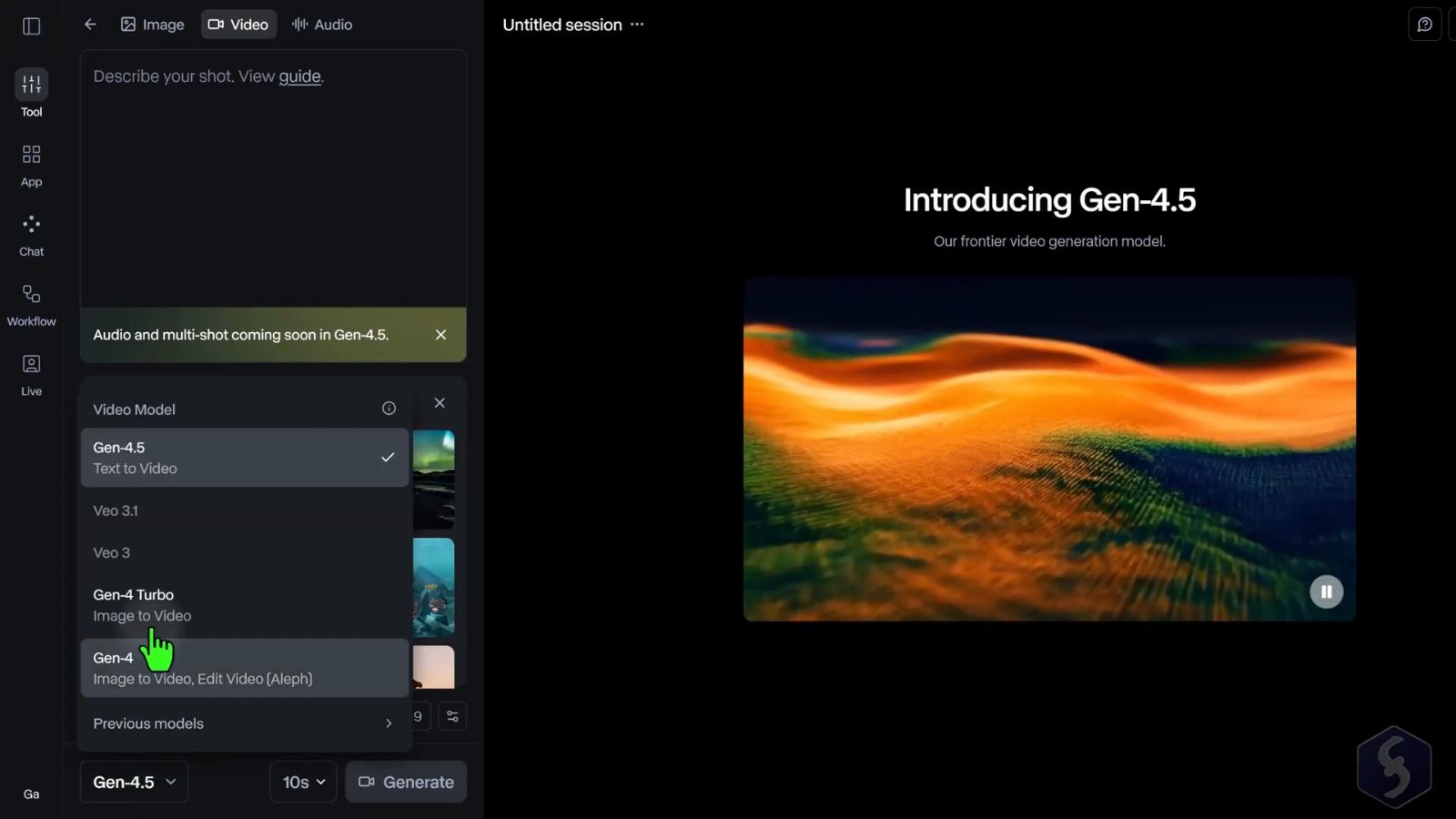
AI video generation is advancing rapidly in 2026, with Gemini Omni, Google Veo, Runway, Kling, and Seedance. Explore text-to-video technology, image-to-video generation, AI editing trends, and options for content creators
AI Video Generation Trends in 2026: Veo, Runway, and Other Noteworthy Tools
Updated: 03/11/2026 | Category: Technology News
AI Video Generation 2026 is changing how people produce digital content. Whereas creating an advertising video used to require a camera, actors, a set, and considerable post-production time, artificial intelligence can now help create short video clips from text descriptions or existing images.
Platforms such as Google Veo, Gemini Omni, Runway, Kling AI, and Seedance is expanding creative video capabilities with motion, visual effects, audio, and increasingly flexible editing tools.
In particular, 2026 has seen a notable shift: from generating a single video clip to editing, maintaining consistent characters, and building AI-powered content production workflows.
So What’s new in AI video generation trends in 2026? Which tools are suitable for TikTok, YouTube Shorts, product ads, or corporate videos?
Let's ShareTaiKhoan Explore the topic in the article below.
What Is AI Video Generation? Why Is It Trending in 2026?
AI video generation is a technology that uses artificial intelligence to create or edit video content from inputs such as text, images, audio, or existing videos.
Instead of completing the entire filming and editing process traditionally, users can provide an idea and ask AI to generate corresponding shots.
1.1. Text to Video – Create Videos from Text
This is one of the most common forms.
Users enter a description of the desired setting, characters, movement, lighting, and style.
For example:
"A cup of coffee on a wooden table by the window, morning sunlight shining through the curtains, gentle wisps of steam rising, the camera slowly moving toward the product, cinematic advertising style."
AI will use that description to create a video clip.
This format is suitable when users want to test an idea or create an illustrative scene without existing footage.
1.2. Image to Video – Turn Images into Videos
With Image to Video, users provide an image and ask AI to animate it.
For example, from an image of a cosmetics bottle, AI can create the effect of a camera circling the product or lighting changing over time.
This is a promising approach for e-commerce, advertising, and social media content creation.
1.3. Video to Video – Edit Videos with AI
Some tools allow users to use existing videos as input, then modify the setting, style, movement, or certain elements.
For example, users can request a background change or an adjustment to the visual style without having to reshoot the entire scene.
However, the level of accuracy depends on the model and the quality of the input video.
Google Veo and Gemini Omni: Notable Developments in 2026
Google is one of the companies that has made notable advances in AI video generation.
In 2026, Google not only continued improving Veo but also introduced Gemini Omni, expand multimodal video creation and editing capabilities.
2.1. What Can Google Veo 3.1 Do?
Google Veo 3.1 is an AI video generation model that can create moving images with audio.
According to information from Google, Veo 3.1 supports capabilities such as:
Generate video from text descriptions.
Generate motion from images.
Generate audio alongside video content.
Supports landscape and portrait formats.
Maintain some visual elements across scenes.
Supports options for increasing resolution.
Notably, the Veo 3.1 update in January 2026 supports vertical video generation in a 9:16 aspect ratio, suitable for YouTube Shorts and many short-form video platforms.
This helps creators avoid the extra step of converting horizontal videos to vertical format.
2.2. Gemini Omni – Google's Next Step Forward in 2026
At Google I/O on 19/05/2026, Google introduced Gemini Omni, a development direction combining information-understanding and multimodal content-generation capabilities.
Unlike workflows that only take text and generate video, Gemini Omni can combine multiple types of input, such as:
Descriptive text.
Reference image.
Existing video.
Some supported audio types.
One notable feature is the ability to edit videos through conversation.
Users can start with a video clip and then request changes to certain elements, such as camera movement or setting.
2.3. What's New in Gemini Omni 1.1 Flash?
In August 2026, Google introduced additional capabilities of Gemini Omni 1.1 Flash, focusing on controlling the video-generation process.
Notable improvements include:
Extend a shot
AI can use context from the previous video to create a continuation, helping build a longer story.
Control the first and last frames
Users can direct the visuals at the beginning and end of a video clip, helping create motion with a clearer objective.
Create resource-efficient drafts
Low-resolution draft generation lets you test ideas before creating a high-quality version.
Upscaling
Some workflows support upscaling content to 1080p or 4K, depending on the tool and access conditions.
For content creators, these are important improvements because video production depends not only on the quality of the initial generation, but also on the ability to make multiple rounds of edits.
2.4. Can Veo 3.1 Still Be Used?
It is important to distinguish between the Veo model and services that provide access to the model.
Google discontinued the Veo 3.1 Preview versions on the Gemini API starting on 22/10/2026 and advised developers to switch to Gemini Omni Flash or other supported models.
This does not mean that all Veo features across all Google products are being discontinued at the same time.
Users should check the information directly in Gemini, Google Flow, or the platform they are using.
Runway AI – A Video Creation and Editing Platform for Creators
Alongside Google, Runway AI continues to be one of the noteworthy platforms in AI video production.
Runway focuses on providing tools for content creators, filmmakers, marketing teams, and people who need control over the video editing workflow.
3.1. Runway Gen-4.5 – Create Videos from Text and Images
Runway Gen-4.5 was introduced in late 2025 and continued to be used in 2026.
This model supports two main methods:
Text to Video
Users create videos by describing the setting, characters, movement, and camera work.
Image to Video
Users use a reference image and add instructions about movement.
Runway Gen-4.5 supports short video clips, with duration and resolution depending on the mode used.
The tool's strength lies in its ability to describe camera movement, sequences of actions, and cinematic style.
3.2. Runway Aleph 2.0 – Edit Videos with AI
In May 2026, Runway introduced Aleph 2.0 and Edit Studio.
This is a noteworthy group of tools because it focuses on editing existing videos rather than only creating entirely new ones.
Users can edit a frame and use AI to apply the corresponding changes to the relevant part of the video.
For example, an advertiser can try changing the lighting or setting of a shot.
This reduces the need to regenerate an entire video when only one detail needs adjusting.
3.3. Runway Agent – Support for the Creative Process
Runway has also expanded how users interact with AI through Runway Agent.
Instead of generating a single shot with a prompt, users can discuss ideas, structure, and the content production process with AI.
This direction is well suited to people who need to create multiple scenes or coordinate several tools within a project.
3.4. Is Runway Suitable for Beginners?
Runway is suited to people who want to explore AI video in greater depth, particularly when they need to control motion and create cinematic-style scenes.
However, beginners need to familiarize themselves with prompt writing, the credit system, and editing tools to avoid wasting money on usage.
Kling AI – A Tool for Creating Videos from Images and Text
Kling AI is another option among AI video generation tools.
This platform offers multiple models for generating videos from text or images, making it suitable for experimenting with motion scenes and short-form video content.
During 2026, models from the Kling 3.0 and Kling O3 generations were also integrated into some creative platforms, such as Runway.
4.1. Create Motion from Product Images
One practical use of Kling is turning existing images into moving video clips.
For example, a fashion store owner could use images of clothing to try creating a scene of a model in motion.
However, AI may alter clothing details, colors, or logos.
Therefore, advertising videos need to be reviewed to ensure they do not misrepresent the actual product.
4.2. Experiment with Advertising Scenes
Users can also request scenes such as:
The product rotates in space.
Moving nature scene.
Store setting.
Camera movement through an interior space.
Illustrative scene for a communications video.
Kling may be a suitable option for testing multiple ideas before choosing a production approach.
Seedance – A Notable AI Video Tool in 2026
Seedance is a family of video generation models developed by ByteDance.
During 2026, Seedance continued to expand, with versions supporting multiple input types.
5.1. What Makes Seedance Stand Out?
Some versions of Seedance support:
Create videos from text.
Create videos from images.
Use reference video.
Combine audio and visuals.
Control the framing or reference elements.
These capabilities are suited to creative workflows that need to maintain a consistent visual style across multiple scenes.
5.2. Is Seedance Suitable for Marketing?
Seedance can help create short advertising videos, storytelling videos, and illustrative content for social media.
One noteworthy application is testing multiple video versions from the same advertising idea.
For example, a brand could create three different opening options to assess their ability to attract viewers before choosing the final content.
However, access to Seedance, pricing, and commercial-use terms depend on the distribution platform and model version.
OpenAI's Sora: A Major Change in the AI Video Market
When people mention AI video-generation tools, many still think of OpenAI’s Sora.
Sora 2 once drew attention for its ability to generate videos with synchronized motion and audio.
However, OpenAI discontinued its Sora product on 26/04/2026.
Therefore, when choosing an AI video tool in late 2026, users should not rely on old Sora sign-up guides without checking the service's status.
This also shows how quickly the AI video market is changing. A tool that was once prominent may be replaced, integrated into another platform, or discontinued.
Users should prioritize services with clearly updated information and transparent usage policies.
A Quick Comparison of Notable AI Video Generation Tools in 2026
Below is an overview comparison based on capabilities announced by providers.
Tool | Key highlights | Suitable for |
|---|---|---|
Google Veo 3.1 | Create video and audio, with support for vertical video | Short videos, advertising |
Gemini Omni | Conversational video editing with multiple input types | Creator, marketing |
Runway | Create video, edit, and build multi-scene workflows | Filmmakers, agencies |
Kling AI | Generate video from text, images, and other references | TikTok, advertising |
Seedance | Supports multiple input types and scene controls | Content creation |
Note: The table does not mean that every feature is available on the free plan. Availability depends on each provider’s version, region, platform, and policies.
Which tool produces the best-looking videos?
No tool is always best in every situation.
Video quality also depends on the type of scene, the requested movement, the quality of the input image, and how the idea is described.
To make an objective choice, users should try the same scenario with each tool and compare the actual results.
Five Major AI Video Generation Trends in 2026
8.1. AI Videos Increasingly Feature Synchronized Audio
One major change is that tools now support generating video combined with audio, rather than requiring users to handle all voice-over and sound effects separately.
This can help speed up the content testing process.
However, the voice, pronunciation, and synchronization between audio and video still need to be checked.
8.2. Create Videos from Multiple Types of Data
The multimodal trend lets users combine text, images, and reference videos.
For example, a brand could provide product images, brand colors, and a setting description so AI can help create an advertising scene.
8.3. Maintain Consistent Characters
One challenge with earlier AI video was that characters or products could change between scenes.
Newer models are developing a greater ability to maintain consistent appearance, setting, and style.
This is an important factor when creating narrative videos or multi-scene advertising campaigns.
8.4. Editing video with natural language
Instead of performing a series of technical operations, users can describe their editing requirements in text.
For example:
"Keep the product unchanged, replace the background with a white studio backdrop, and increase the lighting from the left."
AI can help make those changes within the tool’s capabilities.
8.5. AI’s role in the entire video production process
The new trend is not just about creating clips, but about combining multiple stages:
Idea → Script → Storyboard → Scene generation → Editing → Audio → Publishing.
AI tools are evolving to support multiple steps in this workflow.
Even so, people still play an important role in reviewing content, selecting options, and evaluating results.
Applications of AI video generation in marketing and business
9.1. Creating product advertising videos
A store can use product photos to create short videos with different camera movements, lighting, and settings.
For example, from a photo of a serum bottle, AI can help create a scene showing the product on a tabletop with gently shifting light.
The important thing is to preserve the product's shape, label, and information.
9.2. Creating TikTok and YouTube Shorts content
AI can help create illustrative scenes for storytelling videos, educational explainers, or advertisements.
For vertical videos, users should prioritize a 9:16 aspect ratio from the start.
9.3. Creating business introduction videos
AI can help create opening scenes, animated backgrounds, or illustrative clips for business introduction videos.
However, images presented as factories, offices, or real activities need to reflect the truth.
9.4. Creating educational content
Teachers and educational content creators can use AI to illustrate scenarios, natural phenomena, or stories.
AI-generated video should be clearly labeled as a simulation when viewers could mistake it for real footage.
A Guide to AI Video Creation for Beginners
To get started, users can follow six simple steps.
Step 1: Define the video’s goal
You need to decide whether the video is for advertising a product, explaining a topic, entertaining viewers, or introducing a business.
Step 2: Choose a tool
Choose a tool based on the type of content you need to create, the level of control, your budget, and the supported features.
Step 3: Prepare the input data
Depending on the tool, you may need a text description, reference image, or existing video.
Use clear source images that you have the appropriate rights to use.
Step 4: Write a detailed prompt
An effective prompt should include:
Main subject.
Setting.
Action.
Camera movement.
Lighting.
Image style.
Duration and aspect ratio.
Example prompt:
"Create a cinematic product video featuring a premium skincare serum bottle on a white marble surface. Soft morning sunlight, subtle water reflections, slow camera push-in, elegant minimalist style, realistic product lighting, vertical 9:16."
Step 5: Review and edit
After generating a video, review:
The product's shape and color.
Do the movements look natural?
Do any unusual objects appear.
Is the audio suitable?
Does the content meet its intended purpose?
Step 6: Export and finalize the video
Once they have suitable footage, users can add subtitles, advertising messages, a logo, and audio using video-editing tools.
For commercial videos, check usage rights, resolution, and platform requirements before publishing.
Limitations of AI Video Generation Technology
Despite significant progress, AI video has not yet completely replaced traditional production methods.
11.1. Movements May Look Unnatural
AI sometimes generates actions that do not follow the laws of physics or movements that lack consistency.
11.2. Product Details May Change
Logos, text on packaging, product construction, and colors may be inaccurate.
This is especially important for e-commerce advertising.
11.3. Costs Increase with Repeated Generations
Many platforms use a credits system. Each generation or edit may consume resources.
A satisfactory video may require multiple rounds of testing.
11.4. Pay Attention to Copyright and Image Rights
Users must consider the rights to use images, music, characters, and voices.
Don’t create content that impersonates real people or misleads viewers about real events.
11.5. Not Every Video Is Ready to Publish Immediately
AI video can be suitable for drafts, illustrations, or supporting scenes.
For content that requires a high degree of accuracy, users still need to film, verify information, or edit manually.
Which AI Video Generation Tool Should You Choose in 2026?
The choice depends on the intended use.
For beginners: Prioritize tools with an easy-to-learn interface that support creating videos from images or text.
For content creators: You can explore Gemini Omni, Kling, or Runway to experiment with short-form video formats.
For marketers: Prioritize tools that support multiple rounds of editing, preserve product imagery, and generate several advertising variations.
For businesses or agencies: Runway and platforms that support multi-step production workflows are options worth evaluating.
For people who need the Google ecosystem: Gemini Omni and Google Flow are tools worth exploring, with access depending on the subscription plan.
Before paying, users should carefully check the number of credits, usage period, video export quality, and commercial rights.
Explore AI Tools at ShareTaiKhoan
If you are interested in AI tools for work and content creation, you can learn more about the services featured at ShareTaiKhoan.com.vn.
When choosing an AI account or service plan, check:
Actual tool and version names.
Supported features.
Number of generations or credits.
Subscription duration.
Account management rights.
Support, warranty, and refund policies.
Compliance with the terms of the platform provider.
In particular, do not assume that a paid AI account includes unlimited video generation.
Discover more AI tools and digital services at ShareTaiKhoan.com.vn.
ShareTaiKhoan is an independent service provider and is not an official representative of Google, Runway, Kling, or ByteDance.
Frequently Asked Questions About AI Video Generation in 2026
What is AI video generation in 2026?
This is a group of technologies that use artificial intelligence to create or edit videos from text, images, audio, or existing videos.
Are there any free AI video generation tools?
Yes. Some platforms offer free plans or trial credits, but these often come with limits on credits, duration, or features.
Can Google Veo generate videos in Vietnamese?
Veo models can generate video with audio. However, the quality of Vietnamese dialogue needs to be tested on the specific version and platform.
How is Gemini Omni different from Veo?
Gemini Omni is being developed for multimodal video generation and editing, combining different types of input and enabling conversational interaction. Veo 3.1 is an earlier series of Google's video generation models.
Is Runway suitable for making advertising videos?
Yes. Runway offers useful video generation and editing tools for advertising content, but its real-world quality and cost should be evaluated.
Can Kling AI generate videos from images?
Yes. Supported Kling versions can generate videos from reference images.
Can AI create a complete long-form video?
Some tools can extend scenes or combine multiple video clips. However, to create a long video with a consistent story, users usually still need to edit multiple scenes together.
Is Sora AI still available in 2026?
OpenAI's Sora product was discontinued on 26/04/2026. Users should check official announcements rather than rely on outdated registration instructions.
Will AI video generation replace video editors?
AI can support many stages of the process, but it does not yet fully replace scriptwriting, content review, creative direction, or professional editing.
Conclusion: How Is the Future of AI Video Generation Changing?
In 2026, AI video generation technology is evolving from tools that automatically create clips into platforms that support multi-step creative workflows.
Google Veo, Gemini Omni, Runway, Kling, and Seedance offer different approaches, from generating videos with text to editing content and directing shots with AI.
A noteworthy trend lies not only in the ability to generate realistic images
(0 ratings - 0/5)
Buy affordable accounts at ShareTaiKhoan
Compare packages
| Product | Package | Type | Price | |
|---|---|---|---|---|
| Runway | Max - 1 month | Shared | 699.000₫ | Buy |
| Runway | Max - 3 months | Shared | 1.699.000₫ | Buy |
| Runway | Max - 1 year | Shared | 5.999.000₫ | Buy |
| Runway | Max - 1 month | Private | 1.299.000₫ | Buy |
| Kling | Standard 800 credits - 1 month | Private | 220.000₫ | Buy |
| Kling | Pro 3300 credits - 1 month | Private | 799.000₫ | Buy |
| Veo3 | Pro - 1000 credit | Own account | 199.000₫ | Buy |
| Veo3 | Pro - 3000 credit | Own account | 499.000₫ | Buy |
| Veo3 | Ultra 25000 credits - 2 x 25000 credits - 1 month | Shared | 350.000₫ | Buy |
| Veo3 | Ultra - 1 month | Own account | 699.000₫ | Buy |
Related products

Other articles
- What Is New in Suno v6? Models, Studio 2.0 and Plans for 2026
- When Is Black Friday 2026? Sale Schedule & Shopping Tips
- Is Gemma 5 Coming Soon? Google Makes AI 2.85 Times Faster
- Is Meta Muse Free? Plans and Terms of Use
- What is Udemy Business? A corporate training platform
- What is QuillBot? A guide to using QuillBot from A–Z
- What Is TurboScribe? How to Convert Audio, Video to Text
Comments (0)
Sign in or register to comment.
No comments yet.