
Elicit AI vs Google Scholar 2026: Which Tool Should You Choose?
Published:
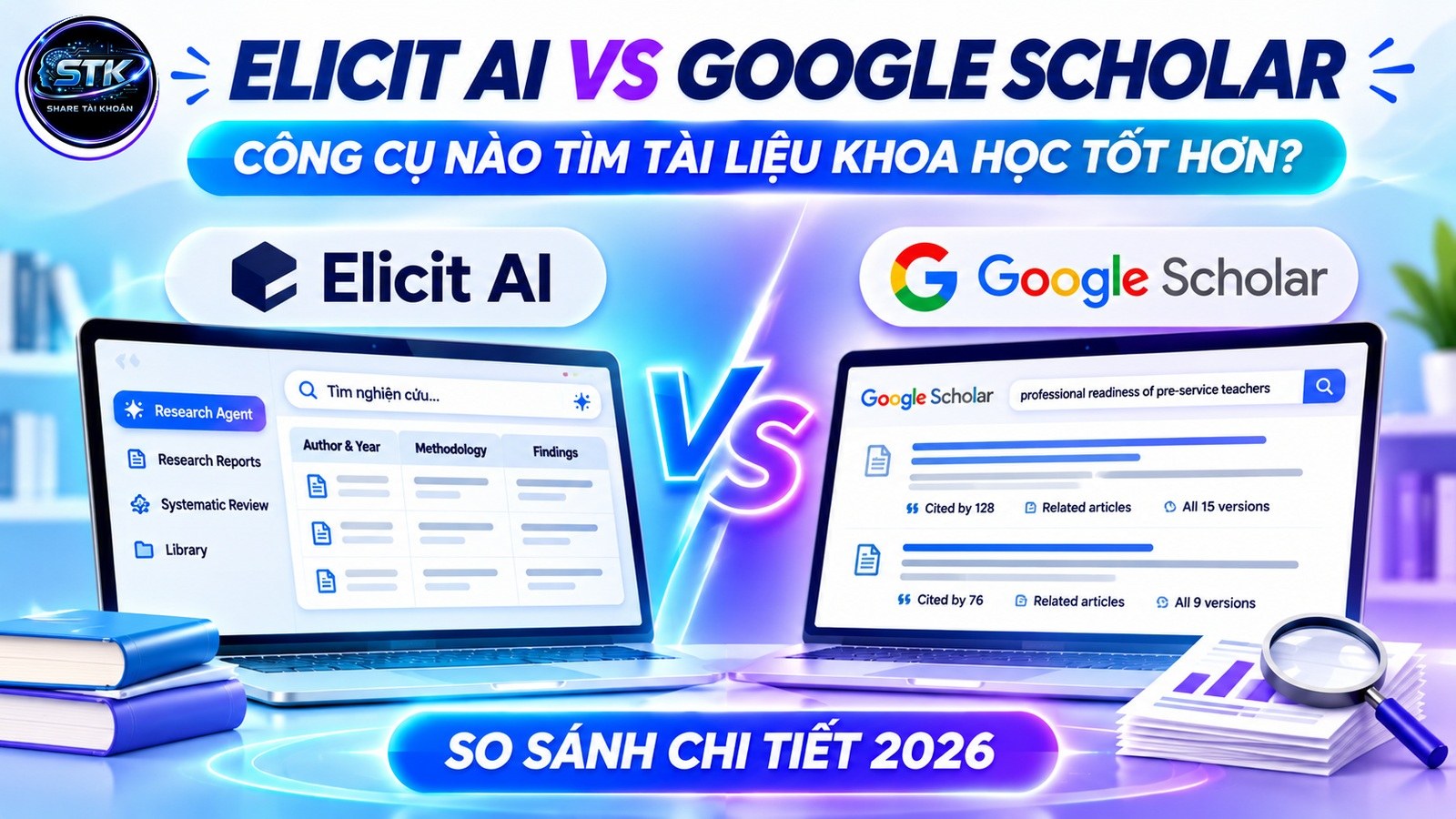
Elicit AI vs. Google Scholar 2026: A detailed comparison—which tool is better for finding scientific papers?
Are you working on a research project, thesis, or scientific study and struggling to find, read, and synthesize dozens of academic papers? Elicit AI and Google Scholar are two tools worth considering that help researchers access scholarly works more quickly and systematically.
However, these two platforms are not exactly the same. Google Scholar is Google's free academic search engine", supports finding papers, tracking citations, and discovering related research. Meanwhile, Elicit AI is an AI-powered research assistant", helps search for literature by meaning, extract data, create comparison tables, and support writing literature reviews (Literature Review).
So, how do Elicit AI and Google Scholar differ in 2026? Which tool is better for writing a thesis, finding scholarly articles, identifying research gaps, and saving time?
Let's ShareTaiKhoan a detailed comparison to help you choose the tool best suited to your research needs.
What Are Elicit AI and Google Scholar?
1.1. What Is Elicit AI?
Elicit AI is an artificial intelligence-powered research platform that helps users discover, analyze, and synthesize evidence from academic papers.
According to the developer, Elicit supports searches across more than 138 million scientific papers, along with additional research data sources.
Key capabilities include:
Find papers based on a research question.
Search semantically instead of matching keywords only.
Summarize and analyze document content.
Extract information such as methods, sample size, and results.
Build a comparison table of multiple works.
Create Research Reports with source citations.
Supports Systematic Literature Review.
Analyze documents uploaded by users.
In particular, Elicit Research Agent lets you combine multiple research steps in a single session.
Official website: https://elicit.com
1.2. What Is Google Scholar?
Google Scholar is an academic search engine developed by Google that allows users to search for various types of scholarly materials.
Common content sources include:
A paper published in a scientific journal.
Conference papers.
Theses and dissertations.
Academic books and book chapters.
Research manuscript (preprint).
A technical report.
Some legal documents and patents.
Google Scholar offers features such as:
Search by title, author, or keyword.
Filter sources by publication year.
View citation counts under Cited by.
Explore similar research through Related articles.
Find different versions of a paper.
Export citation information.
Save sources to My Library.
Set up email alerts for new research.
The biggest difference is that Google Scholar primarily helps users find and track sources", rather than automatically carrying out the entire research analysis and synthesis process like Elicit.
Official website: https://scholar.google.com
Elicit AI vs. Google Scholar Comparison Table 2026
Criteria | Elicit AI | Google Scholar |
|---|---|---|
Tool type | AI research assistant | Academic search engine |
Find scholarly articles | Yes | Yes |
Semantic search | Yes | Primarily searches for and ranks papers |
Summarize papers with AI | Yes | No equivalent AI synthesis workflow |
Extract methods, sample, and results | Yes | Usually has to be done manually |
Create a research synthesis table | Yes | No dedicated tools |
Literature Review | Research Agent, Research Reports | Supports source discovery for you to synthesize yourself |
Systematic Literature Review | Specialized workflows are available in the appropriate plan | Supports literature searches, with no equivalent workflow |
Track citations | Not a main strength | Has Cited by |
Find related research | Yes | Has Related articles |
New paper alerts | Routines and Alerts, depending on plan entitlements | Google Scholar Alerts |
Export citations | Available depending on the format and plan | Yes |
Price | Free and paid | Free |
Suitable | Analyze and synthesize the evidence | Search, verify, and track sources |
Review: Google Scholar is suitable for the search and bibliography-expansion stage. Elicit has an advantage when users want to turn the research they have found into data tables, summaries, and synthesis reports.
Comparing Their Ability to Search for Scientific Papers
3.1. Google Scholar: Search for Literature by Keyword
Google Scholar is suitable for users who have identified keywords related to their research topic.
For example, when researching the career readiness of preservice teachers, you could enter:
"professional readiness" "pre-service teachers"
After that, use the year filter to focus on recent studies.
If you find an important paper, you can use Cited by to discover works that have cited it, or Related articles to find similar studies.
Google Scholar also supports searches by author name and title, helping you check works you already know about.
3.2. Elicit: Search Based on the Meaning of a Question
Elicit lets users enter a research question in natural language.
For example:
"What factors influence professional readiness among pre-service English teachers?"
Elicit can find papers related to teacher preparation, teaching practicum, professional competence, and similar terms.
This is useful when researchers do not yet know all the relevant academic keywords.
After finding papers, users can also ask AI to analyze selected ones.
3.3. Which Tool Is Better at Searching?
It cannot be said that Elicit always finds better articles than Google Scholar, or vice versa.
Google Scholar is advantageous for discovering works through citations, searching across different types of academic materials, and accessing versions available on the web.
Elicit is more convenient when users want to ask a research question and quickly analyze relevant results.
For a thesis or serious research, should be used together rather than relying on just one tool.
Elicit AI vs. Google Scholar: Which Tool Is Better for Writing a Literature Review?
A Literature Review is a section that reviews previous research related to the topic.
A high-quality Literature Review does more than list sources; it compares, evaluates, and synthesizes scientific findings.
How does Google Scholar support a literature review?
Google Scholar helps researchers build a bibliography.
You can:
Find foundational studies.
Identify frequently cited authors.
Track new research.
Find works that use the same theory.
Check the articles that cite important research.
However, users often have to read the papers themselves and build comparison tables using Word, Excel, or reference management software.
How does Elicit support literature reviews?
Elicit can extract data from multiple papers according to specific criteria.
For example:
Criteria | Content |
|---|---|
Author & Year | Author and year |
Research Context | Research context |
Sample | Study population and sample size |
Methodology | Methods |
Research Variables | Research variables |
Key Findings | Key findings |
Limitations | Limitations |
After building the table, you can ask Elicit to synthesize similar and differing findings, as well as issues that require further research.
However, these claims should be checked against the original works.
Conclusion: Google Scholar is useful for building a bibliography; Elicit has an advantage in processing and synthesizing evidence into a clear structure.
Comparing Their Ability to Find and Check Academic Citations
Citations are an important factor in academic research.
Google Scholar is advantageous for Cited by
When you find a paper, Google Scholar usually displays a Cited by entry with the number of works in Scholar's database that have cited it.
This feature helps users discover studies published after an important work.
Related articles also helps users find sources with similar content.
Users can use the Cite button to get citation information in common reference formats.
However, verify the bibliographic information before including it in an academic paper.
Elicit supports evidence checking
Elicit lets users trace sources related to claims or data synthesized by AI.
This helps you check whether a conclusion in the research table is supported by a source.
However, Elicit does not completely replace tools for tracking citation networks.
Rating: Google Scholar is advantageous when you need to research citation histories and connections between works.
How Is Elicit Research Agent Different from Google Scholar?
Research Agent is Elicit's central feature in 2026.
According to the update dated 30/09/2026, previous tools such as Find Papers, Extract Data, and Chat with Papers have been incorporated into the Research Agent workflow.
Users can carry out a workflow such as:
Find related articles.
Select relevant papers.
Extract research information.
Analyze the data collected.
Synthesize the findings.
Create reports with citations.
Meanwhile, Google Scholar mainly provides a system for searching, filtering results, tracking citations, and receiving alerts about new papers.
Therefore, Research Agent and Google Scholar are not two products with entirely equivalent functions.
Comparing Elicit AI and Google Scholar Prices in 2026
Elicit AI pricing
According to the official pricing table, Elicit offers Basic, Plus, Pro, Scale, and Enterprise plans.
Elicit plan | Reference price |
|---|---|
Basic | Free |
Plus | 11 USD/month when billed annually |
Pro | 39 USD/month when billed annually |
Scale | 89 USD/month when billed annually |
Enterprise | Contact us for a quote |
The Plus, Pro, and Scale prices above are the monthly equivalents when billed annually.
The Pro plan provides a specialized Systematic Review workflow and supports screening up to 5,000 papers based on publication information.
Prices may vary depending on the time, billing cycle, and account conditions.
Google Scholar pricing
Google Scholar is free to use for searches and basic academic search functions.
You do not need to subscribe to a Pro plan to use Google Scholar.
However, not all papers shown in the results are available to read for free. Some materials require access through a journal or library.
How should you choose based on cost?
If you have a limited budget, use Google Scholar together with Elicit Basic.
Only upgrade to Elicit when you really need to extract information from many papers, build analysis tables, or use advanced research workflows.
Elicit Free vs. Google Scholar: Which Tool Should You Use?
Both Elicit Basic and Google Scholar can be used for free.
However, each tool has different limitations.
Google Scholar is suitable when you need to find materials, track citations, save research, and check which versions of articles are accessible.
Elicit Basic lets you search for and summarize papers, use Research Agent, and create Research Reports within the provided usage limits.
To evaluate them, try the same topic on both platforms and compare the actual results.
Practical Example: Using Elicit Together with Google Scholar
Suppose you are conducting a research project:
"Professional Readiness of Final-Year Pre-Service English Teachers."
Step 1: Find Research on Google Scholar
Search using phrases:
"pre-service English teachers" "professional readiness"
"teacher readiness" "teaching practicum"
"pre-service teachers" "professional competence"
Use the year filter and view related studies.
Step 2: Expand Your Sources Using Cited by
Choose an important paper and check the papers that cited it.
Continue using Related articles to find studies on the same topic.
Step 3: Analyze Sources with Elicit
Go to Research Agent and enter:
"Find empirical studies on professional readiness among final-year pre-service English teachers, focusing on knowledge, teaching skills, attitudes, and practicum experiences."
Step 4: Create a Summary Table
Requirement:
"Extract the research context, sample, methodology, readiness dimensions, main findings, and limitations into a comparison table."
Step 5: Synthesize the Evidence
Continue by asking:
"Compare the studies, identify common findings, contradictory evidence, methodological limitations, and potential research gaps."
Step 6: Check the Results
Read the original source documents and cross-check all extracted data.
Then, develop the Literature Review by grouping papers into themes rather than summarizing each one individually.
Which Users Are Elicit AI or Google Scholar Best Suited For?
Audience | Recommended choice |
|---|---|
Students new to research | Google Scholar and Elicit Basic |
Students writing a thesis | Use both together |
Graduate student | Use Google Scholar to find sources and Elicit to synthesize them |
Doctoral researchers | Combine subject-specific databases with Elicit |
Lecturer | Depending on your needs for searching, evaluating, and synthesizing |
Citation trackers | Google Scholar |
Research table builders | Elicit |
Systematic Review practitioners | Elicit Pro can help, combining specialized sources |
Pros and Cons of Elicit AI
Advantages
Elicit supports semantic search, information extraction, evidence synthesis, and research report generation.
The tool is especially useful when you need to compare many papers using the same set of criteria.
Limitations
Some advanced features require payment.
AI results may still be inaccurate or incomplete, and Elicit does not guarantee that it will find all the important literature in a field.
Pros and Cons of Google Scholar
Advantages
Google Scholar is free and easy to use, supports various types of scholarly materials, and offers useful features such as Cited by, Related articles, Alerts, and My Library.
Limitations
Google Scholar does not offer an AI-powered workflow equivalent to Elicit for extracting and synthesizing multiple studies.
Some sources have restricted full-text access, citation data may be missing or inaccurate, and using Scholar alone does not guarantee comprehensive coverage for a Systematic Review.
Things to Keep in Mind When Using AI for Scientific Research
AI should not completely replace reading the original research articles.
When using information synthesized by Elicit, check the authors' names, publication year, data, methods, and conclusions.
When using Google Scholar, check the reliability of sources and do not treat citation counts as an absolute measure of quality.
For a Systematic Review, establish a reproducible search and screening strategy, use appropriate databases, and follow research standards.
In particular, do not upload confidential documents or research participant data to AI tools without appropriate authorization to process them.
Frequently Asked Questions About Elicit AI vs. Google Scholar
Is Elicit AI or Google Scholar better?
Google Scholar is better suited to searching and tracking citations. Elicit is better suited to structured extraction and synthesis of research evidence.
Is Google Scholar free?
Yes. Google Scholar is free to use, but some linked papers may require payment to read the full text.
Is Elicit AI free?
Yes. Elicit offers a free Basic plan with usage limits for its advanced AI features.
Can Elicit replace Google Scholar?
Not entirely. The two platforms have different strengths and should be combined in many research workflows.
Which tool should you use to write a Literature Review?
You can use Google Scholar to find and expand your sources, then use Elicit to help build comparison tables and synthesize findings.
Does Google Scholar automatically summarize articles using AI?
Google Scholar does not provide a specialized AI workflow for synthesizing and extracting data from multiple papers like Elicit Research Agent.
Do I need to buy Elicit Pro to write my thesis?
Not necessarily. For a topic with a moderate number of sources, try Google Scholar and Elicit Basic first.
Can Elicit find every scientific paper?
No. Elicit has a large database, but it does not guarantee coverage of all research literature. The same is true of Google Scholar.
Conclusion: Should You Choose Elicit AI or Google Scholar?
Elicit AI and Google Scholar are both useful tools, but they serve different stages of scientific research.
If you want to find articles, discover related research, and check citations, Google Scholar is a suitable choice.
If you want to analyze multiple studies, extract information, and build a Literature Review, Elicit has an advantage in its AI-assisted synthesis workflow.
The most practical solution to consider is using Google Scholar and Elicit together", rather than treating the two tools as mutually exclusive options.
Explore AI research tools at ShareTaiKhoan
Are you looking for AI tools to support your research project, thesis, scientific research, and work with academic sources?
Explore more guides and AI tool comparisons at ShareTaiKhoan to choose a service that suits your needs and budget.
Account Sharing | ShareTaiKhoan
Website: https://sharetaikhoan.com.vn
Zalo/WhatsApp: +84 337 018 337
ShareTaiKhoan is an independent service provider, not the developer of Elicit or Google Scholar, nor an official reseller endorsed by either publisher.
References:
Elicit: https://elicit.com
Elicit Pricing: https://elicit.com/pricing
Elicit Help Center: https://support.elicit.com
Google Scholar: https://scholar.google.com
Google Scholar Search Help: https://scholar.google.com/intl/en/scholar/help.html
Updated 14/11/2026. Information about plans, features, and usage limits may change according to the publisher’s policies.
(0 ratings - 0/5)
Buy affordable accounts at ShareTaiKhoan
Related products


Other articles
- Elicit AI vs Consensus AI 2026: Which research tool should you choose?
- What Is Elicit AI? A Guide to Finding Research Literature
- Systematic Literature Reviews with Elicit: A 6-Step Process
- Elicit Pro: Features, intended users and tips for choosing an account
- Kahoot or Wayground (Quizizz)? Choose Based on Your Lesson Style
- Is Google Antigravity or Cursor Better? Comparing Two AI IDEs
- Is Claude or ChatGPT Better? A Task-by-Task Comparison
Comments (0)
Sign in or register to comment.
No comments yet.