
Is Google Antigravity or Cursor Better? Comparing Two AI IDEs

Published:
Both are code editors built on familiar foundations, and both use AI to write code for you. But they start from two different questions. Cursor asks: how can developers write code faster with AI by their side? Antigravity asks: if AI does most of the work on its own, what interface do developers need to coordinate it? Understanding that difference helps you choose faster than any feature comparison table.
Google Antigravity or Cursor: Which AI IDE suits the way you code?
Both are code editors built on familiar foundations, and both use AI to write code for you. But they start from two different questions. Cursor asks: how can developers write code faster with AI by their side? Antigravity asks: if AI does most of the work on its own, what interface do developers need to coordinate it? Understanding that difference helps you choose faster than any feature comparison table.
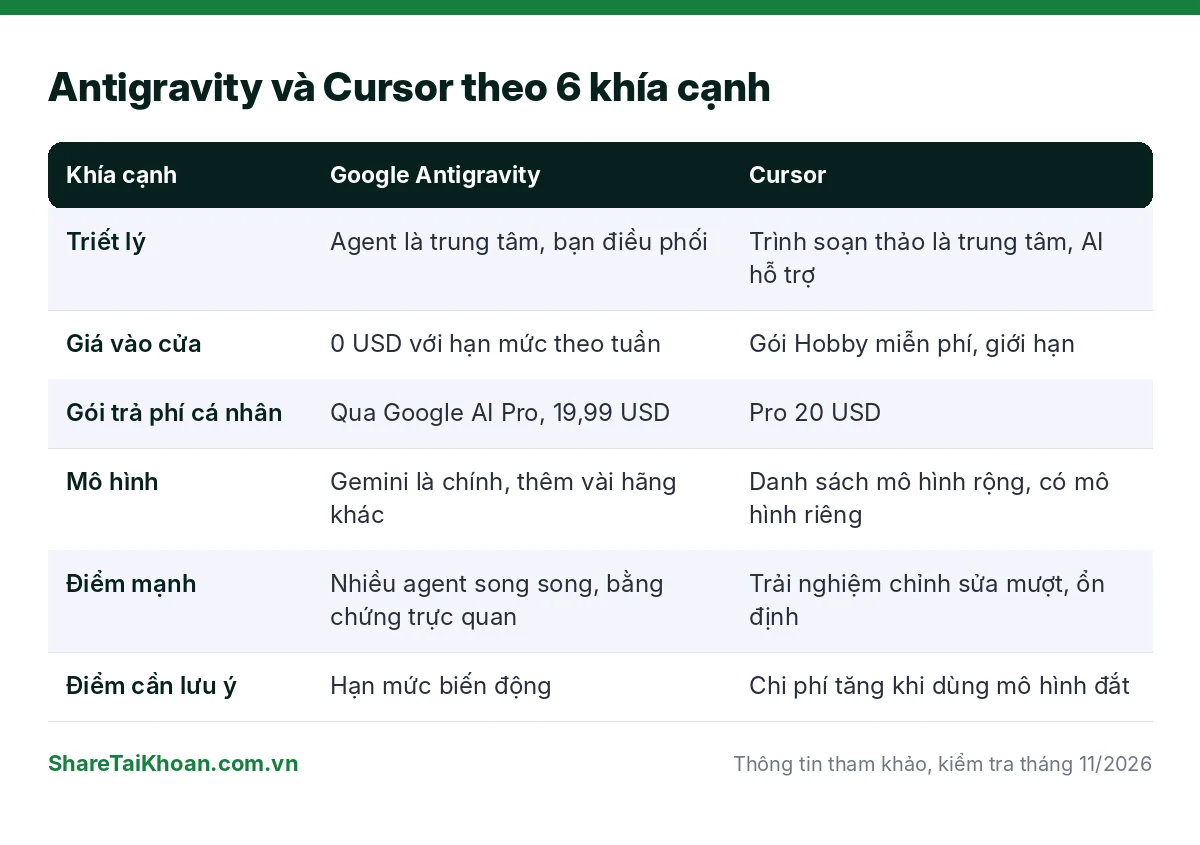
Quick comparison
Detailed differences
Day-to-day workflow. In Cursor, you work within a file, with AI suggesting code section by section, making changes on request, and offering an agent mode for larger tasks. You always see the code. In Antigravity, alongside the editor, there is Agent Manager: you assign tasks, and the agent works independently and returns plans, screenshots and logs for review. See the article Agent Manager trong Antigravity.
Pricing and usage limits. Antigravity is free for personal use with weekly limits; higher limits are tied to the Google AI Pro and Ultra plans. Cursor has a limited Hobby plan and a 20 USD Pro plan that includes a model usage allowance. The figures on their pricing pages are nearly the same. The difference is less obvious: Antigravity measures usage by the workload handled by agents and depends on system capacity, making it hard to predict; Cursor charges based on model usage, which is easier to track but adds up quickly if you choose expensive models.
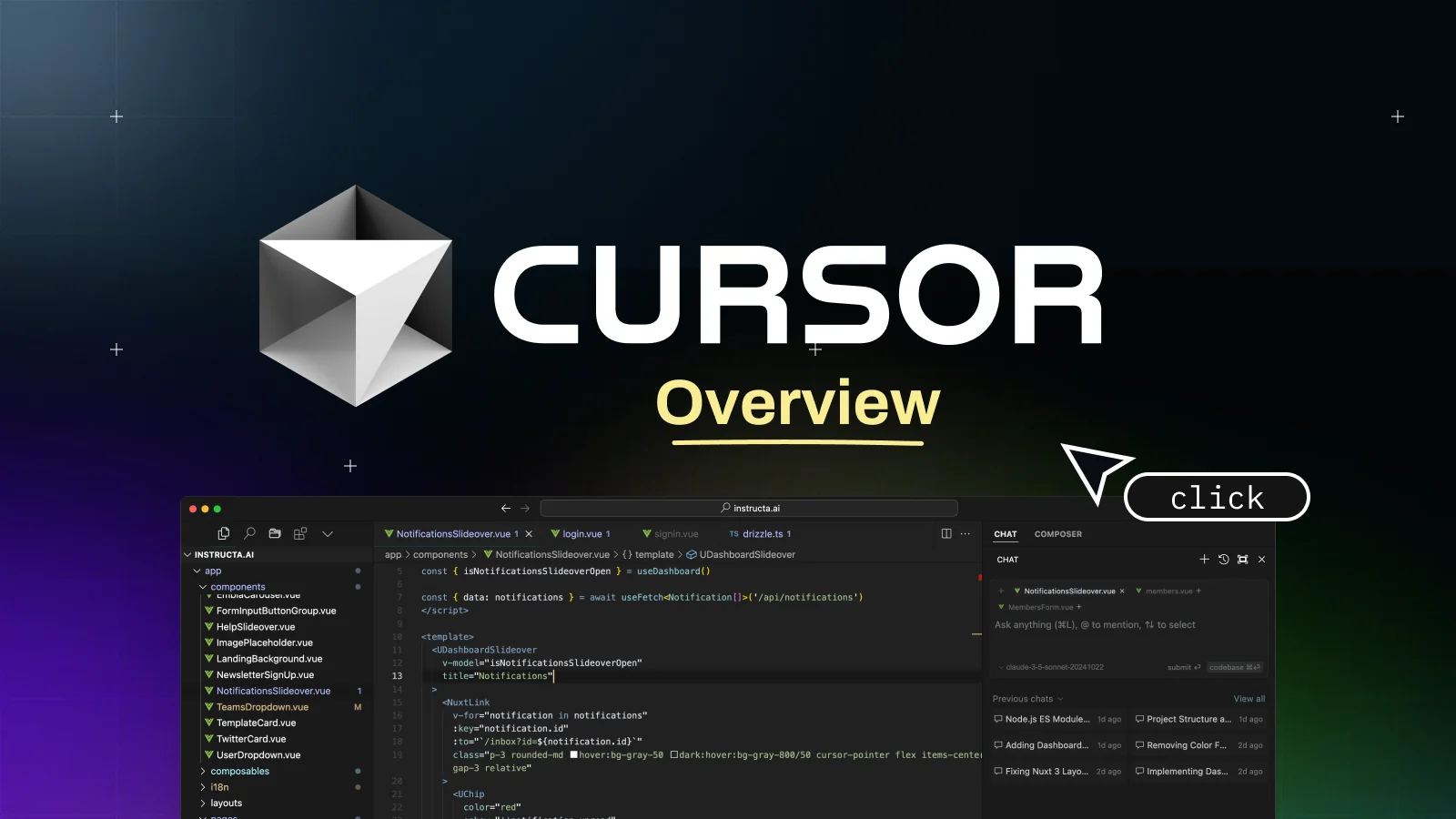
Models. Antigravity centers on Gemini and also offers some models from other providers. Cursor is known for its wide selection of models from multiple providers and has its own model optimized for speed. If you want to choose a model for each task, Cursor is more flexible.
Maturity. Cursor came first, and its interface and editing workflow have been refined over many years. Antigravity is newer and evolves quickly, with many bold features such as agents that interact with the browser to run tests on their own; alongside these come adjustments to usage limits that have prompted user complaints.
Teamwork. Cursor offers team plans with centralized administration. Antigravity for organizations is available through Google Cloud channels. Small teams looking to buy a few accounts and manage costs clearly will find Cursor simpler.
Ecosystem. The Google AI Pro plan includes not just Antigravity but also advanced Gemini capabilities, video creation tools and storage. If you use those, the plan offers greater practical value.
Who is it for?
People new to programming: Cursor. You can see the code being written and learn from it. Handing everything over to an agent before you understand the fundamentals leaves you unable to fix errors when they occur.
Developers who want to speed up everyday work: Cursor, thanks to its smooth and stable in-file editing workflow.
Solo product builders handling multiple tasks in parallel: Antigravity. Assigning three independent tasks to three agents and then reviewing the results is a clear advantage.
Web interface developers who need visual testing: Antigravity, because its agents open the browser, take screenshots and record their actions on their own.
Those on a limited budget: start with Antigravity's free tier and Cursor's Hobby plan, then upgrade whichever you use more.
A one-week trial plan
Both can open existing projects and import your familiar settings, so using them side by side requires little switching effort.
Days 1–2: install both and open the same project. Assign the same code comprehension task: explain the structure and main flow.
Days 3–4: do real work in Cursor. Record the number of correct suggestions, the number of times corrections are needed, and usage.
Days 5–6: do real work in Antigravity. Try assigning two tasks in parallel. Record the time spent reviewing, the number of times the agent goes off track, and the number of times you hit usage limits.
Day 7: compare three figures: tasks completed, time you spent, and number of interruptions.
The tool that causes fewer interruptions is usually the one to keep.
You do not have to choose just one
The two tools are not mutually exclusive. One common approach is to use Cursor for work that requires line-by-line control, and Antigravity for tasks you can delegate, such as writing tests, updating documentation and building prototypes. You can also combine them with agents that run in the terminal; see the article Codex hay Claude Code.
Frequently asked questions
Can Antigravity replace Cursor?
For those who like delegating tasks to an agent, it may be. For those who want tight control over every change, Cursor is still a better fit.
Is your source code data safe?
Both send code to servers for processing and offer privacy options. Read each provider's data policy, especially when working with company source code.
Where to buy?
Xem trang Antigravity and trang Cursor. Ask for clarification on the account type; for programming tools, a Private account is safer for your source code.
References
ShareTaiKhoan is an independent service, not Google or a representative of Google. Prices, limits and terms are determined by the provider and may change; the information in this article was checked in November 2026.
(1 ratings - 5/5)
Buy affordable accounts at ShareTaiKhoan
Other articles
- Kahoot or Wayground (Quizizz)? Choose Based on Your Lesson Style
- Is Claude or ChatGPT Better? A Task-by-Task Comparison
- The latest Antigravity Ultra vs Antigravity Pro comparison
- CapCut Free vs CapCut Pro: Feature and Price Comparison
- Elicit AI vs Google Scholar 2026: Which Tool Should You Choose?
- Otter AI vs TurboScribe 2026: Which Tool Should You Choose?
- Elicit AI vs Consensus AI 2026: Which research tool should you choose?
Comments (0)
Sign in or register to comment.
No comments yet.