
Otter AI vs TurboScribe 2026: Which Tool Should You Choose?
Published:
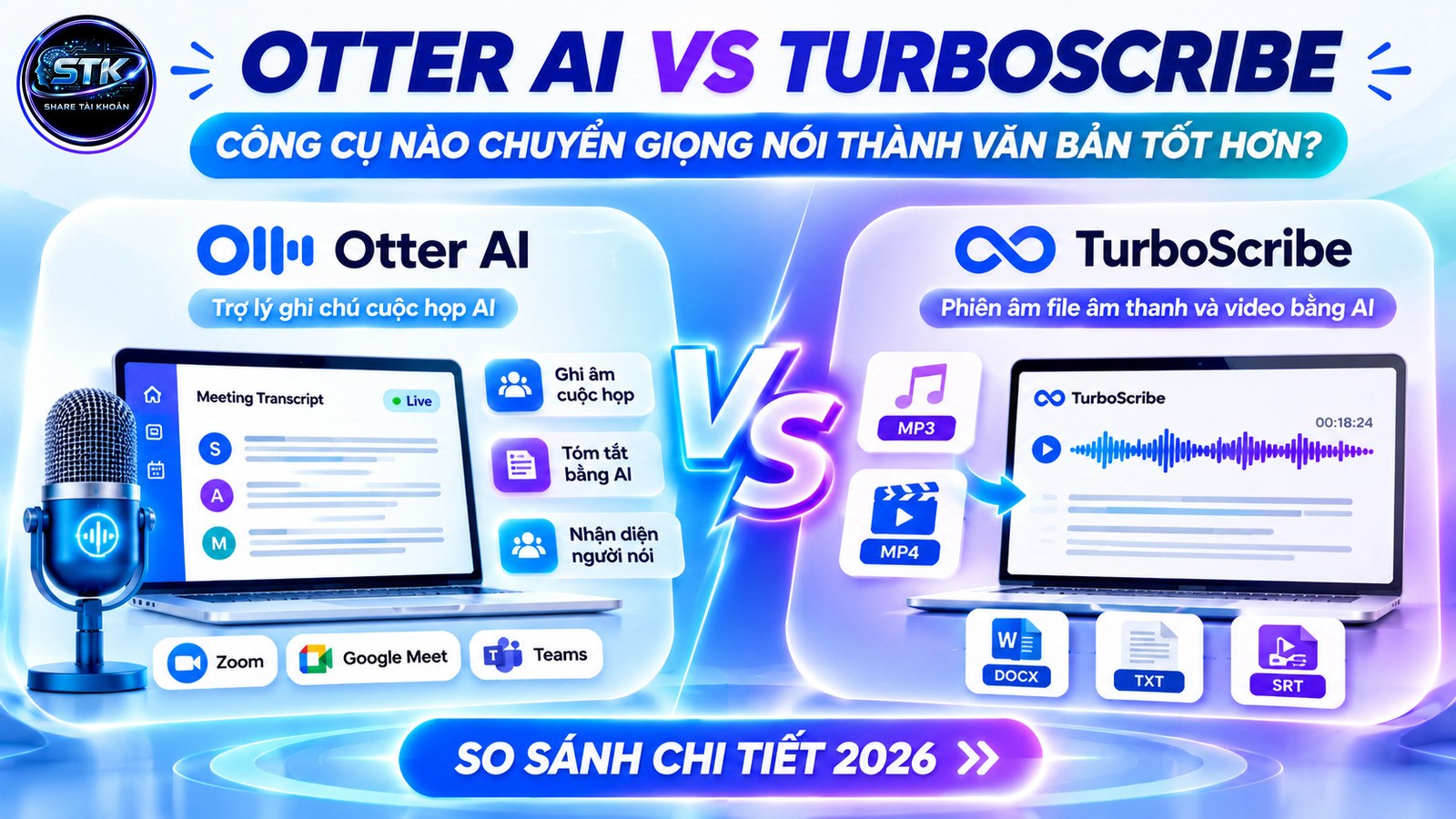
Otter AI vs TurboScribe 2026: A detailed comparison—which tool is better at converting speech to text?
Are you looking for an AI tool to transcribe audio recordings, take meeting notes, or create video subtitles, but aren’t sure whether to choose Otter AI or TurboScribe? Both use artificial intelligence for speech recognition, helping users spend less time listening and manually typing out content.
However, Otter AI and TurboScribe were developed for different purposes. Otter AI focuses on recording, transcribing, and summarizing meetings on Zoom, Google Meet, or Microsoft Teams. TurboScribe, on the other hand, specializes in processing existing audio and video files and exporting text or subtitles in multiple formats.
So What’s the difference between Otter AI and TurboScribe in 2026? Which tool offers better Vietnamese support, which free plan offers more, and which service should you choose to save money?
Let's ShareTaiKhoan a detailed comparison of features, usage limits, pricing, and real-world use cases in the article below.
What are Otter AI and TurboScribe?
1.1. What is Otter AI?
Otter AI, hay Otter.ai, is an AI meeting note-taking assistant that supports audio recording, speech-to-text transcription, and automatic information summarization.
One of Otter’s standout features is Otter Notetaker, allowing the AI assistant to join eligible online meetings on Zoom, Google Meet, and Microsoft Teams.
Otter AI can help with:
Record and transcribe meetings.
Identify and distinguish between speakers.
Create an AI-generated meeting summary.
Identify the tasks that need to be completed.
Search the transcript.
Ask questions about meeting content using Otter AI Chat.
Import an audio or video file for transcription.
Otter is suitable for office workers, teams, journalists, and people who regularly attend meetings or conduct interviews.
Official website: https://otter.ai
1.2. What is TurboScribe?
TurboScribe is an AI platform specializing in automatically converting audio and video files into text using Whisper speech recognition technology.
Unlike Otter, TurboScribe focuses on a workflow of uploading files, transcribing them, and exporting the results.
Key features include:
Convert MP3, WAV, and M4A files to text.
Convert MP4 and MOV videos into transcripts.
Transcription in multiple languages, including Vietnamese.
Recognize multiple speakers.
Export text as TXT, DOCX, or PDF.
Create SRT and VTT subtitles.
Translate transcripts into multiple languages.
Batch-process files on eligible plans.
TurboScribe is suitable for students, researchers, YouTubers, podcasters, and people with many audio and video files to process.
Official website: https://turboscribe.ai
Otter AI vs TurboScribe comparison table for 2026
Here are the key differences between the two platforms.
Criteria | Otter AI | TurboScribe |
|---|---|---|
Primary purpose | Meeting notes and management | Transcribe audio and video files |
Live recording | Yes | Not a primary focus |
Real-time transcription | Yes | Focused on processing uploaded files |
Import MP3 and MP4 files | Yes | Yes |
Vietnamese transcription | Yes | Yes |
Speaker recognition | Yes | Yes |
Notes for Zoom, Meet, and Teams | Includes Otter Notetaker | No equivalent Notetaker feature |
AI meeting summaries | Yes | Not a main strength |
Ask questions about meeting content | Includes Otter AI Chat | Not a core feature |
Export as Word | Available on paid plans | Yes |
Export as TXT | Yes | Yes |
Create SRT subtitles | Available on paid plans | Yes |
Process files several hours long | Limits by plan | Unlimited supports up to 10 hours per file |
Upload multiple files at once | Depending on the plan and workflow | Unlimited supports up to 50 files |
User groups | Offices and meeting rooms | Transcriptionists and video creators |
Review: Otter AI has an advantage in meeting management and AI features related to conversations. TurboScribe stands out for processing existing files, especially when you need to transcribe many long files or export subtitles.
Comparing speech-to-text transcription capabilities
Both Otter AI and TurboScribe offer Speech-to-Text technology.
However, the user experience differs.
3.1. Otter AI’s transcription capabilities
Otter can record directly through a microphone and display a transcript as the conversation takes place.
This is useful when you’re attending a meeting and want to follow the discussion in real time.
For example, during a 45-minute marketing meeting, Otter can help capture ideas, identify speakers, and summarize the key points.
After the meeting ends, users can search for information, review the transcript, or ask questions through Otter AI Chat.
3.2. TurboScribe’s transcription capabilities
TurboScribe works by having users upload audio or video files to the system.
Users select a language and transcription mode, then start processing.
TurboScribe offers Cheetah, Dolphin, and Whale modes to balance speed and accuracy based on the characteristics of the recording.
For example, you have a 90-minute interview recording. With the Unlimited plan, you can upload the file to generate a transcript instead of having to write down every sentence.
3.3. Which tool is more accurate at transcription?
You cannot conclude that Otter AI or TurboScribe is always more accurate without testing both directly on the same dataset.
Speech recognition results are affected by many factors, such as microphone quality, background noise, regional accents, the number of speakers, and specialized terminology.
For an objective comparison, you should try both tools with the same Vietnamese recording, then check:
Number of misrecognized words.
Ability to distinguish between speakers.
The accuracy of figures and proper names.
Sentence breaks and punctuation.
Time needed to edit the results.
You should not choose a tool based solely on the accuracy rate advertised by its publisher.
Is Otter AI or TurboScribe better for Vietnamese?
Both tools support Vietnamese transcription.
Otter has added Vietnamese to its list of supported recognition languages. Users can select the language before recording or importing a file.
TurboScribe also includes Vietnamese in its list of transcription languages.
When should you use Otter?
Otter is a good fit if you want to record and follow live conversations in Vietnamese, especially if you need to store, search, and summarize meeting content.
When should you use TurboScribe?
TurboScribe is suitable if you already have Vietnamese audio recordings and want to convert them into Word files or subtitles.
For example, for a recorded qualitative research interview, TurboScribe can help create a preliminary transcript for further analysis.
Note about regional accents
Both platforms may have difficulty processing regional accents, rapid speech, or multiple people speaking at the same time.
For important documents, listen to the recording again and check the content before using it.
Comparing meeting note-taking capabilities
This is the criterion that most clearly distinguishes the two tools.
Otter AI has an advantage as a Meeting Assistant
Otter Notetaker can join Zoom, Google Meet, and Microsoft Teams meetings when configured appropriately.
After a meeting, Otter can create a summary, identify key points, and list action items.
For example, in a project meeting, you can use Otter to find answers to questions such as:
"Which tasks were assigned after the meeting?"
"What did the group agree on regarding the project timeline?"
This makes Otter suitable for team workflows and managing meeting information.
TurboScribe is suitable for processing meeting recordings afterward.
TurboScribe does not have an automatic online meeting assistant system equivalent to Otter Notetaker.
However, if you have recorded a meeting using a phone or another tool, TurboScribe can convert the file into text.
Users can then submit the reviewed transcript to a content analysis tool to help create meeting minutes or a summary.
Conclusion: If your main goal is to automatically take meeting notes, Otter AI has a clear advantage.
Otter AI vs TurboScribe: Which tool is better for creating subtitles?
If you’re a YouTuber or TikToker, this is an important criterion to consider.
Otter AI
Otter supports exporting transcripts in SRT format on paid plans.
SRT contains text and timestamps and can be used with compatible video-editing software.
However, the free Basic plan only supports TXT exports.
TurboScribe
TurboScribe supports exporting transcripts in formats such as DOCX, TXT, PDF, SRT, and VTT.
The Unlimited plan also supports uploading multiple files and exporting data in bulk.
For those who regularly create video subtitles, TurboScribe is worth considering thanks to its workflow focused on file processing.
Recommended for content creators
If you mainly need to turn prerecorded videos into subtitles, try TurboScribe first.
If you want to take notes during content production meetings and also need to export subtitles, Otter can meet both needs on a suitable plan.
Comparing Otter AI and TurboScribe pricing in 2026
Cost is an important factor when choosing a paid AI tool.
7.1. Otter AI pricing
According to the official pricing table:
Otter plan | Indicative list price |
|---|---|
Basic | Free |
Pro | $16.99/user/month |
Pro (annual billing) | About 8.49 USD per person per month |
Business | $30/user/month |
Enterprise | Contact us for a quote |
Actual prices may vary by region, promotions, and billing cycle.
7.2. TurboScribe pricing
TurboScribe plan | List price |
|---|---|
Free | Free |
Unlimited, billed monthly | $20/month |
Unlimited, billed annually | $120/year |
Annual-billing equivalent | $10/month |
Thus, TurboScribe Unlimited billed annually works out to 10 USD/month.
However, Otter Pro and TurboScribe Unlimited do not offer exactly equivalent benefits.
7.3. Comparing free-tier limits
Criteria | Otter Basic | TurboScribe Free |
|---|---|---|
Subscription fee | Free | Free |
Transcription limit | 300 minutes/month | 3 files/day |
File import limits | 3 uses over the entire subscription period | 3 files per day |
Duration per session | Up to 30 minutes per conversation | Up to 30 minutes per file |
Live recording | Yes | Not the focus |
The two tools have different limits.
Otter Basic is suitable for people who need to record and keep track of meetingswhile TurboScribe Free is more convenient if you regularly need to transcribe many short audio files.
Notably, Otter Basic’s limit of 3 file uploads is a lifetime limit for the plan and does not reset daily.
Comparing paid plans: Otter Pro vs TurboScribe Unlimited
Criteria | Otter Pro | TurboScribe Unlimited |
|---|---|---|
Monthly fee | 16,99 USD | 20 USD |
Converted annual-billing fee | $8.49/month | $10/month |
Main limit | 1,200 in-app recording minutes/month | Unlimited transcriptions for one person |
Import file | 10 files/month | Unlimited uses, subject to policy |
Duration per file/meeting | Up to 90 minutes per meeting | Up to 10 hours per file |
Meeting notes and summaries | Yes | Not the focus |
Export subtitles | Yes | Yes |
Import multiple files at once | Depending on plan capabilities | Up to 50 files |
If you attend meetings regularly and need AI help summarizing decisions, Otter Pro has an advantage.
If you need to transcribe many hours of audio and video each week, TurboScribe Unlimited is a better fit in terms of usage limits.
However, unlimited use is still subject to the publisher's service policies.
Should you choose Otter AI or TurboScribe for different tasks?
Office workers
Recommendation: Otter AI
If you attend meetings regularly, need to save discussion content, and want to review tasks after meetings, Otter is a good fit thanks to Notetaker and AI Chat.
Students
Suggestion: It depends on your needs
If you need to record and review lectures, you can try Otter.
If you already have many lecture or interview recordings, TurboScribe is a good fit for turning them into text.
Scientific researchers
Recommendation: TurboScribe for processing multiple interview files
For qualitative research, TurboScribe can help transcribe batches of audio recordings.
Researchers need to review transcripts, anonymize data when necessary, and comply with consent requirements for research participation.
YouTuber, TikToker
Recommendation: TurboScribe
If you often need to transcribe videos or create subtitles, TurboScribe is worth considering.
Business and project management teams
Recommendation: Otter AI
Otter can help store meeting content, find decisions, and track assigned tasks.
Advantages and limitations of Otter AI
Advantages
Otter offers a fairly comprehensive meeting recording and management workflow, combining transcription, AI Summary, and AI Chat.
Integration with Zoom, Google Meet, and Teams makes the tool suitable for people who frequently work online.
Limitations
The Basic plan has fairly strict file import limits.
For people who regularly handle long recordings or large numbers of audio files, Otter Pro's usage limits may be less suitable than those of a dedicated transcription service.
In addition, users need to manage access permissions and Notetaker settings to avoid recording meetings without authorization.
Advantages and limitations of TurboScribe
Advantages
TurboScribe specializes in processing existing audio and video files, supports multiple formats, and offers flexible data exports.
The Unlimited plan supports files up to 10 hours long, with a maximum size of 5 GB, and allows multiple files to be uploaded at once.
The free plan allows you to use 3 files per day, making it suitable for occasional transcription needs.
Limitations
TurboScribe does not focus on an ecosystem for note-taking and managing online meetings like Otter does.
If you want to automatically create meeting minutes, track action items, or manage information from multiple meetings, you may need to use additional tools.
Security and privacy considerations
Whether you choose Otter AI or TurboScribe, you should protect your data before uploading files to an external platform.
For meetings and interviews, make sure you have appropriate consent to record.
Do not upload confidential documents, sensitive customer information, or data that you are not authorized to process.
In particular, if you use an account provided by a third party, check the management permissions and data access rights.
For Shared accounts, avoid including recordings containing private content, as others may be able to access the history or stored files.
Frequently asked questions about Otter AI vs TurboScribe
Which is better, Otter AI or TurboScribe?
Otter AI is better suited to taking notes and managing meetings. TurboScribe is better suited to transcribing existing audio and video files.
Which is more accurate for Vietnamese transcription, Otter AI or TurboScribe?
Both support Vietnamese. There is not enough independent testing data using the same set of recordings to determine which tool is consistently more accurate.
Can TurboScribe record Google Meet?
TurboScribe does not provide an automatic meeting assistant equivalent to Otter Notetaker. Users can transcribe a meeting recording after obtaining a valid recording.
Can Otter AI convert MP4 to text?
Yes. Otter supports importing compatible audio and video files, but file import limits vary by plan.
Can Otter AI’s free plan create SRT subtitles?
No. According to Otter’s documentation, the Basic plan only supports TXT exports. To export SRT files, you need a suitable paid plan.
How many free minutes does TurboScribe offer?
The Free plan allows you to transcribe up to 3 files per day, with each file no longer than 30 minutes.
Should you buy both Otter AI and TurboScribe?
Only worth considering if you regularly manage meetings and need to transcribe a large number of audio or video files.
If you only have one main need, prioritize the tool that serves it to avoid extra costs.
Conclusion: Should you buy Otter AI or TurboScribe in 2026?
Based on the comparison criteria, Otter AI and TurboScribe are not direct competitors in every respect.
Choose Otter AI if you regularly attend meetings and need to record them live, automatically summarize the content, and track follow-up tasks.
Choose TurboScribe if your work mainly involves converting audio or video to text, processing many long files, and creating subtitles.
If you’re on a tight budget, you can start with the free version of either tool and upgrade once you’ve identified your actual needs.
Explore more AI tools at ShareTaiKhoan
Are you looking for AI tools to help with recording, transcription, content writing, or video processing?
Access ShareTaiKhoan to consult guides, feature comparisons, and suitable AI service options.
Website: https://sharetaikhoan.com.vn
Zalo/WhatsApp: +84 337 018 337
Account Sharing | ShareTaiKhoan
ShareTaiKhoan is an independent service provider, not the developer of Otter AI or TurboScribe, nor an official dealer confirmed by either publisher.
References:
Otter AI Pricing: https://otter.ai/pricing
Otter AI Help Center: https://help.otter.ai
TurboScribe Pricing: https://turboscribe.ai/pricing
TurboScribe Official Website: https://turboscribe.ai
Updated 13/11/2026. Features, limits, and prices may change at the publisher’s discretion.
(0 ratings - 0/5)
Buy affordable accounts at ShareTaiKhoan
Compare packages
| Product | Package | Type | Price | |
|---|---|---|---|---|
| Notta | Pro - 1 month | Shared | 199.000₫ | Buy |
| Notta | Pro - 3 months | Shared | 499.000₫ | Buy |
| Notta | Pro - 1 year | Shared | 1.699.000₫ | Buy |
| Notta | Pro - 1 month | Own account | 299.000₫ | Buy |
| Otter | Business - 1 month | Shared | 249.000₫ | Buy |
| Otter | Business - 3 months | Shared | 599.000₫ | Buy |
| Otter | Business - 1 year | Shared | 1.699.000₫ | Buy |
| Otter | Business - 1 month | Own account | 399.000₫ | Buy |
Related products


Other articles
- What Is Otter AI? A Guide to Recording Audio, Converting Speech to Text
- What Is TurboScribe? How to Convert Audio, Video to Text
- Kahoot or Wayground (Quizizz)? Choose Based on Your Lesson Style
- Is Google Antigravity or Cursor Better? Comparing Two AI IDEs
- Is Claude or ChatGPT Better? A Task-by-Task Comparison
- The latest Antigravity Ultra vs Antigravity Pro comparison
- CapCut Free vs CapCut Pro: Feature and Price Comparison
Comments (0)
Sign in or register to comment.
No comments yet.