
CapCut Free vs CapCut Pro: Feature and Price Comparison

Published:
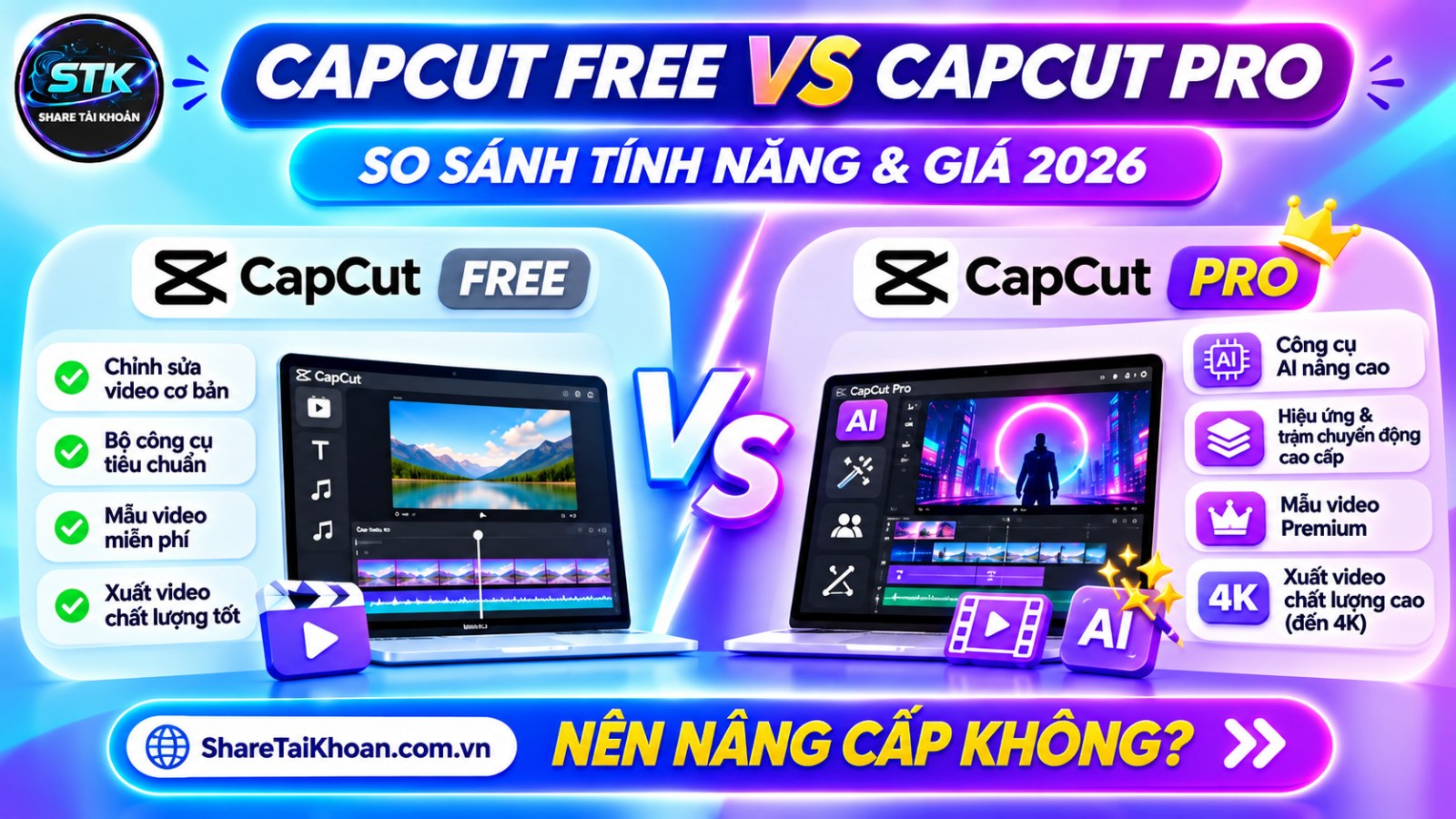
What is the difference between CapCut Free and CapCut Pro? If you’re editing TikTok, Reels, or YouTube Shorts videos but often come across effects marked with a Pro icon, this article will help you compare features, AI tools, captions, watermarks, 4K video export, and costs. Join ShareTaiKhoan.com.vn to learn when the free version is enough, when to upgrade, and see CapCut Pro pricing starting at 39.000đ so you can choose a plan that suits your needs and budget.
Updated: 15/11/2026
About this article: The content is compiled from official CapCut materials, publicly available information on ShareTaiKhoan, and editorial analysis. The observations are not presented as the results of real-world testing on every device or account.
What is the difference between CapCut Free and CapCut Pro? If you’re editing TikTok, Reels, or YouTube Shorts videos but often come across effects marked with the Pro icon, this article will help you compare features, AI tools, captions, watermarks, 4K video export, and usage costs.
Together ShareTaiKhoan.com.vn find out when the free version is enough, when to upgrade, and explore CapCut Pro pricing from 39.000đ to choose a plan that suits your needs and budget.
CapCut Free or CapCut Pro: Which Is Better? A Quick Verdict
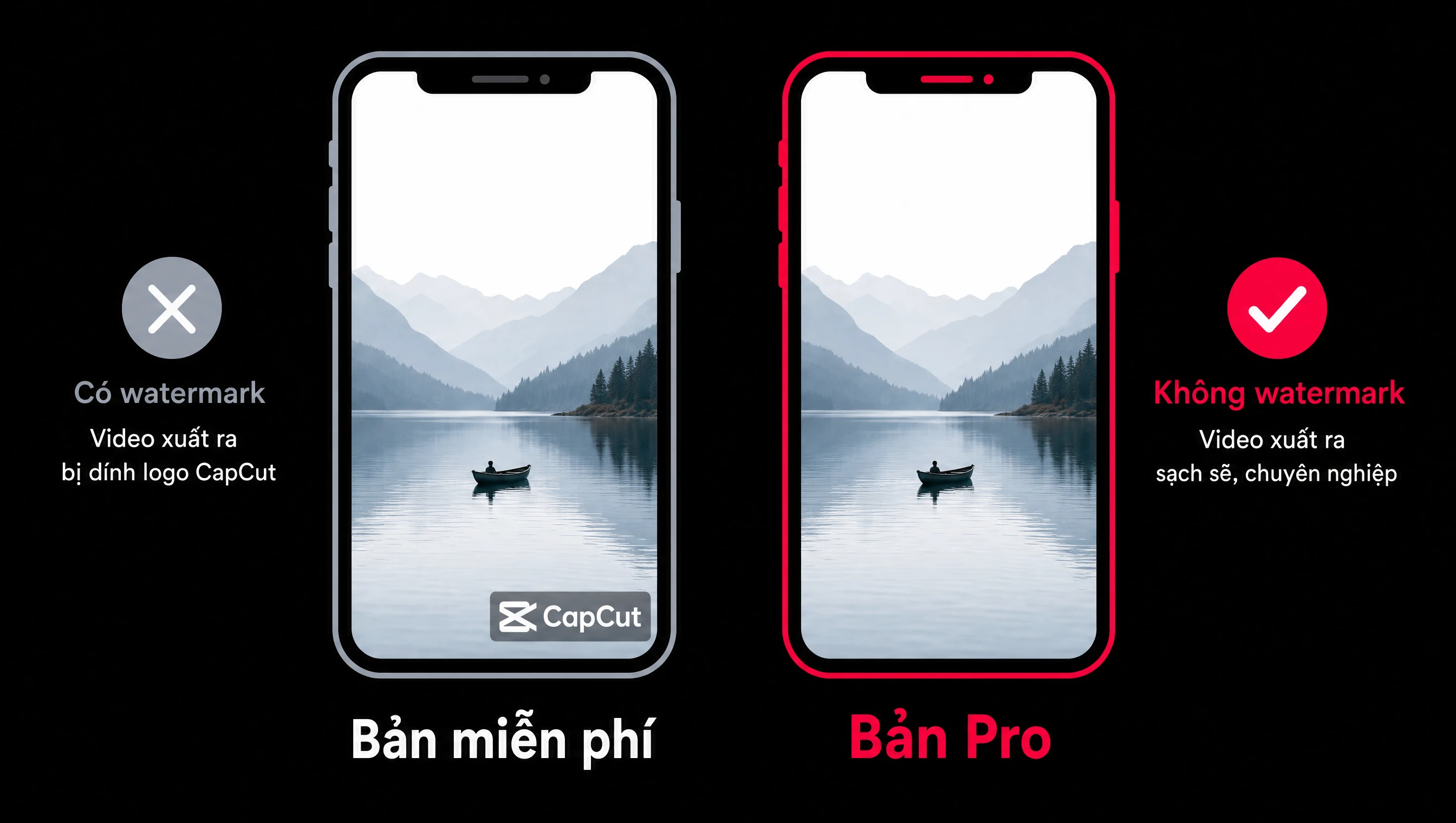
CapCut Free is suitable for people new to video editing, frequently trim and combine clips, add text, insert music, and use basic effects. If you only make simple TikTok, Facebook Reels, or YouTube Shorts videos, you may not need to upgrade yet.
Meanwhile, CapCut Pro is a better fit for people who regularly create content, you need to use many Premium templates, advanced effects, AI tools, and professional editing resources.
However, Pro does not mean that every feature is unlimited. Benefits such as AI credits, 4K video export, watermarks, and devices may vary by platform or subscription plan.
Recommendation: Try CapCut Free first. Upgrade only when the free version’s limitations genuinely affect your video production workflow.
CapCut Free vs. CapCut Pro Comparison Table 2026
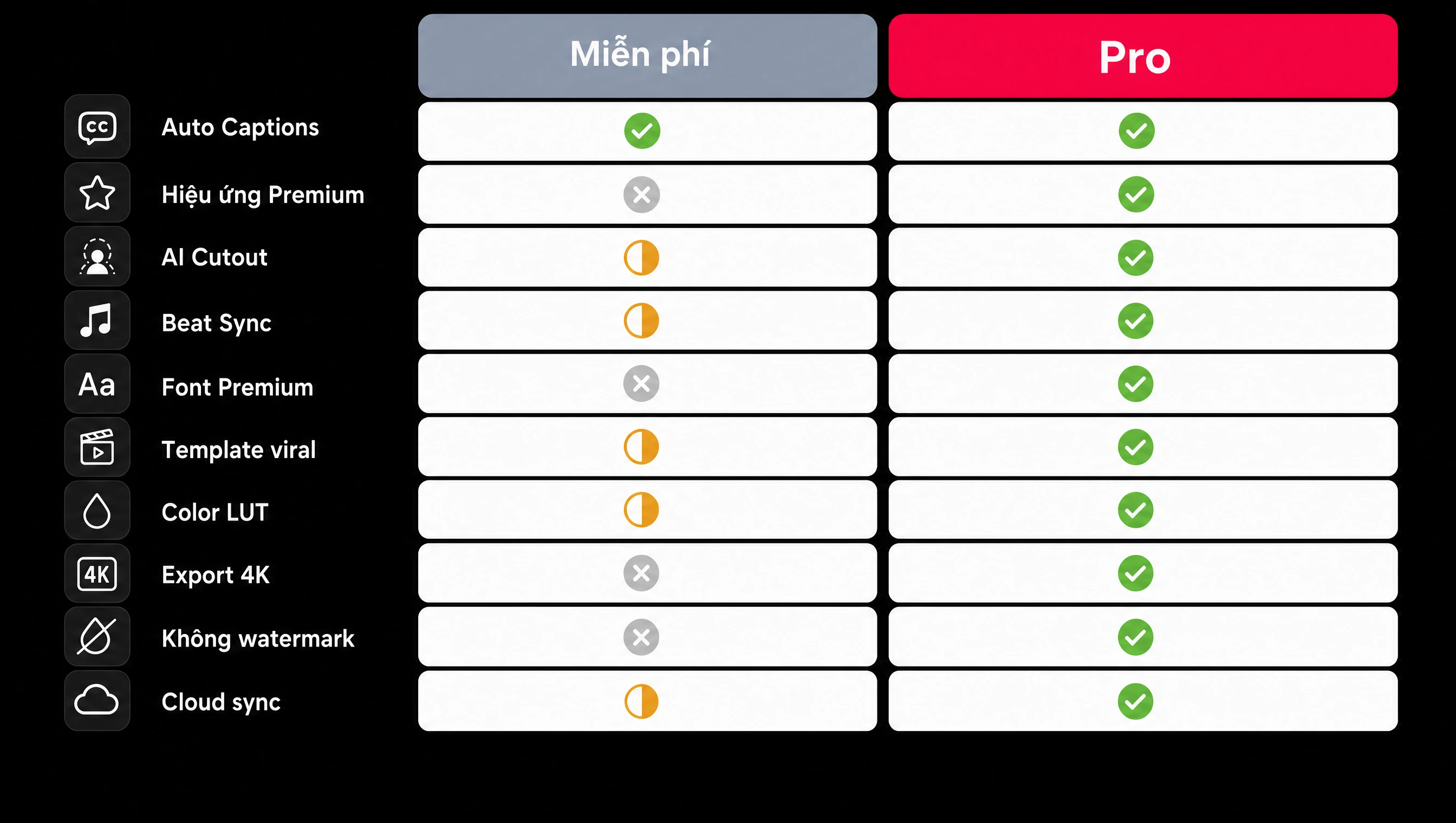
To make it easier to choose, you can review the key differences between the two versions.
Criteria | CapCut Free | CapCut Pro |
|---|---|---|
Subscription fee | Free | Paid |
Cut and join video clips | Yes | Yes |
Edit the timeline | Yes | Yes |
Insert text, music | Yes | Yes |
Video effects | Free effects | Expand access to Premium effects |
Template | Free templates | Add premium templates |
Filter | Basic tools | Expand access |
AI tools | Some features are free or have usage limits | More AI benefits |
AI credits | Depending on the version and promotion | Plan-based limits |
Automatic captions | Depending on the version and feature | Benefits may be expanded |
Export videos in 4K | Depending on the device, version, and project | Advanced options are available |
Watermark | Depends on the template and export method | Expand access to Pro assets |
Cloud storage | According to the free-tier limits | More storage with certain plans |
Platform | Phone, computer, web | Phone, computer, web |
Suitable | New users, basic needs | Creator, editor, marketer |
Key takeaway: You do not necessarily have to buy Pro just to export high-quality videos. Check the Export options on the specific device you are using.
Conversely, if a project contains many assets marked with the Pro icon, upgrading may save you time editing or replacing those assets.
What Is CapCut Free? Is It Enough for Making TikTok Videos?
CapCut Free is the free version of CapCut video-editing software, providing the essential tools users need to create and edit videos.
Common basic functions include:
Cutting and combining video clips.
Arrange clips on the timeline.
Insert text, images, and audio.
Adjust playback speed.
Use free effects and filters.
Create transitions.
Change the aspect ratio.
Export videos according to the capabilities of your device and app.
Example: Making TikTok videos with CapCut Free
Suppose you want to create a 30-second video introducing a product.
The process can be carried out as follows:
Import product video clips.
Remove unnecessary scenes.
Arrange scenes in sequence.
Add titles and product information.
Add permitted background music.
Create simple transitions.
Export videos at an appropriate resolution.
For these tasks, the free version may already meet most needs.
Limitations of CapCut Free
You may encounter some limitations, such as:
Certain Premium templates cannot be used.
Some effects require Pro.
Advanced AI features have usage limits or require payment.
Access to cloud storage is limited.
Some export options depend on the assets used.
If these limitations don’t affect your work, you don’t need to subscribe to Pro yet.
What Is CapCut Pro? What Are Its Key Benefits?
CapCut Pro is a paid CapCut subscription that expands access to premium effects, templates, AI tools, and resources for content creators.
CapCut Pro does not replace basic editing tools; it adds more advanced options.
4.1. Access to More Effects and Premium Templates
One common reason users upgrade is to use effects or templates labeled Pro.
These resources help create videos in a wider variety of styles, especially when making:
Sales videos.
Product review videos.
TikTok and Facebook Reels.
Brand introduction videos.
Advertising content.
Event videos.
However, you don't necessarily need to use lots of effects to create engaging videos.
A video with good content, well-paced editing, and clear visuals can still be effective using only simple tools.
4.2. Advanced AI Editing Tools
CapCut offers a range of AI tools to support different tasks, such as image and audio processing, caption generation, or content development.
Access to individual features depends on the app version and service plan.
According to the membership plan upgrade announcement, CapCut Pro increased its AI credits allowance from 550 to 1.200 per month in the published configuration.
This gives users additional resources for eligible AI features.
4.3. More Cloud Storage
CapCut announced an increase in storage capacity from 100 GB to 1 TB in its updated Pro plan.
This storage may be useful for people who frequently store resources or work across multiple devices.
However, the actual benefits should be checked on the account, as plans and policies may change.
4.4. Support for Frequent Video Editing
For people who need to produce several videos each week, the benefits of Pro are not simply about the number of effects.
More importantly, you can access tools that help shorten the editing process.
For example, if you regularly create captions, process audio, or edit template-based advertising videos, advanced features may save you time.
Seven Key Differences Between CapCut Free and Pro
5.1. Effects and Templates
CapCut Free includes free effects and templates.
CapCut Pro expands the library of premium resources, making it a good fit when you want to use a wider range of video editing styles.
Paid templates or effects are usually marked with the Pro icon.
Tip: Check the assets you have used before completing a project to avoid discovering at the video export stage that you need to upgrade.
5.2. AI Features and AI Credits
Some AI tools can be used for free, while advanced features require credits or a suitable subscription plan.
AI credits is an allowance for eligible AI tasks.
Depending on the feature, each processing task may use a different number of credits.
Therefore, having AI credits in a Pro plan does not mean you can use all AI tools without limits.
Before upgrading just to use AI, check:
Is that feature included in Pro?
How many credits does each use consume?
On what cycle are credits issued?
Do you need to buy more credits?
5.3. Automatic Captions
CapCut offers tools that support speech recognition and automatic caption generation.
This feature may be useful for creating TikTok videos, YouTube videos, or training content.
However, usage rights, duration limits, and advanced options may differ between the Free and Pro versions.
It is not advisable to claim that the Free version has no automatic captions at all.
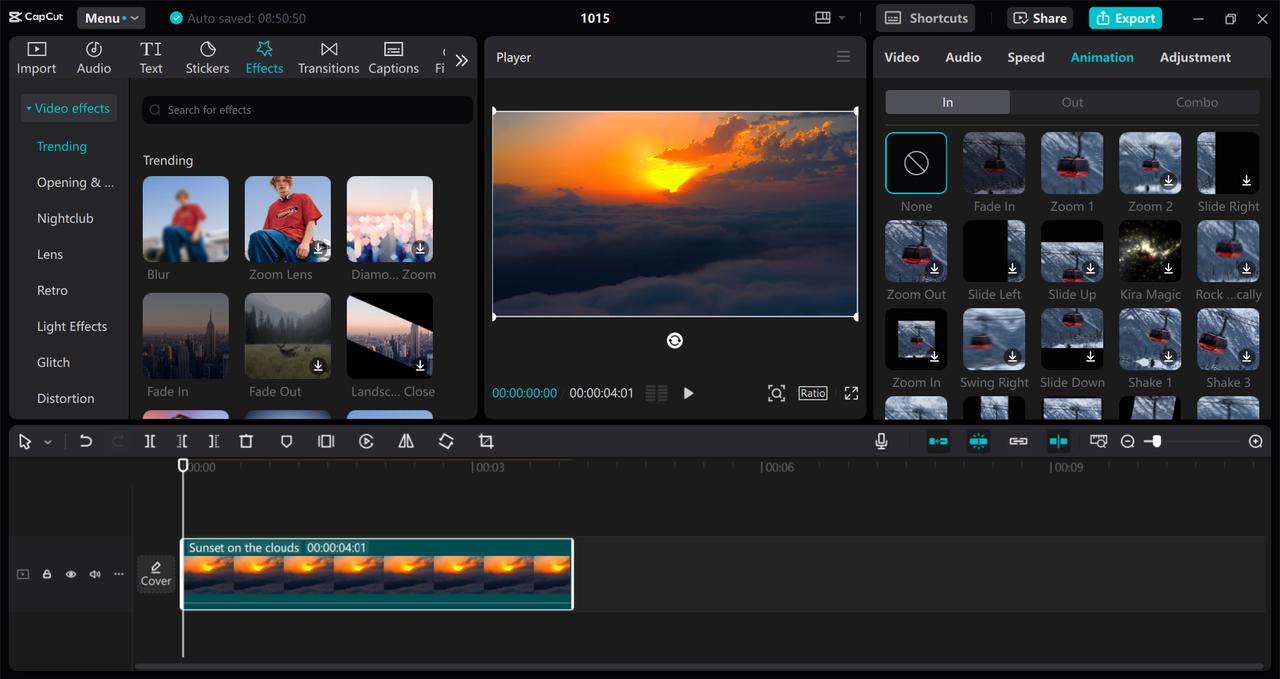
5.4. 4K Video Export
One common question is: Can CapCut Free export 4K videos?
The answer is yes, depending on the device, version, and project.
For example, some video export features may be available on the desktop version but differ from those on mobile.
How to check:
Open a real project.
Select Export.
View the resolution list.
Check whether 4K is available.
Check for any notices about terms of use.
You should not buy Pro just because you think every Free version is limited to 1080p.
5.5. Watermark
Does CapCut Free have a watermark?
Not every video exported with CapCut Free necessarily has a watermark.
Watermarks may be related to templates, assets, export settings, or specific features.
You should check the end of the video, the resources used, and the Export settings.
If a project contains Premium assets, the app may require the corresponding subscription.
5.6. Storage and Device Sync
If you only edit videos on one phone, you may not need a lot of cloud storage.
If you work across multiple devices or regularly store projects, storage features will be more important.
CapCut Pro includes expanded storage benefits according to its pricing page, but storage capacity and terms of use should be confirmed for each account.
5.7. Cost
CapCut Free does not require a paid subscription to use its free tools.
CapCut Pro is billed on a subscription cycle and includes the corresponding benefits.
The cost difference is worth considering only when you know which features can improve your workflow.
Selection guidelines: Upgrade based on your actual needs, not just the Premium name.
Official CapCut Pro Pricing for 2026
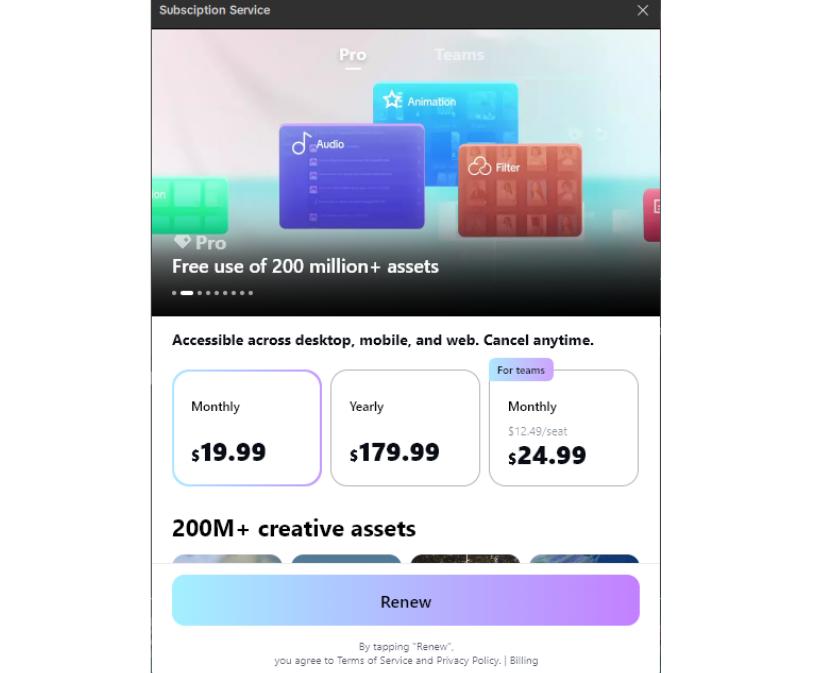
According to CapCut’s publicly listed prices, checked on 15/11/2026, the Pro plan has the following reference price:
Plan | Reference price | Key benefits |
|---|---|---|
Free | 0 USD | Basic editing tools |
Pro | 19,99 USD/month | Premium, AI credits, and Pro benefits |
Ultra | 79 USD/month | Expanded AI quotas and capabilities |
Teams | By number of members | Collaboration and permission-management tools vary by plan |
The official pricing page may display different options depending on your account, region, and payment method.
With Pro, CapCut currently lists 1,200 AI credits/month and 1 TB of storage in the pricing table reviewed.
This does not guarantee that all Pro accounts on every platform have exactly the same benefits.
You can check the information at:
Note: The final price, taxes, and discounts should be confirmed when you sign in to your CapCut account.
CapCut Pro Pricing at ShareTaiKhoan 2026
In addition to subscribing directly from the publisher, you can explore CapCut Pro service options at ShareTaiKhoan.
According to the prices published on the website on 15/11/2026:
Service plan | Format | Price |
|---|---|---|
Pro – 1 device – 1 week | Shared | 39.000đ |
Pro – 1 device – 1 month | Shared | 89.000đ |
Pro – 1 device – 6 months | Shared | 499,000 VND |
Pro – 1 device – 1 year | Shared | 799.000đ |
Pro – 2 devices – 1 month | Private | 129.000đ |
Pro – 2 devices – 3 months | Private | 299.000₫ |
Pro – 2 devices – 6 months | Private | 599.000đ |
Pro – 2 devices – 1 year | Private | 1.099.000đ |
These are service prices published by ShareTaiKhoan, not prices for subscriptions directly from CapCut’s publisher.
7.1. Shared CapCut Pro Plan
According to ShareTaiKhoan’s description, shared plans are limited to one device per product variant.
This option is less expensive than some Private options, but may involve risks related to privacy, account management, and usage limits.
Buyers should verify whether the service being provided complies with CapCut's terms.
7.2. Private CapCut Pro Plan
Private plans in the price list are described as supporting two devices under ShareTaiKhoan's terms.
However, a private account does not automatically mean that you own the account permanently or have full transfer rights.
Clearly confirm account management rights, account origin, and terms of use before buying.
7.3. Should You Choose a One-Month or One-Year Plan?
If you only want to try Pro or have a short-term project, a one-month plan helps limit long-term cost commitments.
If you use it regularly, you can compare the cost of a longer-term plan with buying several consecutive monthly plans.
However, long-term plans require further consideration of the warranty period, stability, and access conditions.
View the latest CapCut Pro pricing at ShareTaiKhoan
Should You Use CapCut Free or Pro for Your Needs?
There is no one option that suits everyone.
Usage needs | Options to consider |
|---|---|
New to video editing | CapCut Free |
Make personal TikToks | CapCut Free |
Basic video editing | CapCut Free |
Creating educational videos | Free or Pro, depending on the feature |
Frequently use Premium effects | CapCut Pro |
Create product advertising videos | Consider Pro |
Using multiple AI tools | Check Pro benefits |
Editing videos for clients | Prioritize a valid personal account |
Teamwork | Consider the official collaboration plan |
New to TikTok
If you only shoot short videos and make simple edits, Free is usually a good place to start.
Professional Content Creator
If you regularly produce many videos and use paid effects and advanced AI tools, Pro may help optimize your editing workflow.
Marketers
If a video is used to advertise a product or promote a brand, consider content creation capabilities, asset terms, and commercial usage rights.
Teachers and training professionals
If you mainly need to edit lecture videos, add captions, or combine images, try the Free version first.
Upgrade only when you need advanced features that have a clear impact on your work.
Freelancers and agencies
If you regularly work on projects for clients, prioritize an account with clear management rights, strong security, and terms that comply with the publisher’s policies.
Advantages and Limitations of CapCut Free and Pro
Version | Advantages | Limitations |
|---|---|---|
CapCut Free | No subscription fee, easy to learn, with basic editing tools | Some effects, templates, and AI features are restricted |
CapCut Pro | Expand access to Premium effects, AI tools, and advanced assets | There is a subscription fee; some AI tools still have usage limits |
One advantage of Free is that it helps reduce costs when you’re just starting out.
One advantage of Pro is that it expands the tools and options available to frequent users.
Do not consider the Pro version better simply because it has more features. The best version is the one that helps you get your work done efficiently without paying for benefits you do not need.
When Should You Upgrade to CapCut Pro?
Consider upgrading if you frequently encounter the following situations:
Projects using many effects or templates labeled Pro.
Free AI tools do not meet the workload demands.
Manual editing takes a lot of time.
You need to use specific advanced resources or features.
Want to improve your regular video production workflow.
Conversely, if you only trim and combine clips, add text and music, and export basic videos, you can continue using Free.
How to decide before paying
Try completing a real video using CapCut Free.
Once finished, note which steps are limited.
If these limitations come up frequently and Pro addresses them, upgrading will have a clearer rationale.
Upgrade when the tool delivers value, not just because you want to own a Premium account.
What’s the Difference Between Shared and Private CapCut Pro Accounts?
When searching to buy a cheap CapCut Pro account, users often come across Shared and Private options.
Shared account
This is a setup in which multiple people use access under an arrangement provided by the supplier.
Some risks may arise:
No full control over the account.
Project data may be accessible to others.
Device or login limits.
Service continuity may be difficult to guarantee.
There is a risk of not complying with the publisher's terms.
Private account
This is an option where usage rights are provided separately, as described in the service details.
However, you still need to verify your ability to control the account, its recovery information, and your usage rights.
Which option should you choose?
For personal projects that do not contain sensitive data, users may consider options that meet their usage requirements and budget.
For client projects, internal content, or important documents, it is advisable to prioritize a personal account with full control that complies with the publisher's terms.
You can also read the article Shared accounts and Private accounts: Differences, risks and how to choose.
How to Buy CapCut Pro at ShareTaiKhoan
If you want to learn about the service options currently listed, you can follow this process.
Step 1: Visit the product page
Open:
https://sharetaikhoan.com.vn/product/capcut
Step 2: Choose the option that suits you
Check the Shared or Private options.
Note the number of devices provided and the terms of use.
Step 3: Choose a subscription duration
Choose a subscription duration that suits your needs, such as one week, one month, six months, or one year, depending on the variant.
Step 4: Review your order details
Before paying, compare:
Product price.
Account delivery.
Number of devices.
Subscription duration.
Activation requirements.
Support and warranty policy.
Step 5: Make payment
Select Buy Now or add the product to your cart and complete payment according to the instructions on the website.
Step 6: Receive and check your account
After receiving the account details, check access, the benefits included, and the Subscription duration.
If an issue occurs, contact the official support channel, provide your order number, and describe the problem.
Support and Warranty Policy at ShareTaiKhoan
According to the information published on the product page, ShareTaiKhoan supports resolving issues that fall within the scope of its service responsibilities.
Depending on the circumstances, options for resolving the issue may include:
Troubleshooting: Support to help users continue using the service with the promised benefits.
Equivalent alternative: Provide a suitable alternative if the issue cannot be resolved.
Refund based on unused time: Applies when the conditions in the policy are met.
Support options do not mean that every issue is automatically covered by warranty or eligible for a refund.
Before purchasing, check the current policy and comply with CapCut’s terms of use.
Frequently Asked Questions About CapCut Free and CapCut Pro
Is CapCut Free completely free?
CapCut Free does not require a paid subscription to use its free features. However, some AI tools, effects, or templates may require an upgrade.
How much does CapCut Pro cost per month?
Official pricing varies by region, device, and promotional offer. The publicly listed price currently references a rate of 19,99 USD/month. At ShareTaiKhoan, the advertised price for one month of Shared service is 89.000đ and for one month of Private service is 129.000đ on 15/11/2026.
Can CapCut Free export 4K videos?
It may be possible, depending on the app version, device, and project settings. You should check the Export options on the actual device.
Does CapCut Free have a watermark?
Not every video exported from CapCut Free has a watermark. The result depends on the assets, templates, settings, and export conditions.
Does CapCut Pro offer unlimited AI?
No. Some AI tools use credits or have their own limits. Benefits should be checked against the subscribed plan.
Does CapCut Pro have automatic captions?
CapCut offers automatic caption generation, but access and limits may vary by version, platform, and service plan.
Is it worth buying a shared CapCut Pro plan?
You should check account management permissions, security, and CapCut’s terms. Avoid using an account accessed by multiple people to store projects containing sensitive data.
Is CapCut Pro worth buying?
An upgrade may be worthwhile if you regularly use Premium features and they improve your work efficiency. If you only edit basic videos, Free may be enough.
Conclusion: Is CapCut Free or CapCut Pro Worth Using?
CapCut Free is a suitable choice for beginners and basic video editing needs. CapCut Pro is a better fit for people who regularly use premium effects, AI tools, and professional editing resources.
Before deciding, you should check which features you actually need, AI limits, video export conditions, and subscription costs.
If you’re not sure whether you need to upgrade, try completing a project with the free version first.
If you’re interested in CapCut Pro options by subscription duration and number of devices, see the information on ShareTaiKhoan’s product page.
Explore CapCut Pro at ShareTaiKhoan.com.vn
ShareTaiKhoan currently lists shared and private CapCut Pro options starting from 39.000đ.
Users should verify all account information, access rights, subscription duration, and terms of use before paying.
VIEW CAPCUT PRO PRICING AT SHARETAIKHOAN.COM.VN
You can also explore more guides at Blog ShareTaiKhoan.
Account Sharing | ShareTaiKhoan
Website: https://sharetaikhoan.com.vn
Zalo/WhatsApp: +84 337 018 337
Email: cskh@sharetaikhoan.com.vn
ShareTaiKhoan is an independent service provider, not the publisher of CapCut or an official reseller endorsed by CapCut.
References
Updated November 15, 2026. Prices, features, AI credits, and subscription terms may change depending on the platform, region, account, and provider policies.
(0 ratings - 0/5)
Buy affordable accounts at ShareTaiKhoan
Related products




Other articles
- Kahoot or Wayground (Quizizz)? Choose Based on Your Lesson Style
- Is Google Antigravity or Cursor Better? Comparing Two AI IDEs
- Is Claude or ChatGPT Better? A Task-by-Task Comparison
- The latest Antigravity Ultra vs Antigravity Pro comparison
- Elicit AI vs Google Scholar 2026: Which Tool Should You Choose?
- Otter AI vs TurboScribe 2026: Which Tool Should You Choose?
- Elicit AI vs Consensus AI 2026: Which research tool should you choose?
Comments (0)
Sign in or register to comment.
No comments yet.