
Canva Pro or Photoshop? A Comparison for Marketing in 2026

Published:
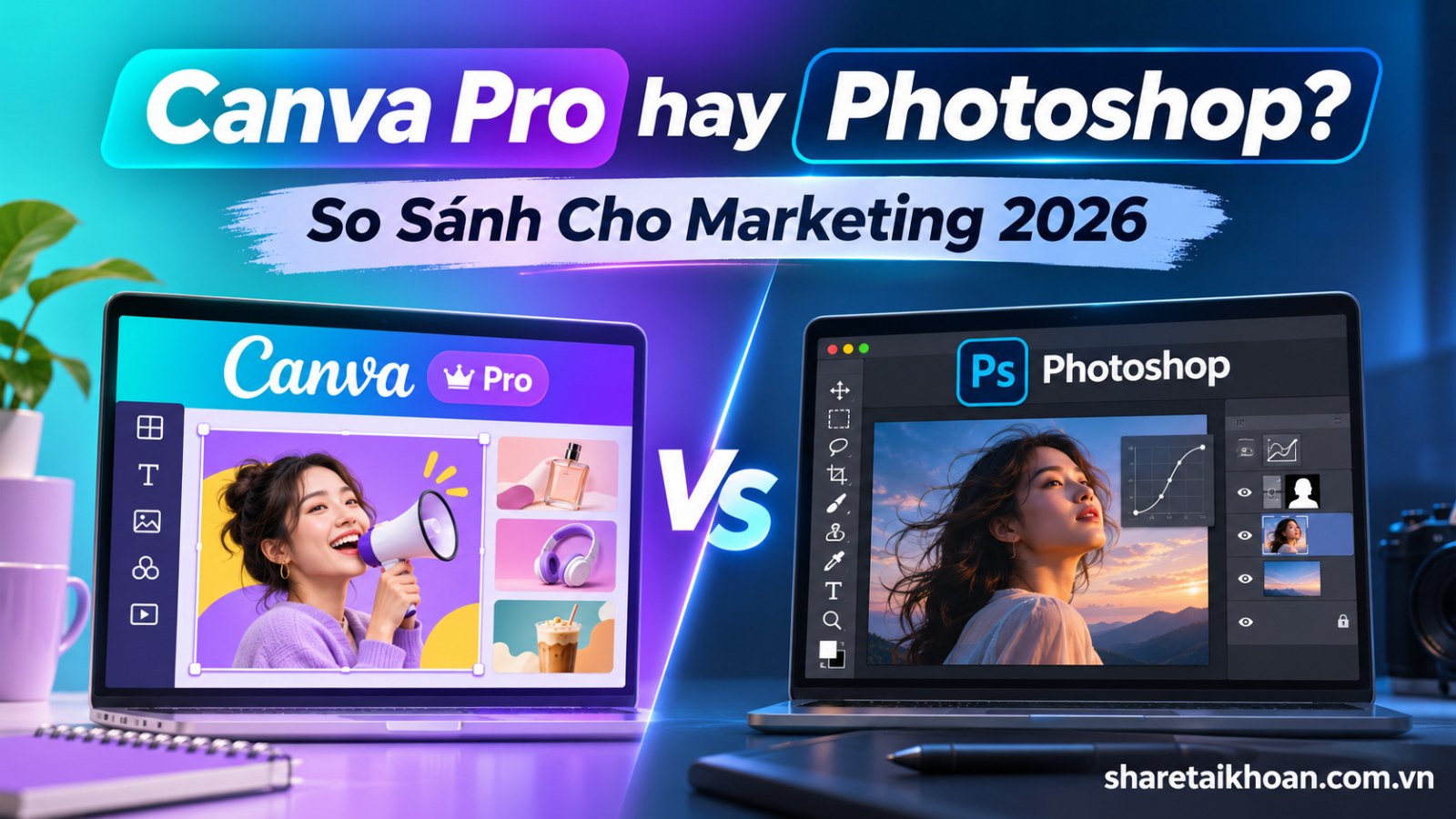
Is Canva Pro or Adobe Photoshop the better choice for designing marketing content? Canva stands out for its template library, fast post creation, and brand management tools, while Photoshop excels at photo editing, compositing, and professional detail work. In this article, ShareTaiKhoan.com.vn compares the two tools in terms of features, AI, cost, and workflow efficiency, and explains how to choose the right one for needs such as social media, advertising, e-commerce, and brand design.
Canva Pro or Adobe Photoshop? Which tool should you choose for designing marketing content?
Updated: 27/11/2026
Is Canva Pro or Adobe Photoshop the better choice for designing marketing content? Canva stands out for its template library, fast post creation, and brand management tools, while Photoshop excels at photo editing, compositing, and professional detail work.
In this article, ShareTaiKhoan.com.vn will compare the two tools in terms of features, AI, cost, and work efficiency, while also explaining how to choose based on needs such as social media, advertising, e-commerce, and brand design.
Canva Pro or Photoshop: Which Is Better?
Canva Pro is better suited to content marketers, social media professionals, shop owners, and marketing staff who want to design quickly without needing extensive graphic design knowledge. The tool offers millions of templates, an image library, Brand Kit, and AI features that help reduce content production time.
Adobe Photoshop is better suited to designers, product photo editors, and creative teams that need in-depth control over images. Photoshop stands out for its layer and mask system, color editing, image compositing, and generative AI features.
If you need to create 20–30 social media posts per week, Canva Pro is usually more convenient. If you need to create a product ad image with many complex composited details, Photoshop has the advantage.
The most effective choice isn't the tool with more features, but the one that fits your content type and workflow.
Canva Pro and Adobe Photoshop Comparison Table 2026
Criteria | Canva Pro | Adobe Photoshop |
|---|---|---|
Primary purpose | Fast, multi-format content design | Advanced image editing and processing |
Ease of use | Easy to learn | Requires time to learn |
Kho template | Very extensive | Not a main strength |
Designs for Facebook and Instagram | Very convenient | Yes, layout setup is required |
Advertising banner | Fast with ready-made templates | Flexibility for complex designs |
Advanced photo editing | Limited | Very powerful |
Layers and Masks | Layers and basic tools | Fine-grained control |
Composite product images | Suitable for simple needs | Suitable for advanced needs |
Remove the background | Yes | Yes |
AI-Assisted Design | Canva AI, Magic Studio | Adobe Firefly, Generative Fill |
Resize in bulk | Includes Magic Resize | Can use actions and automated workflows |
Brand Kit | Yes | Manage assets across the Adobe ecosystem |
Slide design | Yes | Not a strength |
Collaboration | Convenient in Canva | Sharing through the Adobe ecosystem |
Basic video design | Yes | Not the primary purpose |
Offline capability | Feature limitations | Stronger on desktop |
Best fit | Marketers, shop owners, content creators | Designer, retoucher, creative specialist |
Review: Canva Pro focuses on speed and content production workflows. Photoshop focuses on image quality and control.
The two tools are not exact substitutes for each other.
How Much Do Canva Pro and Photoshop Cost in 2026?
Before comparing the features in detail, let's look at the subscription costs and the options currently listed.
3.1. Pricing from the Publisher
Software | Reference price | Conditions |
|---|---|---|
Canva Free | Free | Resource and feature limits |
Canva Pro | Around 150,000 VND/month | In-app purchase price tiers on the Vietnam App Store |
Adobe Photoshop | $9.19/month | Annual plan, billed monthly, including VAT |
Adobe Photography Plan | $11.99/month | Annual plan, billed monthly |
Adobe Creative Cloud Pro | Prices vary by promotion | Includes Photoshop and many other applications |
Pricing checked on 27/11/2026. Canva prices on the App Store may differ from prices when purchasing directly on the Canva website. Adobe prices may vary depending on the subscription duration, taxes, promotions, and renewal terms.
Official Canva pricing: https://www.canva.com/vi_vn/pricing/
Adobe Photoshop pricing: https://www.adobe.com/vn_vi/products/photoshop/plans.html
Note that Photoshop does not always require purchasing the entire Creative Cloud. Adobe also offers a standalone Photoshop app plan.
3.2. Canva Pro Pricing at ShareTaiKhoan
According to the product page checked on 27/11/2026:
Plan | Format | Price |
|---|---|---|
Canva Pro – 1 year | Shared | 99,000 VND |
Canva Pro – 1 year | Personal account upgrade as described by the store | 299.000₫ |
Canva Pro – 2 years | Personal account upgrade as described by the store | 499,000 VND |
Canva Pro – Lifetime | Shared | 499,000 VND |
Canva Pro – Lifetime | Personal account upgrade as described by the store | 2.599.000₫ |
This is ShareTaiKhoan service prices, not Canva's official listed price.
In particular, packages labeled Lifetime are the store’s long-term service program, is not a right to perpetual use officially guaranteed by Canva.
Explore Canva Pro options at ShareTaiKhoan
3.3. Adobe Full App Pricing at ShareTaiKhoan
ShareTaiKhoan currently lists Adobe Full App services with the following subscription durations:
Plan | Format | Price |
|---|---|---|
Adobe Full App – 1 week | Shared | 199,000 VND |
Adobe Full App – 1 month | Shared | 499,000 VND |
Adobe Full App – 1 year | Shared | 2,899,000 VND |
This is an Adobe service with multiple apps, as described by the store, not Adobe’s standalone Photoshop price.
Before buying, you should verify the actual Photoshop version provided, installation rights, supported devices, and license terms.
View Adobe Full App pricing at ShareTaiKhoan
Important note: Adobe stipulates that an individual license is for one person only and that account sharing is not allowed. Therefore, shared services may not comply with the publisher's terms and could carry the risk of service interruption or loss of access.
What Canva Pro Features Are Suitable for Marketing?
Canva Pro is designed to help users create visual content quickly, even if they don't have much design experience.
A wide range of templates and resources
Canva offers a wide range of design templates for:
Facebook and Instagram post.
Stories, Reels, and TikTok.
Advertising banner.
Thumbnail YouTube.
Posters and flyers.
Presentation slides.
Infographic.
Catalogues and product content.
Instead of starting with a blank page, users can choose a template, replace the content, and customize the brand colors.
This is a major advantage when a marketing team needs to publish content regularly.
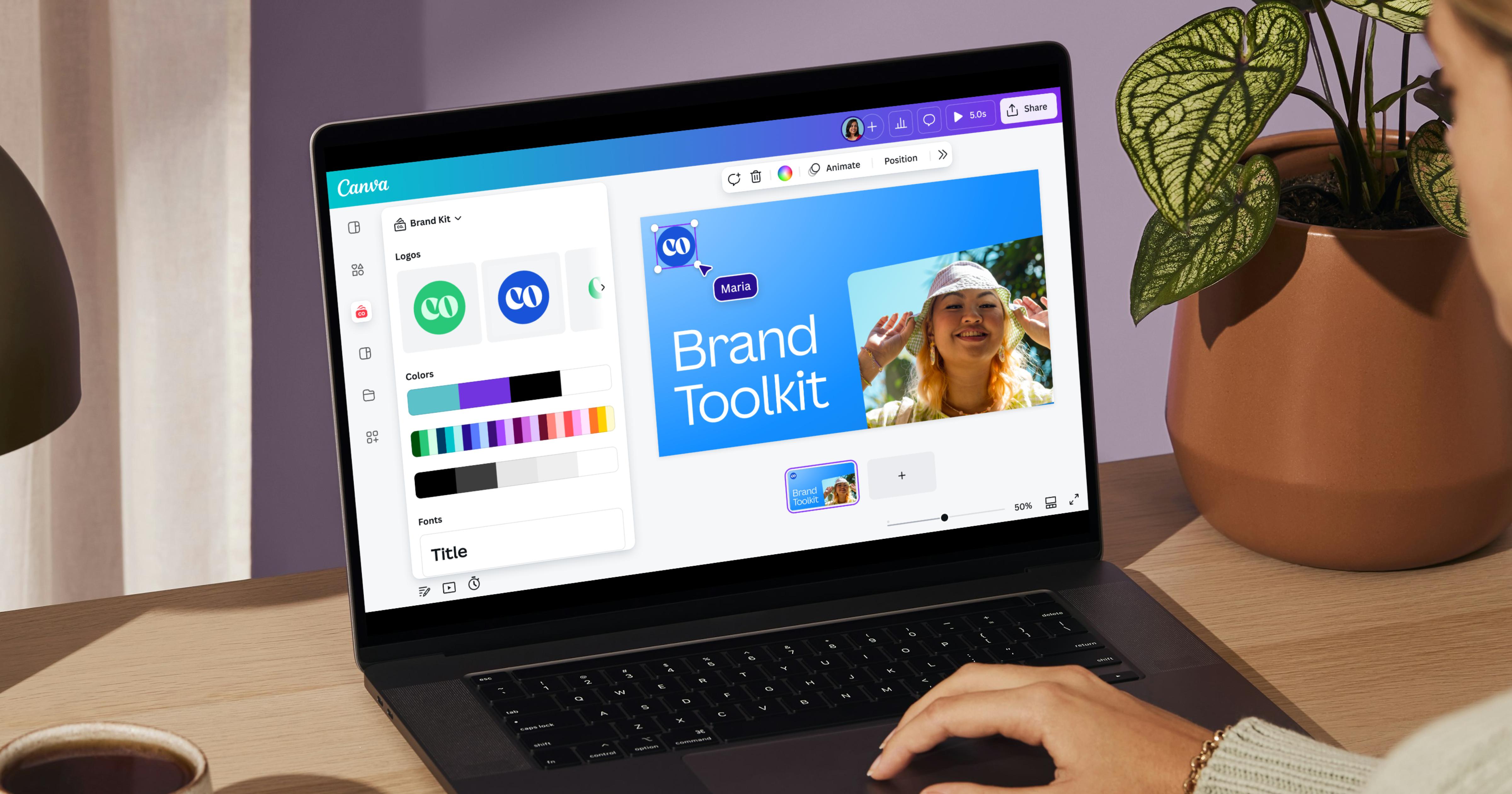
Brand Kit – Keep Your Brand Identity Consistent
Brand Kit lets you store your brand's logo, color palette, and fonts.
For example, a business that uses green and white can set these colors in advance for employees to use in new designs.
This feature helps prevent posts from having inconsistent fonts, colors, or layouts.
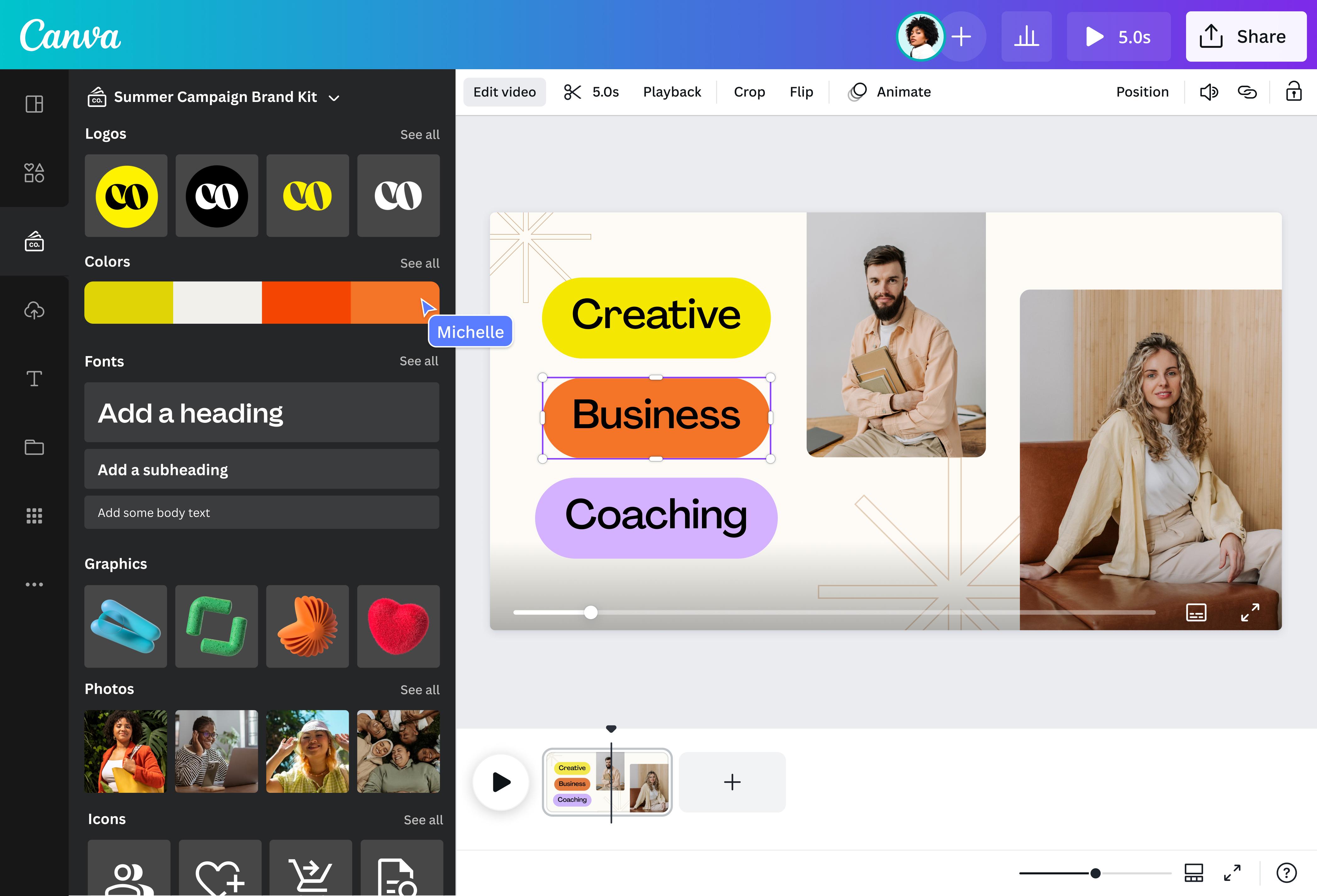
Canva Pro currently supports multiple brand kits within the plan's benefits. Businesses that need more advanced brand management can consider Canva Business or Enterprise.
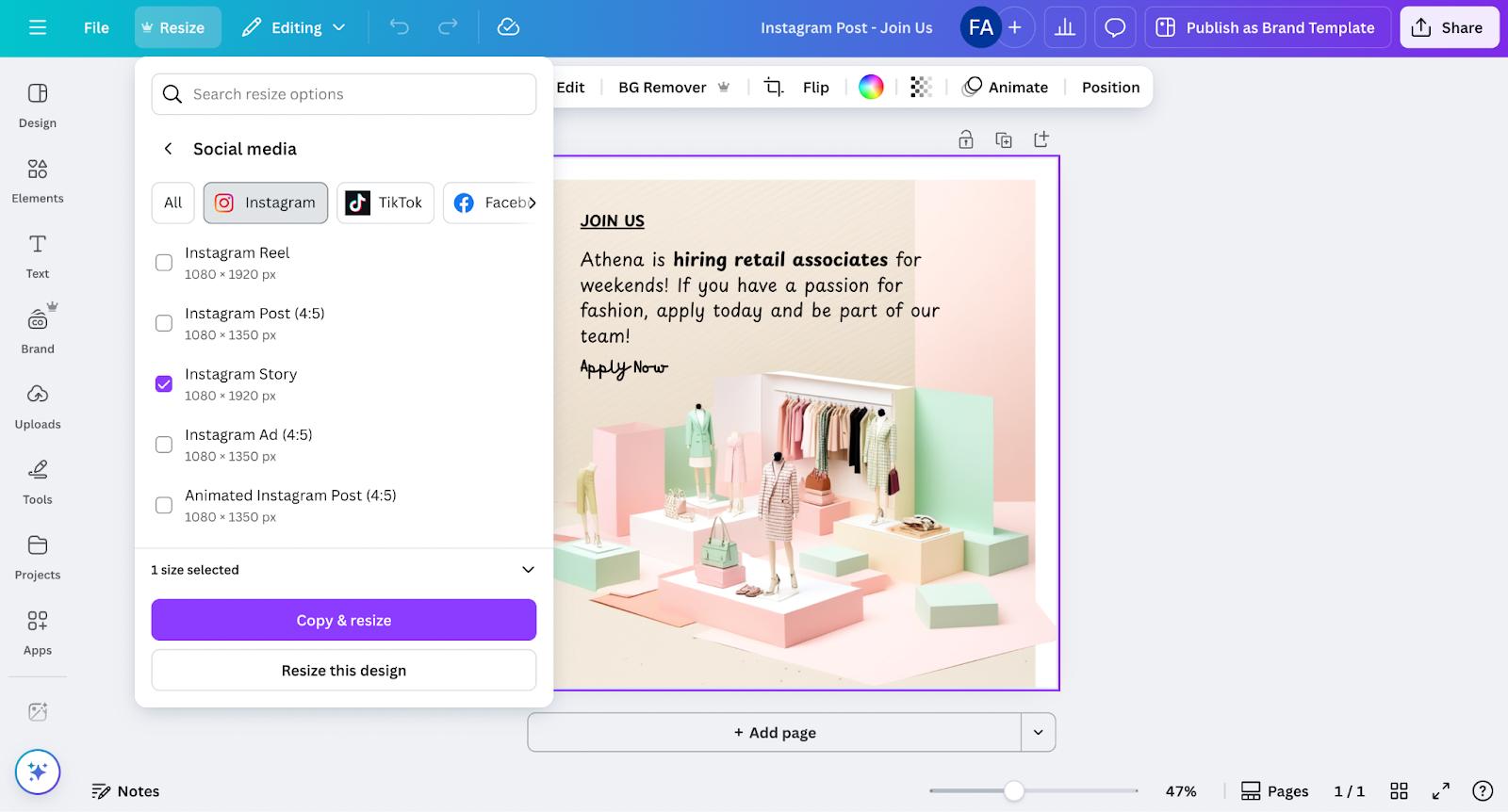
Magic Resize – Quick resizing
A marketing campaign often requires designs in multiple sizes.
For example:
Facebook: 1080 × 1080 px.
Instagram Story: 1080 × 1920 px.
Horizontal banner: 1920 × 1080 px.
Magic Resize helps adapt a design to another size, reducing the time needed to recreate it from scratch.
Even so, after resizing, users still need to check the layout and the positions of the text and images.
Canva AI and Magic Studio
Canva integrates AI tools for writing content, creating images, and editing designs.
Some commonly used apps:
Post content suggestions.
Generate images from descriptions.
Remove the background from a product image.
Edit or replace details.
Translate the content.
Test design ideas.
Canva Pro has higher AI limits than the Free plan, but does not mean that every AI tool can be used without limits.
Some features share a monthly usage limit or require an AI Pass add-on.
Content Planner and social media content design
Canva has tools for planning and publishing content on supported platforms.
For a social media manager, the ability to design, organize, and schedule content in one system can reduce the need to switch between multiple software tools.
You can learn more in the article What features does Canva Pro offer? and Canva AI Upgrades in 2026.
What Makes Adobe Photoshop Stand Out for Ad Design?
Adobe Photoshop is professional image-editing software, suitable for tasks that require high precision and detailed control.
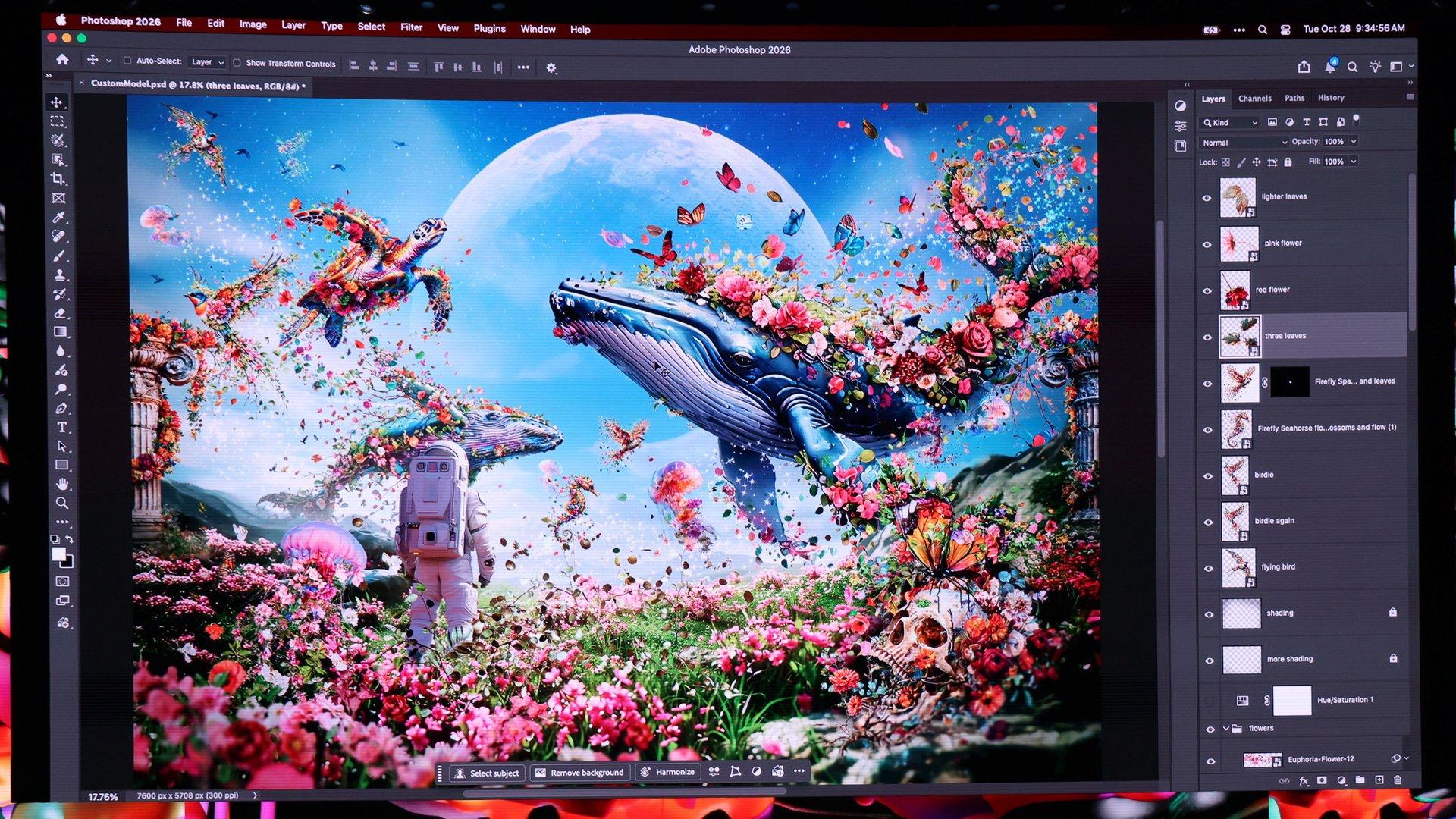
Advanced Layer and Mask system
Photoshop lets you design with multiple separate layers.
You can edit the product image, background, lighting, text, and effects without changing the entire image directly.
For example, when designing a cosmetics banner, users can:
Isolate the product bottle image.
Adjust the shadow.
Change the background.
Add water or lighting effects.
Adjust product colors.
Combine multiple image layers.
Layer Mask helps limit the editing area and supports non-destructive editing of the original content.
Edit and retouch product photos
Photoshop stands out for its photo retouching capabilities.
Users can handle:
Dirt and imperfections on the product.
Brightness, contrast, and color.
Reflective areas.
Complex backgrounds.
Hair, skin, or material details.
The images need to be composited from multiple sources.
These are common tasks in fashion, cosmetics, jewelry, and consumer goods advertising.
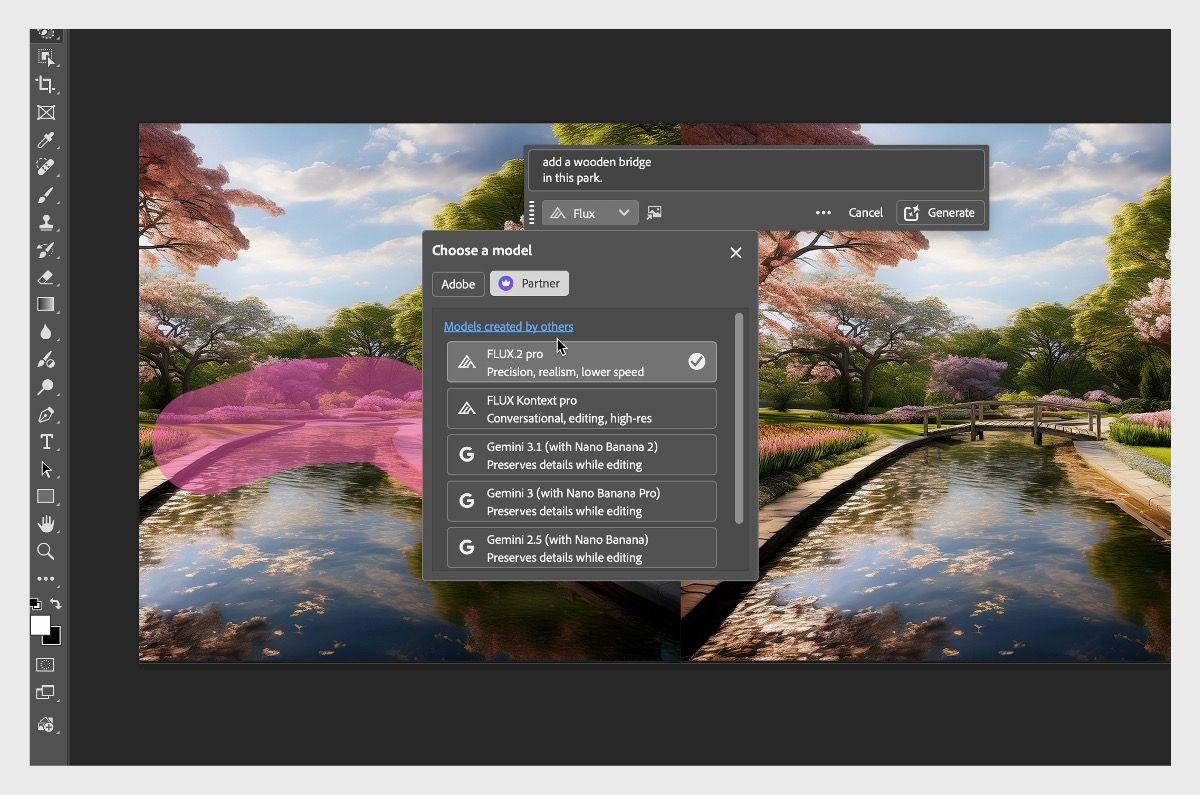
Generative Fill and Adobe Firefly
Photoshop integrates generative AI technology to add, remove, or adjust elements in an image.
For example, you have a photo of a perfume product on a white background and want to create a luxurious setting.
Generative Fill can help create additional elements for you to continue editing.
However, AI-generated content may contain inaccuracies, especially when it comes to brand names, packaging text, or product shapes.
Designers should check carefully before using them in ads.
Camera Raw and color correction
Photoshop has advanced tools for editing lighting, colors, and images.
This is useful when a brand needs a set of product photos with consistent color tones and quality.
For professional advertising projects, Photoshop also supports workflows using PSD files, Smart Objects, and editable design assets.
Key takeaway: Photoshop is a powerful tool for raster images. If your main goal is to create a vector logo or brand identity that can be enlarged without limit, Adobe Illustrator or specialized vector software is a better fit.
Canva AI vs. Photoshop AI: Which Tool Is More Effective?
Both platforms integrate AI, but they are used in different ways.
AI features | Canva Pro | Photoshop |
|---|---|---|
Quickly generate design ideas | Convenient | Possible |
Layout suggestions based on content | Strengths | Not the focus |
Remove the image background | Yes | Yes |
Replace objects | Available depending on the tool | More fine-grained control |
Expand an image | Yes | Yes |
Complex multi-layer editing | Limitations | Strengths |
Create social media content | Convenient | Requires more steps |
Control over AI compositing | Simpler | More advanced |
AI limits | By plan and tool type | By plan and generative credits |
Choose Canva AI if you need to quickly turn an idea into a poster, post, or other promotional content.
Choose Photoshop AI if you want to edit images precisely, combining AI with layers, masks, and professional image-editing techniques.
You shouldn't evaluate a tool solely by the number of AI features. What matters is the ability to control the final result.
Should You Choose Canva Pro or Photoshop for Each Marketing Task?
Here’s how to choose based on real-world situations.
Task | Preferred tool | Reason |
|---|---|---|
Daily Facebook post design | Canva Pro | Fast, with plenty of templates |
Create an Instagram Story | Canva Pro | Optimize for multiple formats |
YouTube thumbnail design | Canva Pro or Photoshop | Depending on the image editing requirements |
Simple Promotional Banner | Canva Pro | Easy to change prices and content |
Retouching cosmetic product photos | Photoshop | Handles details well |
Create professional advertising composites | Photoshop | Layers, Masks, and Color |
Marketing slide design | Canva Pro | Includes templates and presentation tools |
Manage design templates for a brand | Canva Pro or Canva Business | Brand Kit, templates, and collaboration |
Prepare product images for e-commerce | Combination | Photoshop for image editing, Canva for banners |
Designing cross-platform advertising campaigns | Combination | Improve quality and speed |
Case 1: Online store owner
If you regularly change product prices, post promotions, or design Facebook banners, Canva Pro is an accessible choice.
You can create a set of fixed templates and change the images, prices, and content for each campaign.
Case 2: Fashion business
A fashion brand often needs to edit lookbook photos, clean up backgrounds, adjust colors, and composite advertising images.
Photoshop has an advantage in these workflows.
After completing the original image, Canva can be used to create multiple posts, Stories, or banners using a consistent template.
Case 3: Cosmetics business
For cosmetics products, image quality often has a significant impact on how customers perceive them.
Photoshop is suitable for editing images of serum bottles, cream jars, shadows, or liquid effects.
Canva is a better fit for incorporating finished images into posts, infographics, or product brochures.
Case 4: Freelance designer
If clients mainly need social media posts and simple banners, Canva can handle most of the work.
If clients require PSD files, in-depth photo editing, or complex compositing, Photoshop is more necessary.
How to Combine Canva Pro and Photoshop in a Marketing Campaign
Rather than choosing one or the other, businesses can build a combined workflow.
Suppose you’re preparing an advertising campaign to launch a new product.
Step 1 – Create campaign content
Define the message, target audience, required formats, and visual style.
Step 2 – Edit product photos in Photoshop
Remove backgrounds, adjust colors, refine details, and create key advertising visuals.
Step 3 – Export assets
Export as a PNG or another suitable format for use in subsequent designs.
If you need to retain the ability to make in-depth edits, save the original PSD file as well.
Step 4 – Bring images into Canva Pro
Use Brand Kit and templates to create:
Facebook post.
Instagram Story.
Banner website.
Thumbnail video.
Introductory slides.
Promotional content.
Step 5 – Review and publish
Check dimensions, spelling errors, product information, image usage rights, and how clear the content is on mobile.
Step 6 – Save the campaign asset kit
Organize design files by campaign, version, and channel so they are easy to edit later.
This combination works well for businesses that need to maintain image quality while producing content at scale.
Tips for Choosing and Buying Design Software
When should you buy Canva Pro?
You should consider Canva Pro if:
Create social media content regularly.
Need to resize designs quickly.
Want to use Premium templates.
Need to save brand colors, fonts, and logos.
Want to reduce the time spent designing repetitive content.
If you only design occasionally, try Canva Free first.
When should you buy Photoshop?
Photoshop is suitable if you:
Edit product photos regularly.
Do professional design work.
Requires working with PSD files.
Perform complex photo compositing or retouching.
Want fine-grained control over images.
New users can use Adobe’s official free trial to evaluate the software.
What should you keep in mind when buying a third-party account?
For services provided by third parties, check their source and usage rights rather than looking only at the price.
In particular:
Do not assume a shared account offers the same level of privacy as a personal account.
Check Canva and Adobe's terms.
Do not use a shared account that multiple people can access to store confidential documents.
Verify the support policies and the service's continuity.
Don't treat the Lifetime label as a guarantee of perpetual software ownership.
Adobe clearly stipulates that an individual license cannot be shared by multiple people. If a business has multiple design employees, it should prioritize a suitable license for each person or a team plan.
Also, when using templates, stock images, or AI-generated content in ads, you need to check the rights for commercial use. In particular, don’t assume that a commonly used stock asset can be registered as an exclusive logo.
Frequently Asked Questions About Canva Pro and Adobe Photoshop
Can Canva Pro completely replace Photoshop?
No. Canva Pro can replace Photoshop for many basic marketing design tasks, but Photoshop still has a major advantage in advanced photo editing and compositing.
Should beginners learning design use Canva or Photoshop?
Canva is easier to learn, especially when you need to create posts, banners, or slides. Photoshop is a good fit if you want to develop your design and professional image-editing skills.
Does Canva Pro include AI?
Yes. Canva Pro supports many AI tools across the Canva ecosystem, but features and usage limits depend on the subscription plan.
Does Photoshop have AI image generation?
Yes. Photoshop integrates Adobe Firefly and features such as Generative Fill and Generative Expand to help edit and create image content.
Do marketers need to know Photoshop?
Not required for every role. Content marketers or social media professionals can start with Canva. Photoshop is more useful if your work regularly involves advanced advertising imagery.
Which tool is cheaper, Canva Pro or Photoshop?
Costs depend on the plan and subscription cycle. Canva is generally convenient for people who need to design quickly, while Photoshop offers several official subscription options. Shared account prices should not be directly compared with the prices of genuine personal licenses as if they offered equivalent benefits.
Should you use both Canva and Photoshop?
Yes, especially if you work in professional marketing or manage multiple campaigns. Photoshop is used to prepare high-quality images, while Canva helps quickly adapt content for multiple platforms.
Conclusion: Is Canva Pro or Photoshop the Better Choice?
Canva Pro is better suited to fast, frequent, high-volume marketing design. Social media managers, content marketers, shop owners, and small businesses can make good use of the template library, Brand Kit, Magic Resize, and Canva AI.
Adobe Photoshop Is Suitable for Advanced Image Design Needs, especially for product photo editing, combining images for advertisements, and processing images with extensive technical requirements.
If you have the resources, combining Photoshop to create the main images with Canva to produce content for multiple platforms is often very effective.
Explore design tools at ShareTaiKhoan
Are you looking for software to help you design posts, advertising images, or marketing content?
See the plans, prices and service terms at:
VIEW CANVA PRO PLANS AT SHARETAIKHOAN.COM.VN
VIEW ADOBE FULL APP PLANS AT SHARETAIKHOAN.COM.VN
ShareTaiKhoan.com.vn – Your digital account hub.
Zalo/WhatsApp: 0337 018 337
Email: cskh@sharetaikhoan.com.vn
ShareTaiKhoan is an independent service provider, not a publisher or official reseller endorsed by Canva or Adobe. Buyers should check access rights and terms before signing up.
References
Updated on 27/11/2026. Prices, AI limits, features and policies may change over time and vary by region and subscription plan.
(1 ratings - 5/5)
Buy affordable accounts at ShareTaiKhoan
Compare packages
| Product | Package | Type | Price | |
|---|---|---|---|---|
| Canva | Edu - 1 year | Own account | 150.000₫ | Buy |
| Canva | Edu - Lifetime | Own account | 599.000₫ | Buy |
| Canva | Pro - 1 year | Own account | 299.000₫ | Buy |
| Canva | Pro - 2 years | Own account | 499.000₫ | Buy |
| Adobe Full App | Pro - 1 week | Shared | 199.000₫ | Buy |
| Adobe Full App | Pro - 1 month | Shared | 499.000₫ | Buy |
| Adobe Full App | Pro - 1 year | Shared | 2.899.000₫ | Buy |
Related products
Other articles
- Runway Act-Two: Animate AI Characters Using Your Video
- Systematic Literature Reviews with Elicit: A 6-Step Process
- Semrush One and AI Visibility: Measuring Brand Presence in ChatGPT
- Create Natural Vietnamese AI Voiceovers with Vbee: 7 Techniques
- How to Find Bestselling TikTok Shop Products with Kalodata
- Adding Voiceovers to Videos and Lectures with Vbee: A 6-Step Process
- Using Perplexity for Keyword Research and SEO Competitor Analysis
Comments (0)
Sign in or register to comment.
No comments yet.