
Runway Act-Two: Animate AI Characters Using Your Video

Published:
If you want an animated character to deliver a specific line with exactly the facial expression you envision, writing a prompt is the least effective approach. Runway's Act-Two lets you do the reverse: perform in front of your phone, and AI transfers your expressions, hand gestures and body posture to the character. This technique used to require a studio and motion capture equipment; now all you need is a phone and good lighting.
Runway Act-Two: control an AI character's performance with a video recorded on your phone
If you want an animated character to deliver a specific line with exactly the facial expression you envision, writing a prompt is the least effective approach. Runway's Act-Two lets you do the reverse: perform in front of your phone, and AI transfers your expressions, hand gestures and body posture to the character. This technique used to require a studio and motion capture equipment; now all you need is a phone and good lighting.
Act-Two needs two things
Driving video: a video recording of the performer. This is the source of the motion.
Character: an image or a video of the character that will follow the performance. It can be a person, an animated character, a 3D mascot, a statue, or an anthropomorphic animal.
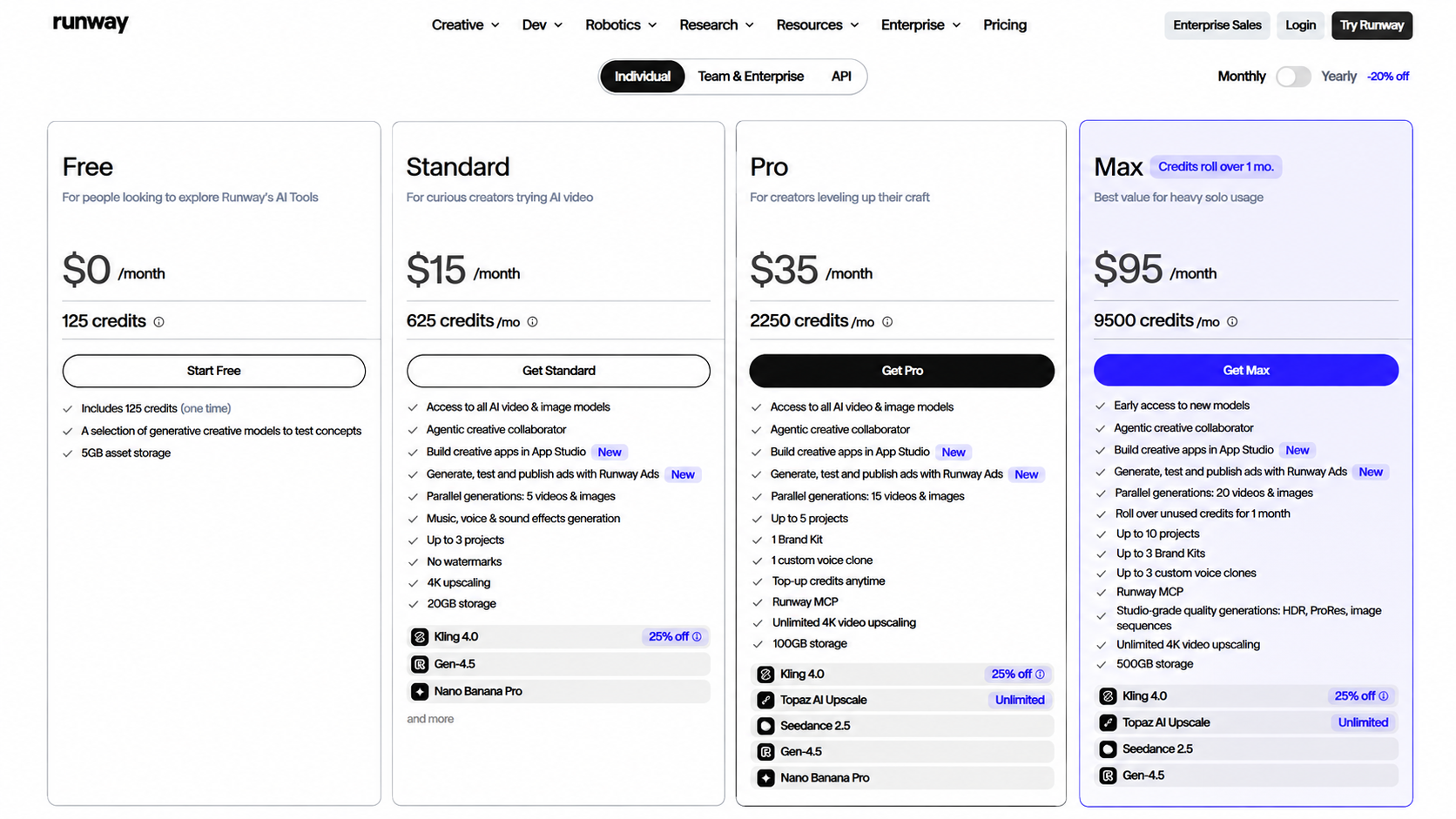
The result is a video of the character reproducing the timing, expressions and gestures in the driving video. Act-Two is included in Runway's paid plans, starting with Standard.
Record a suitable driving video
The quality of the driving video determines almost the entire result.
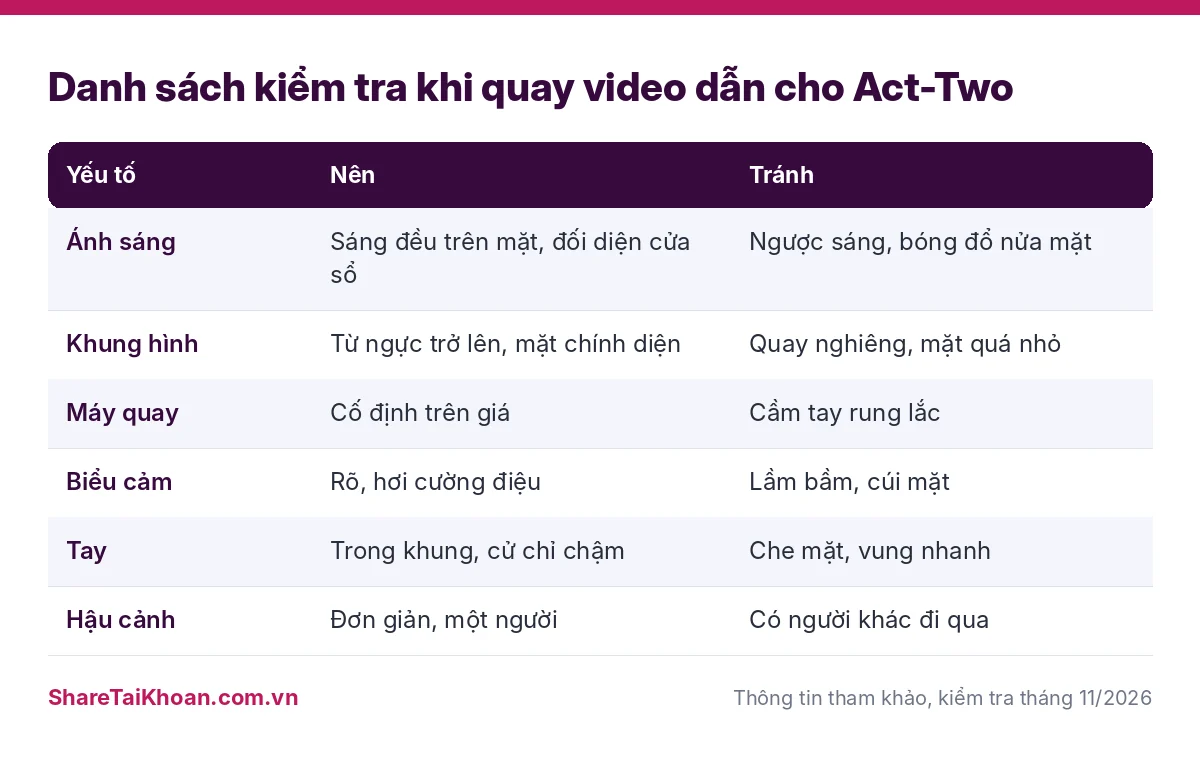
Performance tips:
Make your performance about 20% more expressive than usual. Subtle expressions can easily be lost when transferred to the character.
Stay still for one second at the beginning and end to make editing easier.
Say the exact lines you will use, even if you later replace the voice, so the lip movements match.
Record several takes and choose the best one before uploading. Recording again does not use credits, but generating again does.
Choose a character image
Framing similar to the driving video. If the driving video is framed from the chest up, the character image should be too.
Face clearly visible, looking toward the camera. Expressions are harder to detect when the character is shown in profile.
Keep your hands from covering your face. If you want the character to use hand gestures, the image should show the hands or shoulders.
Any style works: photos, drawings, 3D. Characters with facial proportions that differ too much from a human's, for example those without a clearly defined mouth, produce poorer results.
You can create a character image directly in Runway or with another image generation tool. Only use images you have the right to use.
Generate, review and refine
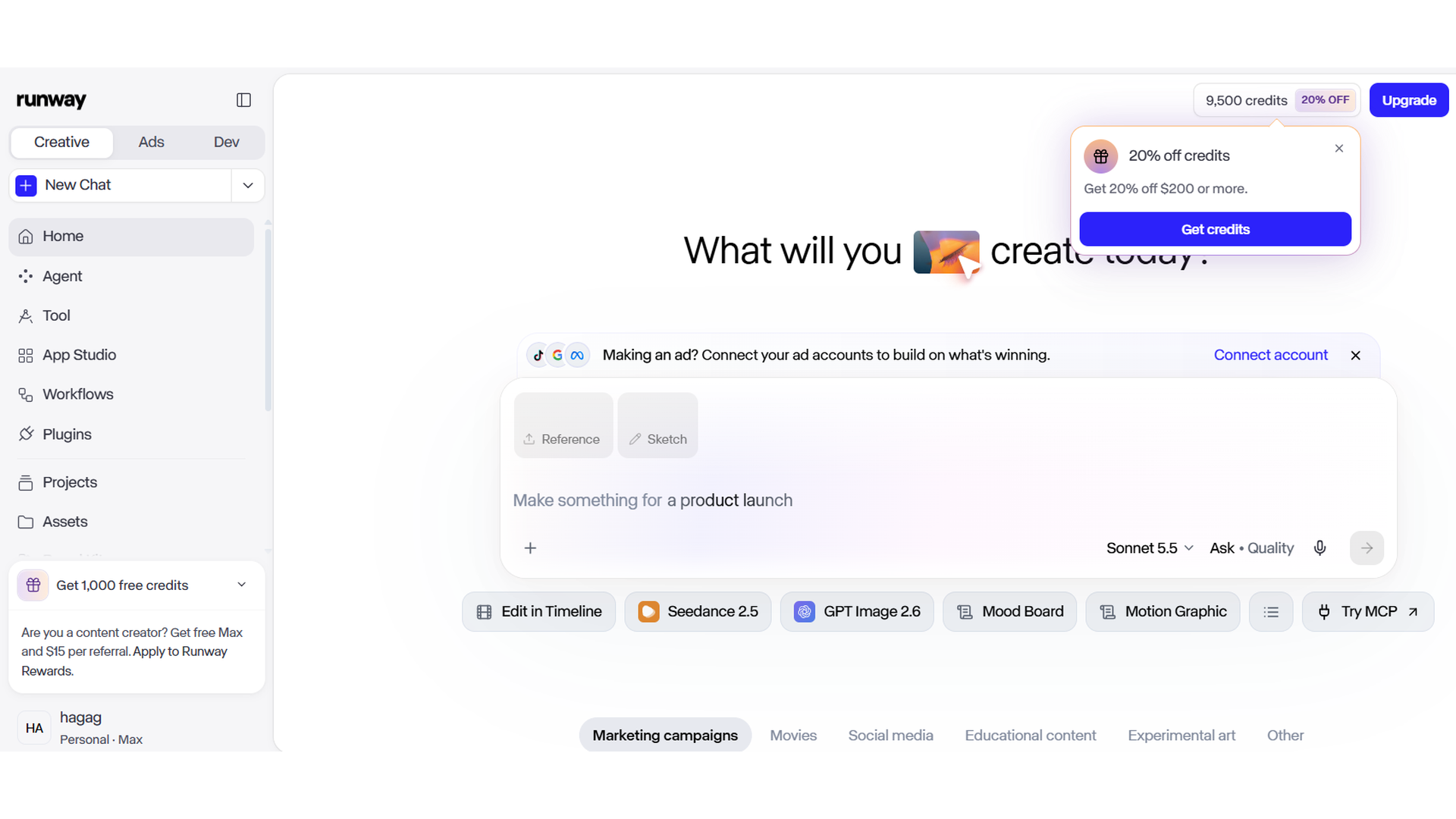
Upload the driving video and character image to Act-Two.
Enable the body movement and gesture options if your driving video includes hands and shoulders in the frame.
Generate the first version using the shortest possible clip to test it.
Check three things: whether the lip movements match the speech, whether the eyes look natural, and whether the hands are distorted.
Once you are satisfied, generate the full version, then add the audio in editing software.
For audio, there are three options: keep your voice from the driving video, replace it with an AI voice reading the same dialogue at the same pace, or use a voice-changing tool. The second approach requires careful timing; see ElevenLabs if you need a distinct voice for your character.
Calculate credit usage
According to sources that track pricing, Act-Two uses about 5 credits per second, with a minimum charge of 3 seconds per generation. This is low compared with Runway's other models.
Standard plan with 625 credits: about 2 minutes of character performance per month if used only for Act-Two.
Pro plan with 2,250 credits: about 7 minutes.
Budget for additional generations. A scene usually needs two attempts.
Compared with Aleph, Act-Two costs several times less per second; see the article editing videos with Runway Aleph to understand when to use each tool.
Four application ideas
A talking brand mascot. Create a mascot, then act out the product introductions yourself. Your channel gets a consistent face without needing a model.
Explainer videos featuring animated characters. A teacher performs the lesson, and an animated character presents it. Suitable for children's content.
One person playing multiple roles. Perform each role in turn using different character images, then edit them together into a conversation.
Ad localization. Keep the same performance and change the character to suit each market.
Limitations and responsibilities
Do not use images of real people without their consent. Creating videos of real people saying things they did not say is harmful and may violate the law.
Label AI-generated content when the platform requires it.
Full-body shots, fast movements and multiple people in the frame remain weaknesses. Design scenes around its strengths: close-ups and medium shots with a single character.
Frequently asked questions
Does Act-Two require special equipment?
No. A phone recording in a well-lit location, mounted on a stable stand, is enough.
Can the character speak Vietnamese?
Yes. Act-Two transfers lip movements from the driving video, regardless of language. If you speak Vietnamese, the character's lips move to match Vietnamese.
How does Act-Two differ from Act-One?
Act-Two is the next generation, adding hand and body movements rather than just facial animation.
View account options at Runway product page.
References
ShareTaiKhoan is an independent service, not Runway or a representative of Runway. Prices, usage limits and terms are determined by the provider and may change; the information in this article was checked in November/2026.
(0 ratings - 0/5)
Buy affordable accounts at ShareTaiKhoan
Other articles
- Canva Pro or Photoshop? A Comparison for Marketing in 2026
- Systematic Literature Reviews with Elicit: A 6-Step Process
- Semrush One and AI Visibility: Measuring Brand Presence in ChatGPT
- Create Natural Vietnamese AI Voiceovers with Vbee: 7 Techniques
- How to Find Bestselling TikTok Shop Products with Kalodata
- Adding Voiceovers to Videos and Lectures with Vbee: A 6-Step Process
- Using Perplexity for Keyword Research and SEO Competitor Analysis
Comments (0)
Sign in or register to comment.
No comments yet.