
Google Veo 3 vs Runway 2026: Which AI Video Generator Is Better?
Published:

Google Veo 3 and Runway are two notable AI video-generation technologies in 2026. Compare Veo 3.1 and Runway Gen-4.5 in terms of visuals, audio, motion, cost, and practical applications to choose the right tool.
Google Veo vs. Runway 2026: Which AI video-generation tool is more worthwhile?
Updated: 04/11/2026 | Category: AI Tool Comparison
Google Veo vs Runway is one of the topics worth exploring as artificial intelligence increasingly changes the way videos are produced. From creating advertising scenes and TikTok videos to cinematic-style clips, AI tools are giving content creators more options.
Including: Google Veo 3.1 stands out for its ability to generate videos with audio, realistic visuals, and shot control. Meanwhile, Runway Gen-4.5 is developed to provide video creation tools and an environment that supports in-depth production and editing workflows.
However, the AI video market is changing rapidly. In 2026, Google also introduced Gemini Omni, which can create and edit videos through conversation, while Runway continues to expand tools such as Aleph 2.0 and Runway Agent.
So How are Google Veo and Runway different? Which tool creates better-looking videos suited to TikTok, product ads, or professional content production?
Let's ShareTaiKhoan find out more in the comparison below.
What are Google Veo and Runway?
Before comparing them in detail, users should understand how the two technologies differ in their development.
1.1. What is Google Veo?
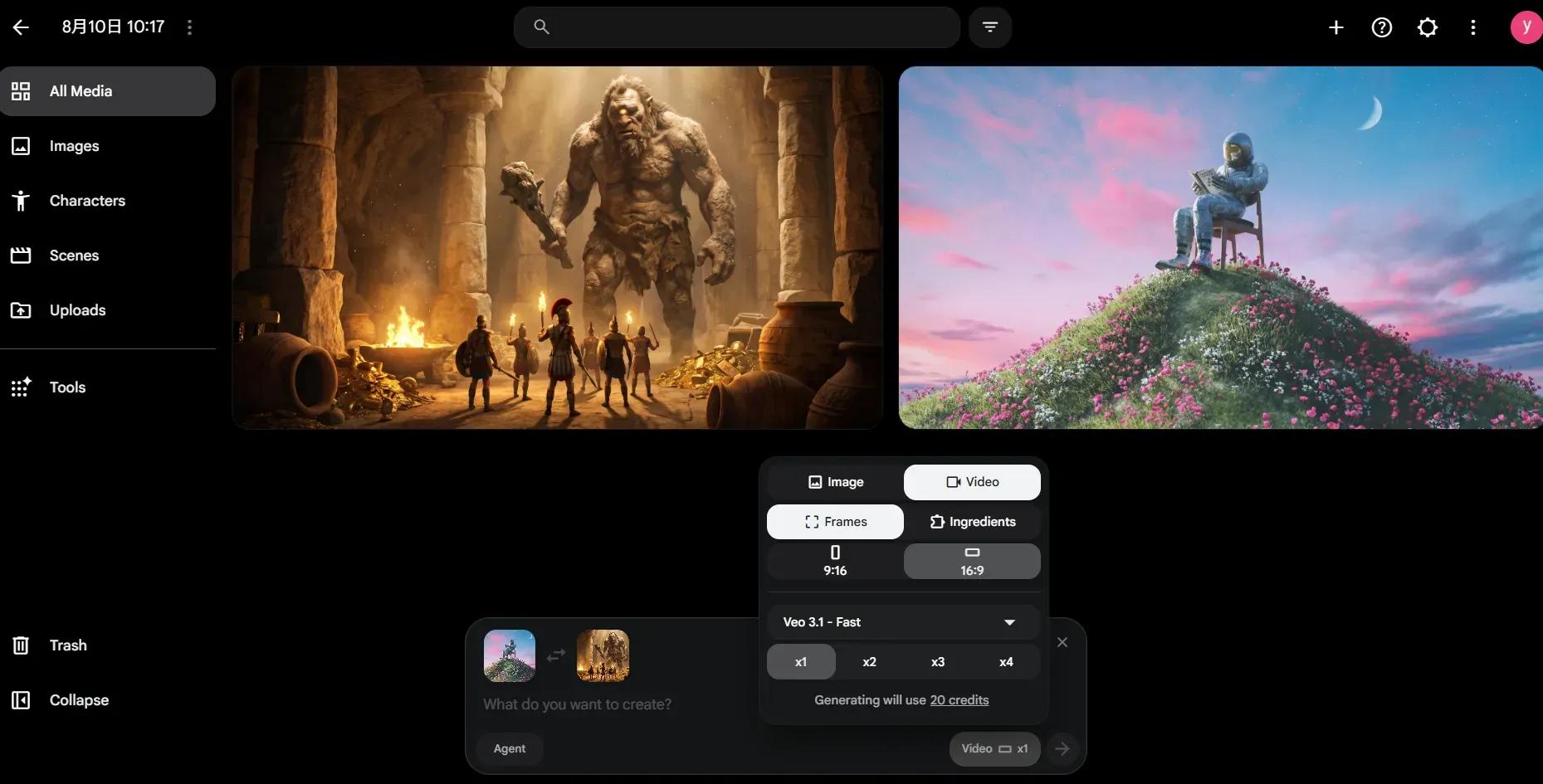
Google Veo is a family of AI video-generation models developed by Google DeepMind.
Veo can transform text descriptions or images into videos with AI-generated motion, settings, and visual effects.
With Veo 3 and Veo 3.1, Google expands the ability to generate audio natively alongside video, including ambient sounds and dialogue.
Notable capabilities of Veo 3.1 include:
Create videos from text.
Create videos from images.
Create audio combined with visuals.
Use of reference images.
Control over the first and last frames.
Supports horizontal and vertical video.
Create high-resolution content in supported workflows.
Veo is integrated into various Google products and services, including video-generation environments such as Flow.
Important note: Google stopped offering the Veo 3.1 Preview versions on the Gemini API on 22/10/2026 and directed developers to Gemini Omni Flash. Therefore, users should check actual availability before subscribing to any service.
1.2. What is Runway AI?
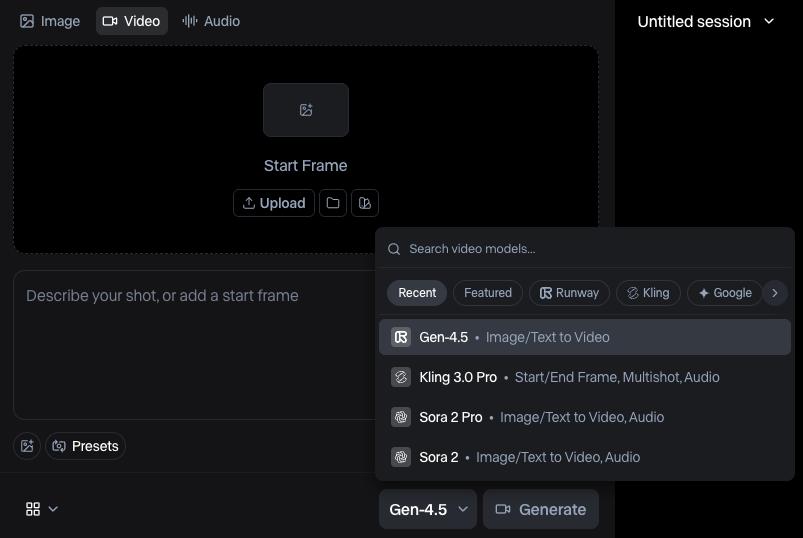
Runway is an AI-powered content creation and editing platform with a strong focus on video production.
Unlike Veo, which is a model family, Runway is a workspace offering various models and tools.
Notable tools include:
Gen-4.5: Create videos from text or images.
Gen-4 Turbo: Create videos from images at a lower credit cost.
Aleph: AI video editing.
Runway Agent: Supports building creative workflows through conversation.
Workflows: Combining multiple stages in a single workflow.
Runway is suitable for people who want to create multiple scenes, experiment with motion, or edit videos continuously.
Google Veo vs Runway comparison table for 2026
Below is a quick comparison of the publicly announced capabilities of Veo 3.1 and the Runway ecosystem, with Gen-4.5 as the reference video-generation model.
Criteria | Google Veo 3.1 | Runway Gen-4.5 and its ecosystem |
|---|---|---|
Developer | Google DeepMind | Runway |
Product type | Video generation model | Platforms and AI models |
Text to Video | Yes | Yes |
Image to Video | Yes | Yes |
Generate audio natively | Yes | Varies by model and tool |
Vertical video 9:16 | Yes | Yes |
Video clip duration | 4, 6, or 8 seconds, according to the published API configuration | 2–10 seconds with Gen-4.5 |
Resolution | Options up to 4K are available in supported workflows | Gen-4.5 generates at 720p by default and includes an upscaling tool. |
Editing existing videos | Varies by Google product | Has the Aleph tool |
Motion control | Through the prompts and corresponding features | Through prompts and specialized tools |
How costs are calculated | Depending on the package, credits, or access service | Primarily depends on the plan and credits |
Suitable | Create scenes with audio, short videos | Producing, testing, and editing multiple scenes |
Quick review: Veo 3.1 has a clear advantage in generating audio alongside video. Runway has an advantage in its ecosystem of creative tools, editing features, and workflows.
However, it is not possible to conclude that one tool creates better-looking videos in every situation without testing them with the same input data.
Comparing image quality and realism
Image quality is often the first criterion when choosing an AI video generation tool.
3.1. Google Veo video quality
Google focuses on developing Veo to realistically render motion and visuals.
Veo 3.1 is presented as improving the consistency of characters, settings, and visual elements used as references.
For example, a user who wants to create a coffee ad scene might describe:
"A cup of coffee sits on a wooden table as morning sunlight streams through the window and steam moves naturally. The camera slowly moves toward the product."
Veo can use a description to create a corresponding video clip.
Things to check include the movement of the steam, the lighting, the shape of the product, and consistency across frames.
3.2. Runway video quality
Runway Gen-4.5 was developed with a focus on motion, visual fidelity, and the ability to follow detailed descriptive prompts.
Users can describe camera movement, the order of actions, and the atmosphere of a scene.
For example, a fashion video creator might request:
"The model walks slowly down a modern street as the camera moves alongside them in the late-afternoon light, in a high-fashion style."
Runway can help create a scene from a description, after which users can continue editing or try other variations.
3.3. Which creates better-looking videos, Veo or Runway?
Based on their published capabilities, both are aimed at producing high-quality video.
However, quality should not be judged by resolution alone.
A good-looking video also depends on:
Naturalness of movement.
Character consistency.
Ability to preserve product details.
Lighting and perspective.
Ability to follow prompts.
The number of attempts needed to achieve an acceptable result.
Conclusion: There is not enough basis to claim that Veo or Runway is always superior in image quality. Users should compare them directly using the same prompt.
Comparing audio and dialogue generation capabilities
Audio is an important point of difference between Veo and Runway.
4.1. Does Google Veo generate audio?
Yes.
Veo 3.1 supports video generation with native audio, including:
Ambient audio.
Sounds that match the footage.
Dialogue.
Sound effects that suit the content.
For example, when creating a coffee shop scene, AI can help generate sounds such as a coffee machine brewing or people talking.
This reduces the need for some additional audio work during video editing.
However, users still need to check pronunciation, dialogue synchronization, and audio quality, especially for Vietnamese.
4.2. Does Runway generate audio?
Yes, but it's important to distinguish between the video-generation model and the Runway platform as a whole.
Gen-4.5 is primarily presented as offering the ability to generate moving images from text or images.
Runway also offers other models and tools that can process or add audio.
Therefore, you should not assume that videos generated with Gen-4.5 always have synchronized audio like Veo 3.1.
4.3. Which tool is better for videos with dialogue?
If your main need is to create a short video clip with dialogue or ambient sound included, Veo is worth considering.
If you want to control the video through multiple stages by choosing an image-generation model and then adding audio separately, Runway may be a better fit.
Comparing motion and camera control
One of the challenges of AI video is getting the motion to match the idea.
5.1. Motion control in Veo
Veo supports motion guidance through text descriptions.
Users can specify:
Camera angle.
Camera movement direction.
Character action.
Setting.
Lighting.
Cinematic style.
Additionally, Veo 3.1 now supports using reference frames to guide video generation.
This is useful when users need to transition between two visual states.
5.2. Motion control in Runway
Runway Gen-4.5 supports prompts describing camera movements and sequences of actions.
Users can combine scene descriptions with filmmaking terms such as:
Dolly in.
Tracking shot.
Camera pan.
Close-up.
Wide shot.
Slow motion.
Runway also offers other tools for editing generated footage.
5.3. Which is the better choice?
For those who only need to create a single video scene from a description, both tools are worth trying.
For those who regularly create multiple versions, change details, and work with existing scenes, Runway offers a more convenient set of tools for the workflow.
However, the level of control available in practice also depends on the model and subscription package.
Google Veo vs Runway: Which tool is right for making TikTok videos?
TikTok, YouTube Shorts, and Instagram Reels commonly use vertical 9:16 video.
Both Veo 3.1 and Runway Gen-4.5 support vertical formats in suitable modes.
6.1. Create short videos with Veo
Veo 3.1 can generate vertical videos with audio, making it suitable for experimenting with short scenes.
For example, users can create:
A product showcase scene.
Cinematic motion video.
Advertising illustration.
A video opening scene.
Short storytelling video.
6.2. Create TikTok videos with Runway
Runway allows users to create short video clips from text or images.
Users can create multiple scenes, choose a suitable option, and then use editing tools to finish the video.
6.3. Should You Choose Veo or Runway for TikTok?
If you need to create video clips with direct audio and fewer post-production steps, Veo has some notable advantages.
If you need to test multiple scenes, vary the motion, and build a video from several short segments, Runway is worth considering.
Regardless of which tool they use, users should finalize subtitles, messaging, music, and editing pace before posting.
Comparing the ability to create product advertising videos
For marketing and e-commerce, AI video generation can help create advertising content without having to organize a shoot for every idea.
7.1. Creating product videos with Google Veo
Veo can use reference images to create moving scenes.
For example, using an image of a perfume bottle, a user could request a scene in which the camera rotates gently around the product.
One advantage is that images and audio can be combined in the same workflow.
However, product labels, text on packaging, and the product's actual appearance should be checked carefully.
7.2. Creating product videos with Runway
Runway is a good fit when you need to experiment with different advertising styles and adjust shots.
For example:
A scene with a product on a table.
A scene with light moving around the product.
A scene with a changing background.
A scene featuring camera movement.
An opening scene for an advertising video.
Runway's editing tools help users continue working with the content they have created.
7.3. Which option is right for online store owners?
For shop owners just starting to use AI, it is best to choose a tool that is easy to use and has a suitable cost for experimentation.
If you frequently create multiple ad versions and need to control the imagery and make repeated edits, Runway may be worth evaluating.
If you prioritize short scenes combined with audio, Veo also has an advantage.
Note: Do not use AI-generated videos that could mislead customers about a product's appearance, function, or actual quality.
Comparing AI video editing capabilities
This is an important criterion for professional content creators.
8.1. Editing videos within the Google ecosystem
In 2026, Google introduced Gemini Omni, expanding its video creation and editing capabilities through conversation.
Users can provide input content and ask AI to change elements of a video.
For example, users may want to adjust the setting or extend a shot.
Gemini Omni 1.1 Flash also supports features such as first- and last-frame control, low-resolution draft generation, and output upscaling in suitable workflows.
This shows that Google's ecosystem is moving toward more flexible video editing, rather than just generating a video once.
8.2. Editing videos on Runway
Runway has an editing tool suite that includes Aleph and upgraded versions.
These features let users edit existing videos, change details, or experiment with visual styles.
Runway also offers Workflows for combining multiple processing steps.
8.3. Which tool is best for post-production?
Runway's advantage lies in its product positioning as an environment for creating and editing video.
Google has also significantly expanded its editing capabilities through Gemini Omni and Flow.
Therefore, users should evaluate tools based on their specific workflows rather than comparing model names alone.
Google Veo and Runway: Which tool is easier to use?
For beginners, a simple interface can be just as important as output quality.
9.1. The experience with Google Veo
When using Google's products with visual interfaces, users can start by describing their idea.
The basic workflow includes:
Choose a video generation tool.
Enter a prompt or upload an image.
Select the supported settings.
Create videos.
Reviewing and editing the results.
How simple it is depends on whether users access it through Gemini, Flow, or another service.
9.2. The experience with Runway
Runway provides a dedicated environment for video creation.
Users need to become familiar with video generation models, credits, input settings, and editing tools.
At first, the number of options may mean beginners need more time to explore them.
That said, people who produce videos regularly can use these tools to build more detailed workflows.
Conclusion: Beginners should choose a tool based on its interface and available version; those making more in-depth videos should also consider how much workflow control it offers.
Comparing the cost of using Google Veo and Runway
Cost is an important factor because generating AI videos may require multiple attempts.
10.1. How does Google Veo charge?
The cost of using Veo depends on the product and access method.
Users may encounter options such as:
Benefits included in the Google AI plan.
Credits for video generation in Flow.
Pricing is based on developer services.
Conditions specific to each model.
Therefore, there is no single Veo price that applies in every case.
In particular, the Veo 3.1 Preview versions in the Gemini API have been discontinued. Developers should check the pricing and access terms for the replacement model.
10.2. How does Runway charge?
Runway uses a credits system for many of its video creation and editing tools.
According to Runway documentation, Gen-4.5 has a consumption rate 12 credits per second of generated video.
For example:
Gen-4.5 video duration | Credits required |
|---|---|
5 seconds | 60 credits |
8 seconds | 96 credits |
10 seconds | 120 credits |
This level applies to video generation with Gen-4.5 and does not represent the entire Runway toolset.
Other tools have their own credit rates.
10.3. Which is more cost-effective, Veo or Runway?
An accurate conclusion cannot be reached without first identifying the usage plan and the number of videos to be created.
For example, a content creator may need only 10 videos/month, while an agency needs to test hundreds of versions.
The actual cost depends on:
Number of videos created per month.
Video duration.
Resolution.
Number of regeneration attempts.
Editing features.
Each plan's credit policy.
One useful way to evaluate is to calculate cost per completed video that meets the requirements, rather than calculating the cost of a single generation.
Google Veo vs Runway: Which tool should you choose for different needs?
There is no single best tool for every user.
Below are recommendations based on the feature focus of each platform.
Audience | Tools to consider | Reason |
|---|---|---|
Beginners | Veo or Runway | Trial price varies by interface |
Content Creator | Both | Create short clips, test ideas |
TikTok creators | Veo or Runway | Supports vertical video |
Online store owners | Both | Create videos from product photos |
Marketer | Runway or Google Flow | Experimenting with multiple scenes and editing |
Filmmakers | Runway and Google Flow | Creative control tools |
Developer | Gemini Omni or Runway API | Automated workflow integration |
For students and beginners
Start with a tool that has a reasonable cost and an easy-to-use interface.
There's no need to choose a premium plan before you've identified your actual needs.
For content creators
Try the same prompt to compare motion, audio, and video completion speed.
For marketers and businesses
Evaluate how well it preserves product imagery, manages multiple versions, and controls the cost per completed video.
For filmmakers
Consider the ability to control motion, characters, settings, and scene editing, as well as integration with post-production workflows.
Testing Google Veo and Runway with the same prompt
For an objective comparison, users should apply the same idea and evaluation criteria.
Video ad test prompt
"Create a cinematic luxury perfume advertisement. A transparent glass perfume bottle stands on a black marble pedestal. Soft golden lighting, subtle reflections, slow camera orbit around the bottle, elegant premium atmosphere, realistic materials, no text overlays, vertical 9:16."
Criteria to evaluate
Criteria | Test content |
|---|---|
Image quality | Clarity, lighting, and materials |
Motion | Natural, stable, and faithful to the prompt |
Product accuracy | Bottle shape, label, details |
Audio | Is it suitable for the scene? |
Editing capabilities | Is it easy to change the results? |
Cost | Number of credits and generations |
Practical applicability | Can the video be used in ads |
Try each tool multiple times, keep the input data unchanged, and record the results.
You should not judge based on just one sample video selected by the provider for promotional purposes.
Limitations to know before choosing Veo or Runway
Despite offering many creative possibilities, AI video-generation tools still have certain limitations.
13.1. Videos may contain motion errors
AI can sometimes generate unnatural actions or actions that differ from the description.
13.2. Visual details may be inconsistent
Logos, text, product shapes, and small objects may change from frame to frame.
13.3. Costs may increase with repeated experimentation
A good video sometimes needs to be generated in multiple versions.
Users need to manage their credits and budget.
13.4. Commercial usage rights should be checked
Platforms may apply different terms to free plans, paid plans, and AI-generated content.
13.5. AI should not be used to create misleading content
This is especially important for product advertising videos, where the content needs to accurately reflect the product's features.
For content simulating events or people, avoid making viewers mistake it for real footage.
Explore AI video-generation tools at ShareTaiKhoan
If you are exploring AI tools for video creation, advertising, or social media content, you can browse the digital services featured at ShareTaiKhoan.com.vn.
Before subscribing, users should check:
Name and version of the tool provided.
Actual service plan.
Video-generation limits or number of credits.
Subscription duration.
Account management rights.
Video export capabilities and commercial usage rights.
Warranty, support, and refund policies.
In particular, do not assume that a paid plan includes access to every model or unlimited video generation.
Explore more AI tools at ShareTaiKhoan.com.vn to explore options suited to your content creation needs.
ShareTaiKhoan is an independent service provider and is not an official representative of Google or Runway.
Frequently asked questions about Google Veo vs Runway
How are Google Veo and Runway different?
Google Veo is a family of video-generation models from Google DeepMind. Runway is a creative platform offering multiple video-generation and editing models and tools.
Which produces better-looking videos, Google Veo or Runway?
Both can create high-quality videos, but neither is always better in every situation. They should be evaluated using the same prompt and input data.
Can Google Veo generate audio?
Yes. Veo 3.1 supports generating audio alongside video, including ambient sounds, effects, and dialogue.
Can Runway Gen-4.5 create videos from images?
Yes. Runway Gen-4.5 supports Text to Video and Image to Video.
Is Google Veo still available in 2026?
Some Google products still advertise Veo capabilities, but the Veo 3.1 Preview versions on the Gemini API were discontinued on 22/10/2026. Check the specific service you are accessing.
Does Runway support vertical TikTok videos?
Yes. Runway Gen-4.5 supports a 9:16 aspect ratio in the relevant mode.
Are Google Veo and Runway free?
Trial availability and free usage limits depend on the plan, platform, region, and current program.
How many credits does Runway Gen-4.5 require?
According to Runway documentation, Gen-4.5 uses 12 credits for every second of generated video.
Which tool is suitable for marketers?
Both can help create advertising content. Runway is suitable for evaluating multi-step editing workflows, while Veo is worth considering for short scenes with audio.
Should AI video generation completely replace filming?
Not yet. AI is suitable for testing ideas, creating illustrative scenes, and supporting production, but content that requires accuracy or realistic product imagery still needs careful review.
Conclusion: Should you choose Google Veo or Runway in 2026?
Looking at image quality, audio, editing capabilities, and cost, Google Veo and Runway appear to have different intended use cases.
Google Veo 3.1 stands out for its ability to generate videos with audio, support reference images, and guide short shots.
Runway offers a rich ecosystem of tools for video creation, testing different approaches, and editing content.
Meanwhile, the development of Gemini Omni showing that Google is also rapidly expanding its AI video editing capabilities.
If you prioritize a short video clip with direct audio, Veo's capabilities are worth considering.
If you regularly produce content, need multiple rounds of editing, and manage a multi-scene workflow, Runway may be a better fit.
However, the best choice still depends on actual quality, current access, cost, and work requirements.
Want to explore more creative AI content tools?
Access ShareTaiKhoan.com.vn to learn about the services currently offered, check the benefits, and choose tools suited to your needs.
(0 ratings - 0/5)
Buy affordable accounts at ShareTaiKhoan

Compare packages
| Product | Package | Type | Price | |
|---|---|---|---|---|
| Veo3 | Pro - 1000 credit | Own account | 199.000₫ | Buy |
| Veo3 | Pro - 3000 credit | Own account | 499.000₫ | Buy |
| Veo3 | Ultra 25000 credits - 2 x 25000 credits - 1 month | Shared | 350.000₫ | Buy |
| Veo3 | Ultra - 1 month | Own account | 699.000₫ | Buy |
| Runway | Max - 1 month | Shared | 699.000₫ | Buy |
| Runway | Max - 3 months | Shared | 1.699.000₫ | Buy |
| Runway | Max - 1 year | Shared | 5.999.000₫ | Buy |
| Runway | Max - 1 month | Private | 1.299.000₫ | Buy |
Related products



Other articles
- Kahoot or Wayground (Quizizz)? Choose Based on Your Lesson Style
- Is Google Antigravity or Cursor Better? Comparing Two AI IDEs
- Is Claude or ChatGPT Better? A Task-by-Task Comparison
- The latest Antigravity Ultra vs Antigravity Pro comparison
- CapCut Free vs CapCut Pro: Feature and Price Comparison
- Elicit AI vs Google Scholar 2026: Which Tool Should You Choose?
- Otter AI vs TurboScribe 2026: Which Tool Should You Choose?
Comments (0)
Sign in or register to comment.
No comments yet.